Prerequisites
- Before working on this lab, You must have
- A computer running windows server 2022 Domain Controller.
Network Topology
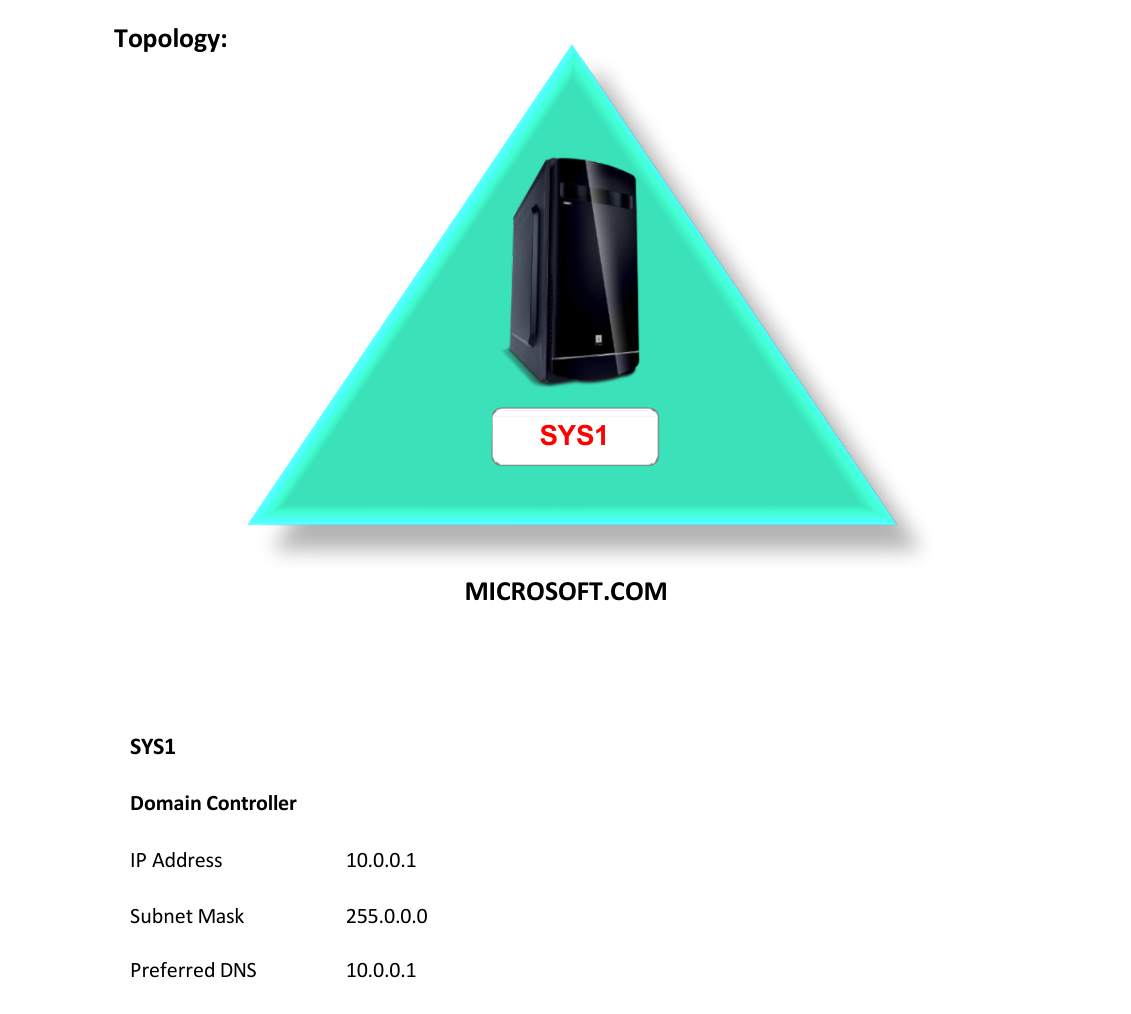
Step-by-Step Instructions
Step 1
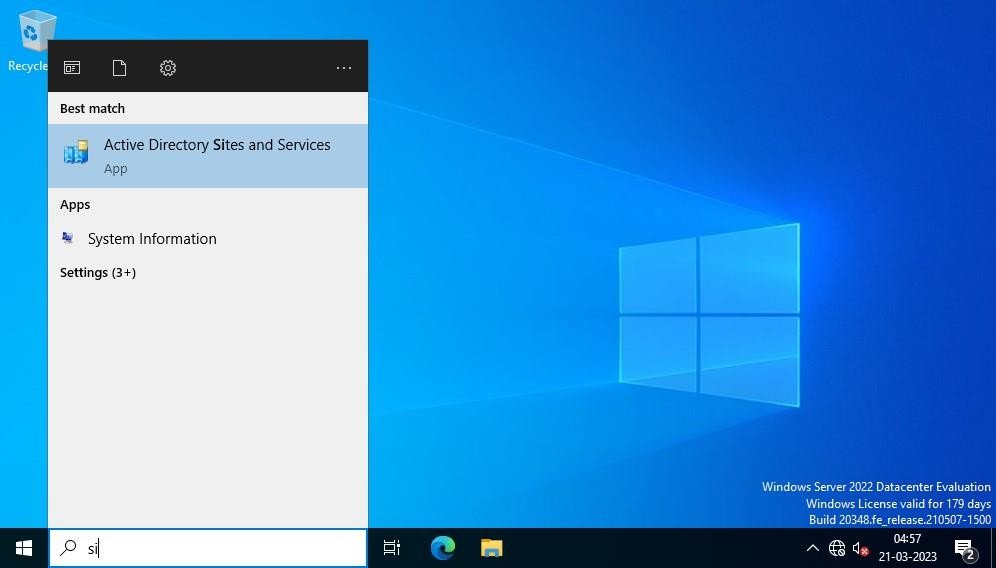
Logon to D.C as Administrator, go to Start, Active Directory Sites and Services.
Step 2
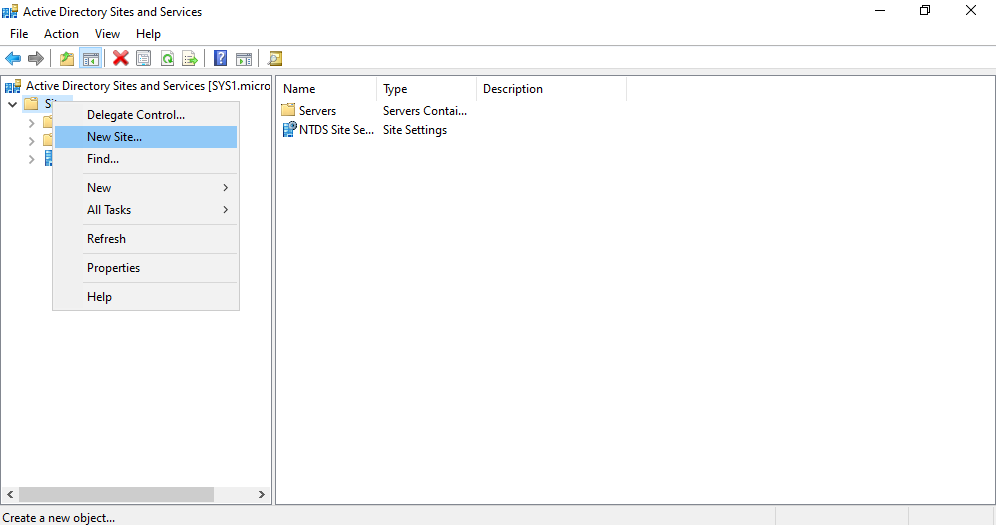
Right click Sites à New Site.
Step 3
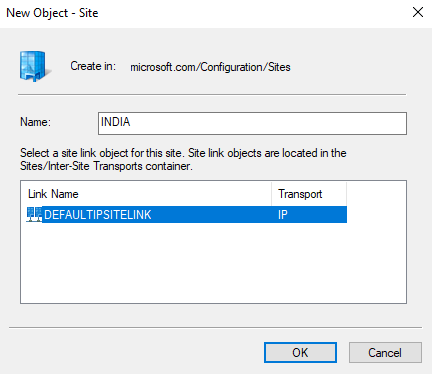
Enter the site name (INDIA) and select DEFAULTIPSITELINK and click OK.
Step 4
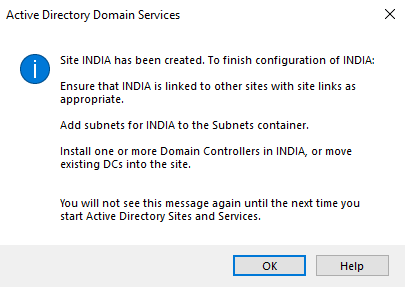
Site INDIA will be created, click OK.
Step 5
Similarly create another site (USA)
Step 6
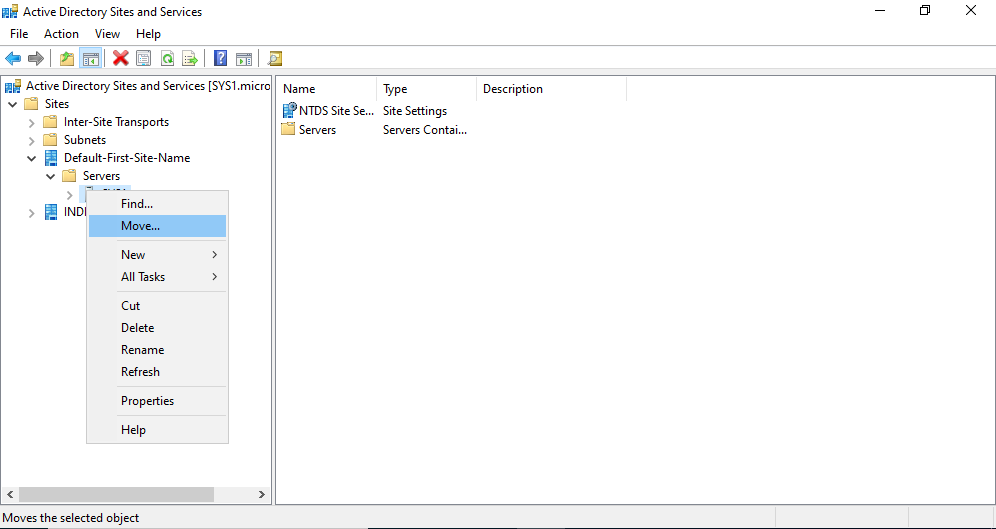
Expand Default-First-Site-Name à Expand Serversà Right click Server (SYS1) à Move
Step 7
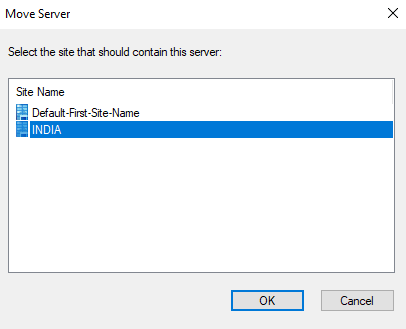
Select the Site (INDIA) and click OK.
Step 8
Server is now moved under INDIA site.
Verification
Verify that your configuration works as expected. Open tools and check settings matching the parameters.