Prerequisites
- Before working on this lab, You must have
- A computer running windows 2022 server Domain Controller.
- A Member Server running windows 2022 server or client running windows 10.
Network Topology
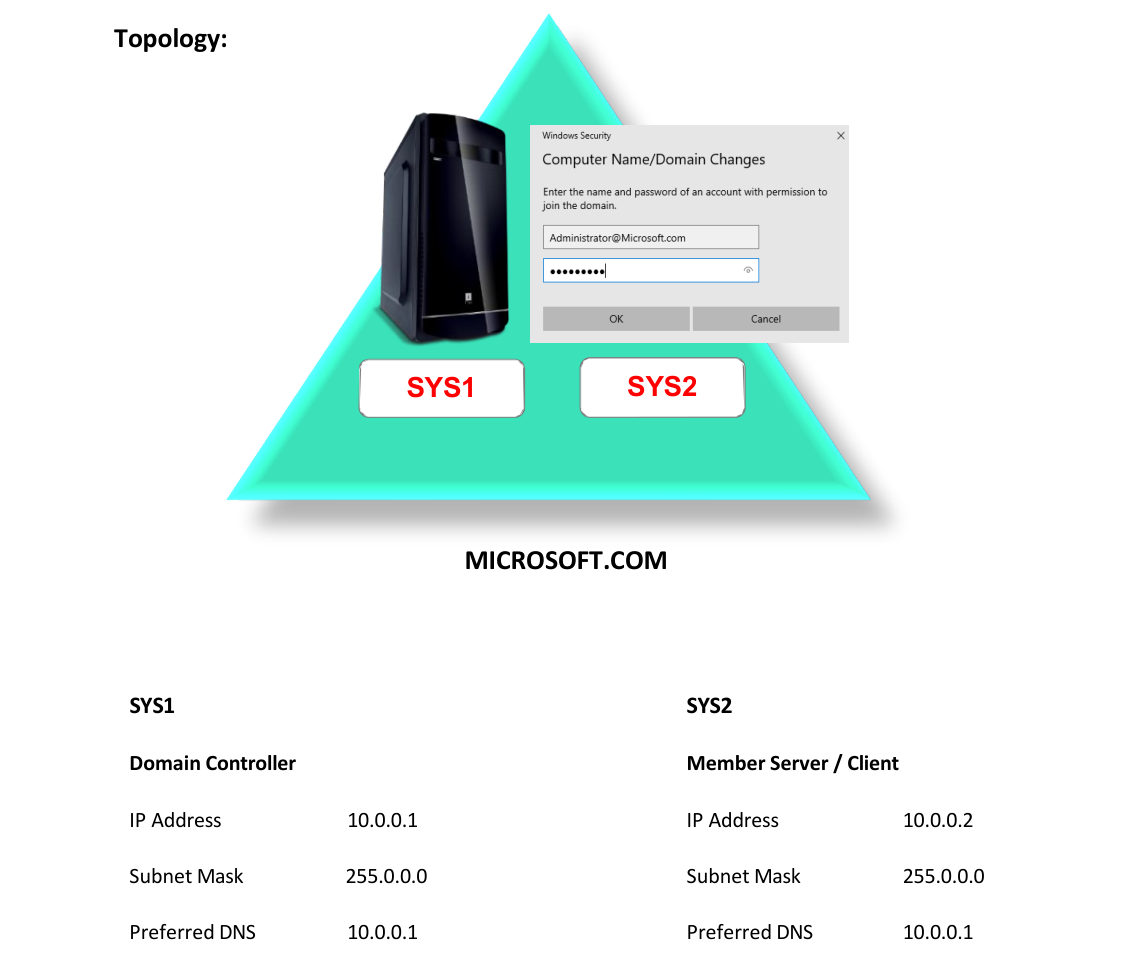
Step-by-Step Instructions
Step 1
Press Windows Key to go to Start, select Active Directory User and Computers.
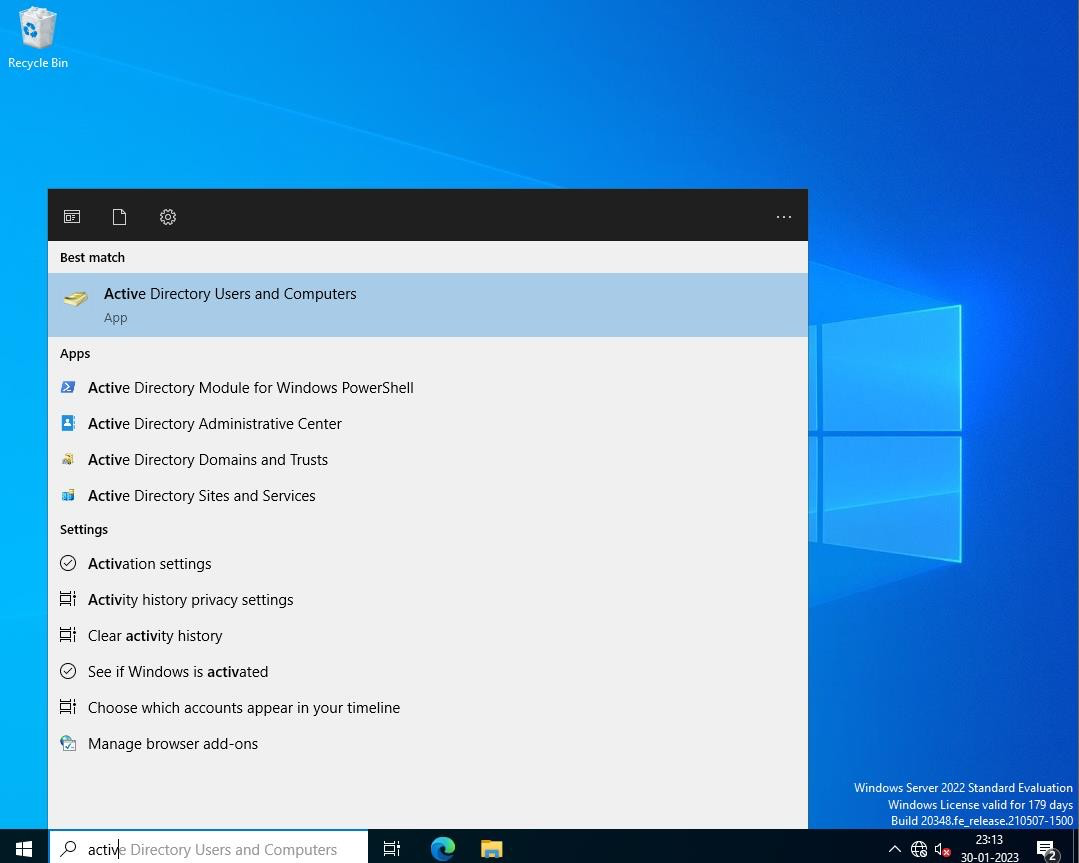
Step 2
Right click DomainName=> New-> Organizational Unit.
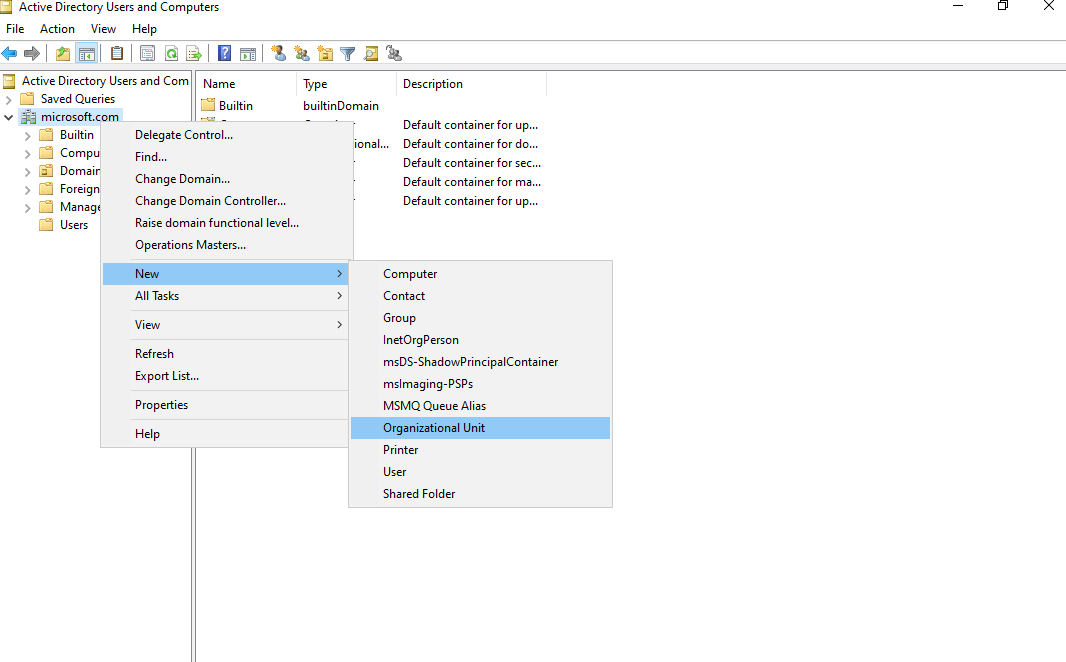
Step 3
Enter the name for OU (Ex: Sales1) and click OK.
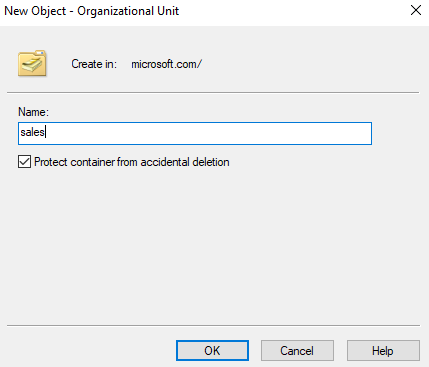
Step 4
Create Users in the Sales1 OU (Ex: S1, 52, S3)
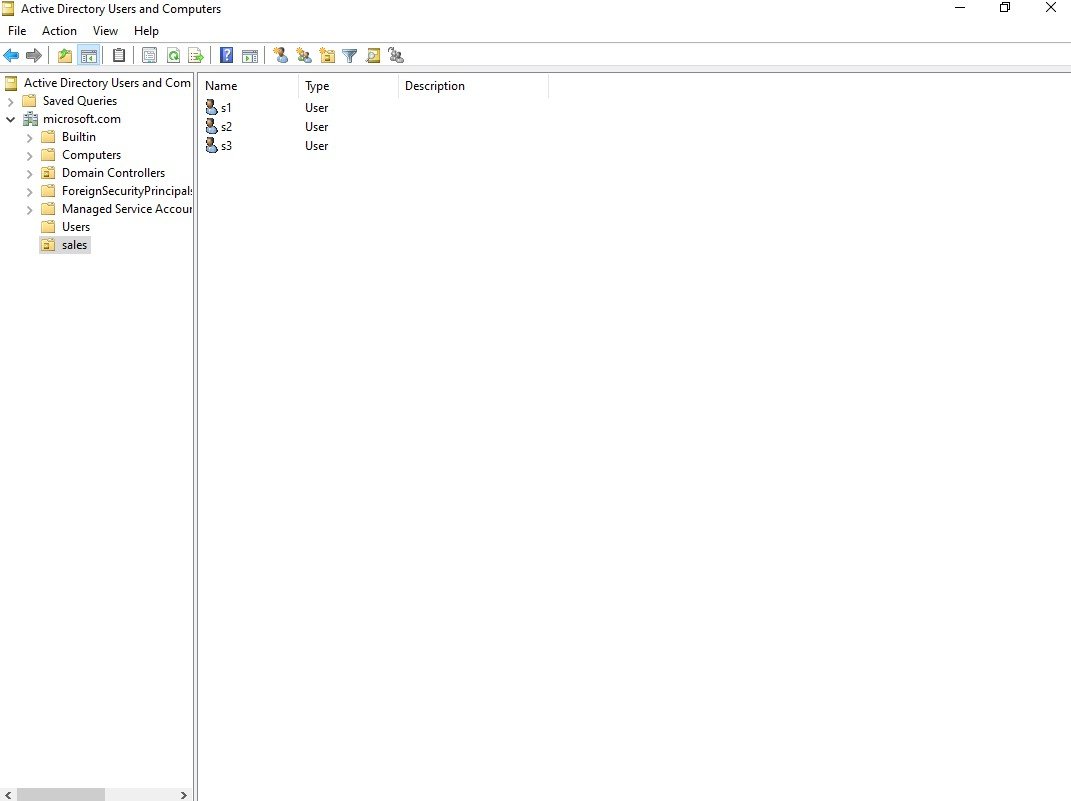
Verification
Verify that your configuration works as expected. Open tools and check settings matching the parameters.