Prerequisites
- Before working on this lab, You must have
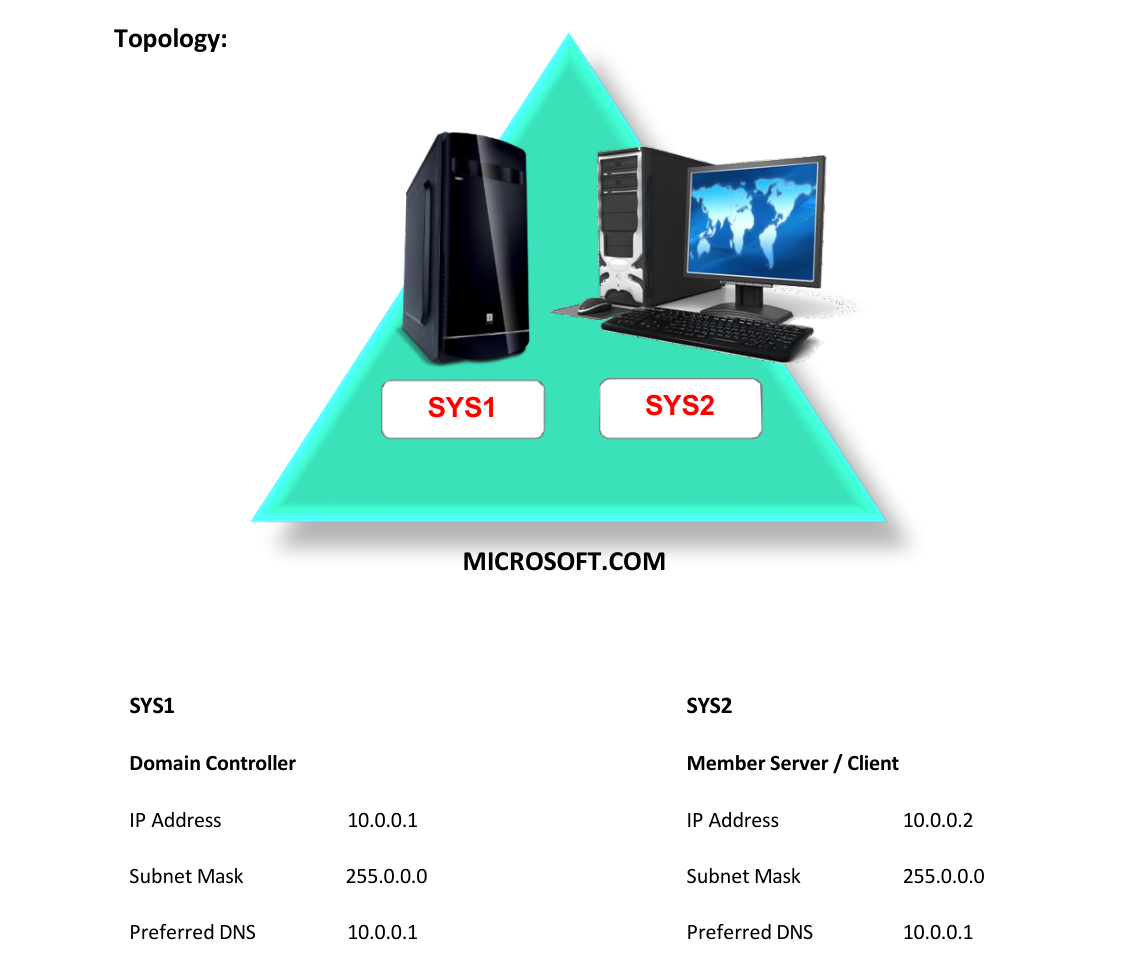
- A computer running windows 2022 server Domain Controller.
- A Member Server running windows 2022 server or client running windows 10.
Network Topology
Step-by-Step Instructions
Step 1
Login as Administrator on a Domain Controller.
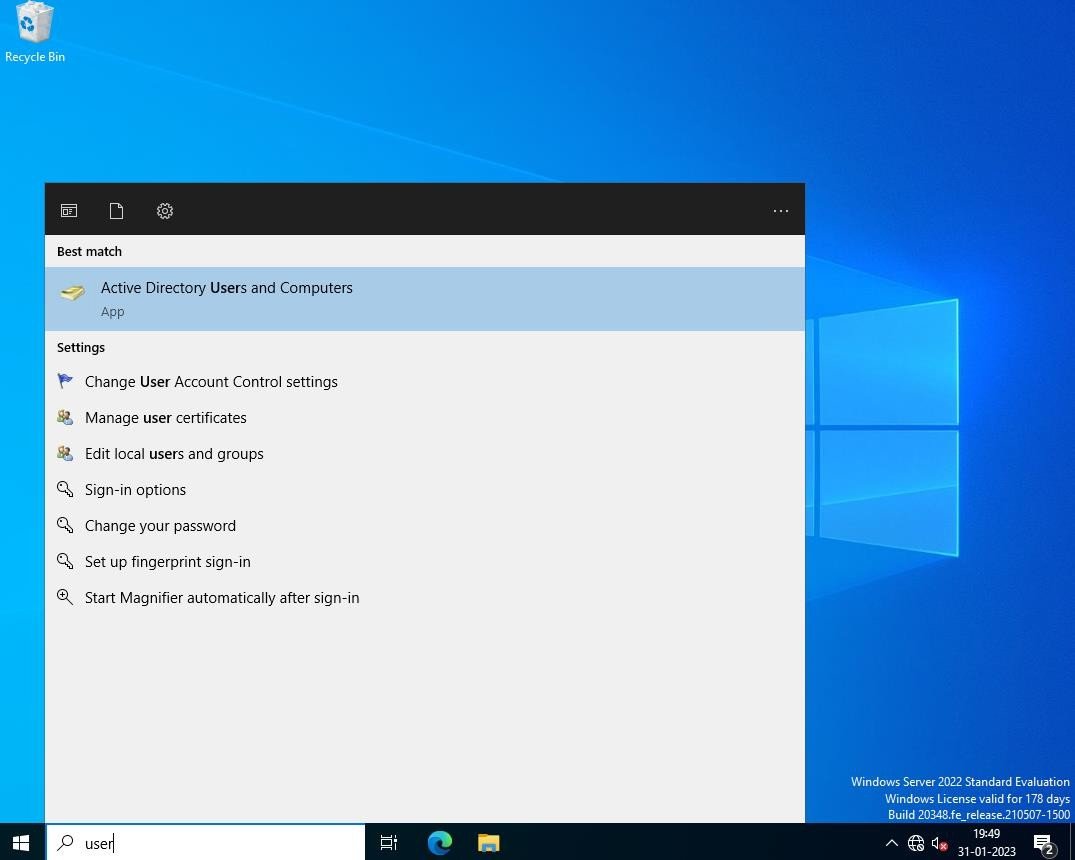
Step 2
Go to Start, select Active Directory Users and Computers.
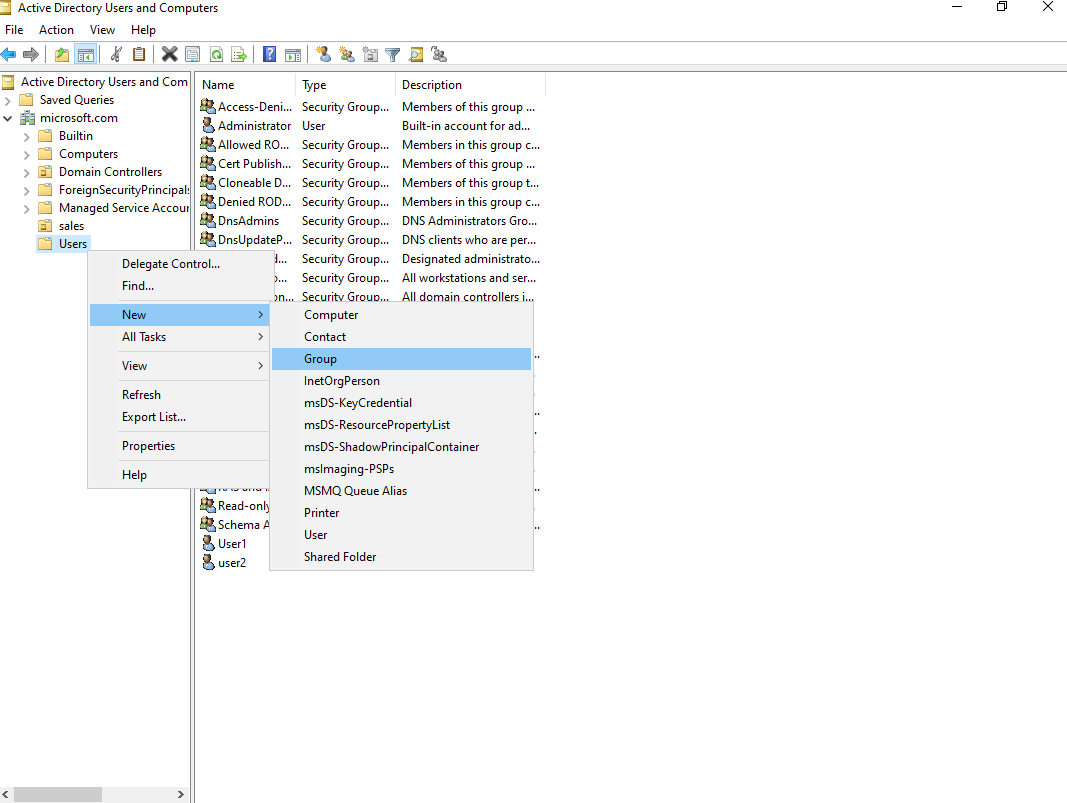
Step 3
Right click Users à Select New à Group.
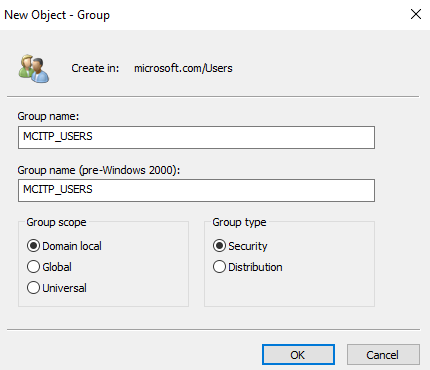
Step 4
Mention the Group name and Select the Group Scope as Domain Local and Group type as Security.
Step 5
Group will be created successfully.
Step 6
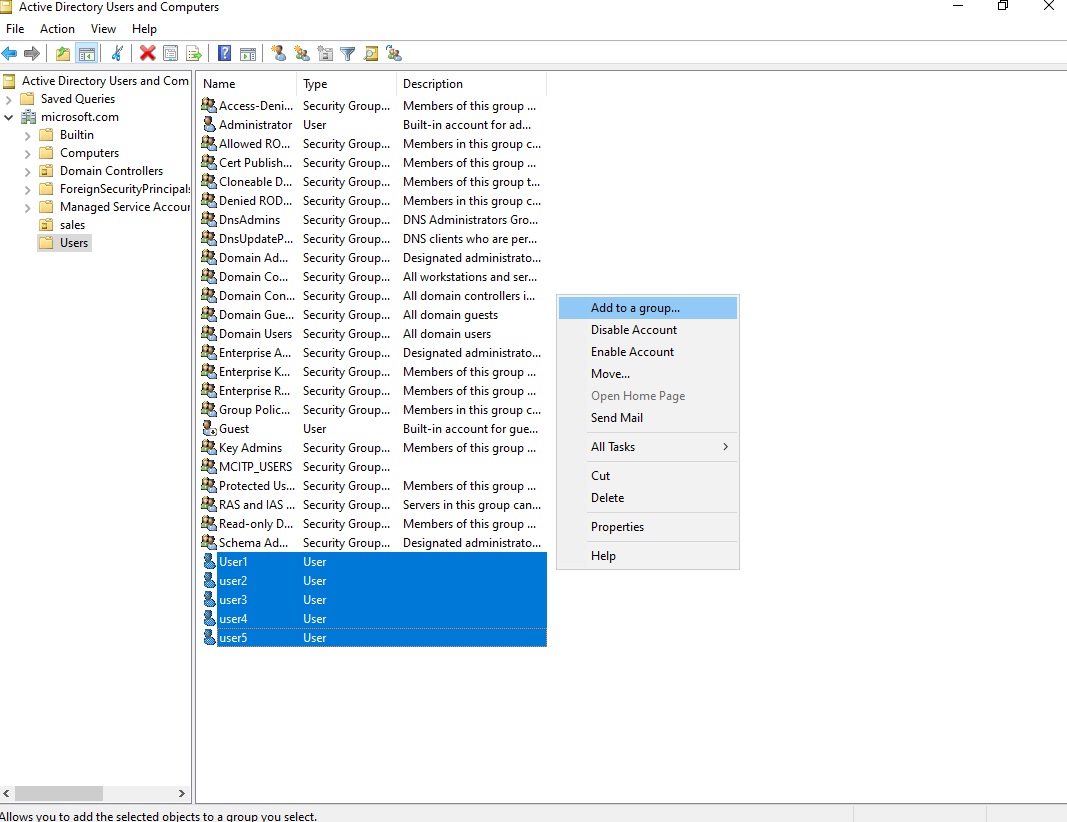
To add any users to this group, Right click on User account and Select Add to a group.
Step 7
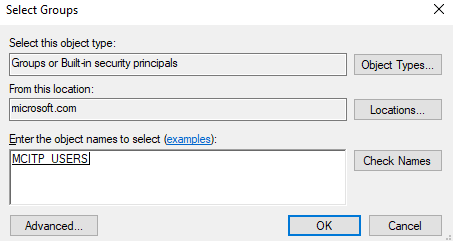
Mention the group name as MCITP_USERS à click OK.
Step 8
Add to Group operation was successfully completed.
Verification
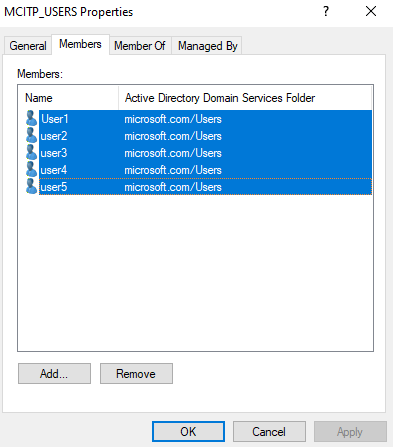
- 1. Go to Active Directory Users and Computers à Right click on Group à
- Select Properties à Select Members Tab à Verify for the User.