Prerequisites
- Before working on this lab, You must have
- A Computer running with windows server 2022 or windows 10.
Step-by-Step Instructions
Step 1
Login to Computer as Administrator to the Computer.
Step 2
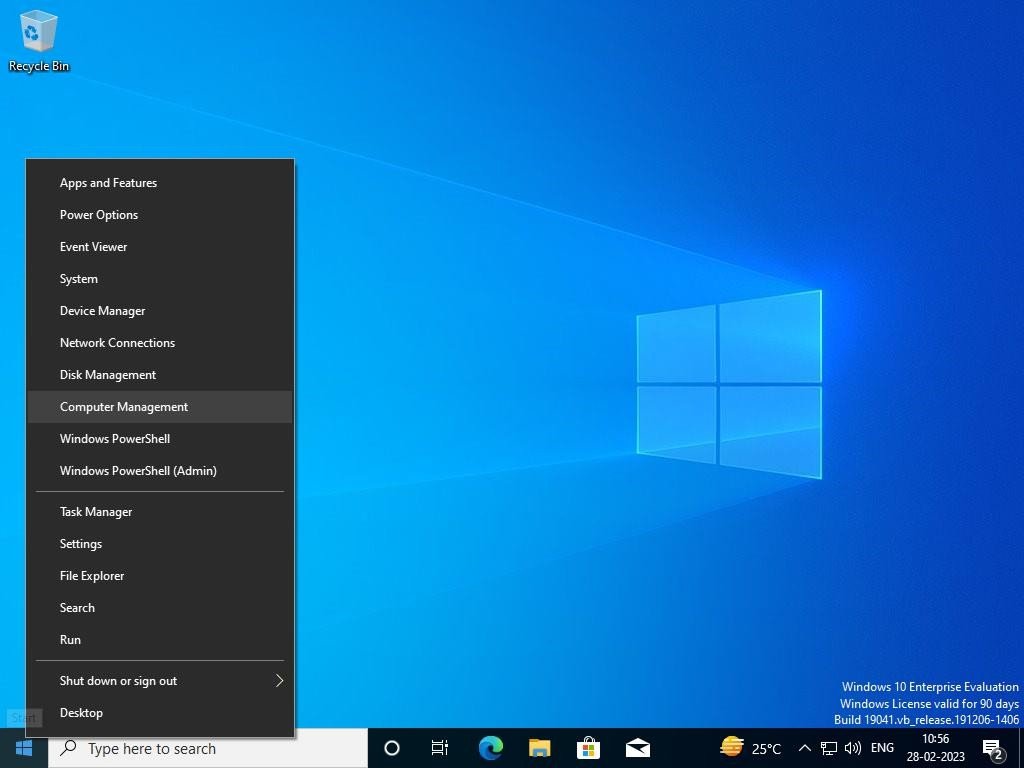
Press Windows Key to go to Start, type Computer Management in Search Apps, and select Computer Management.
Step 3
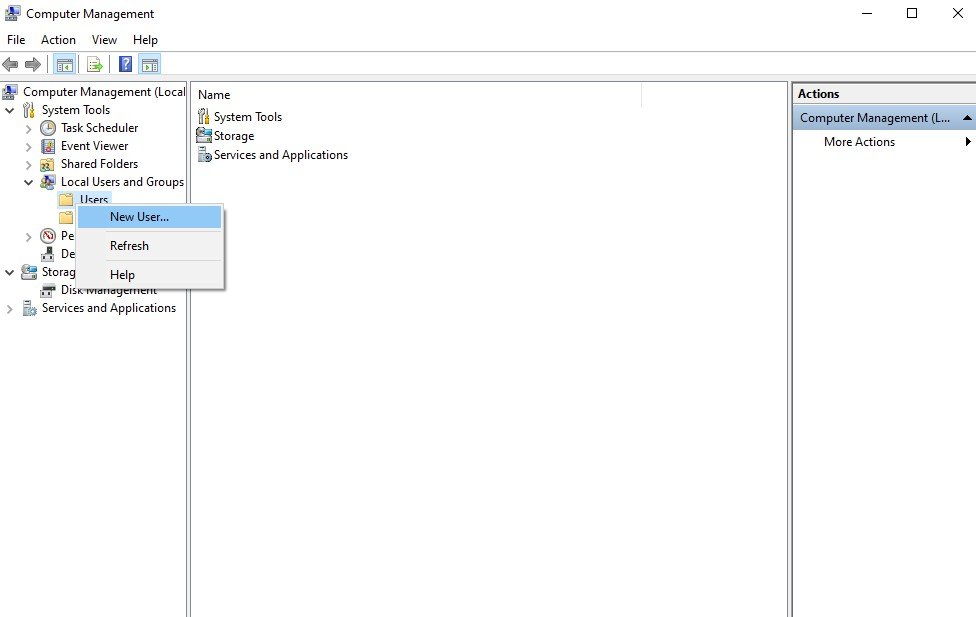
Expand Computer Management Expand System Tools à Expand Local Users and Groups à right click Users and then click New User.
Step 4
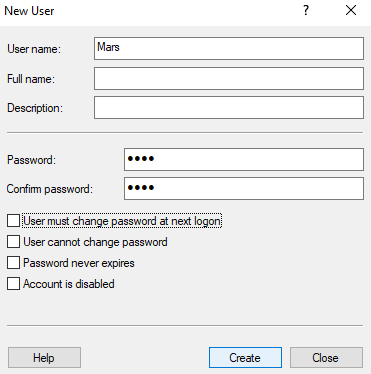
Enter User Name and set Password, Confirm Password and click Create.
Step 5
Click Close, and then Close Computer Management.
Verification
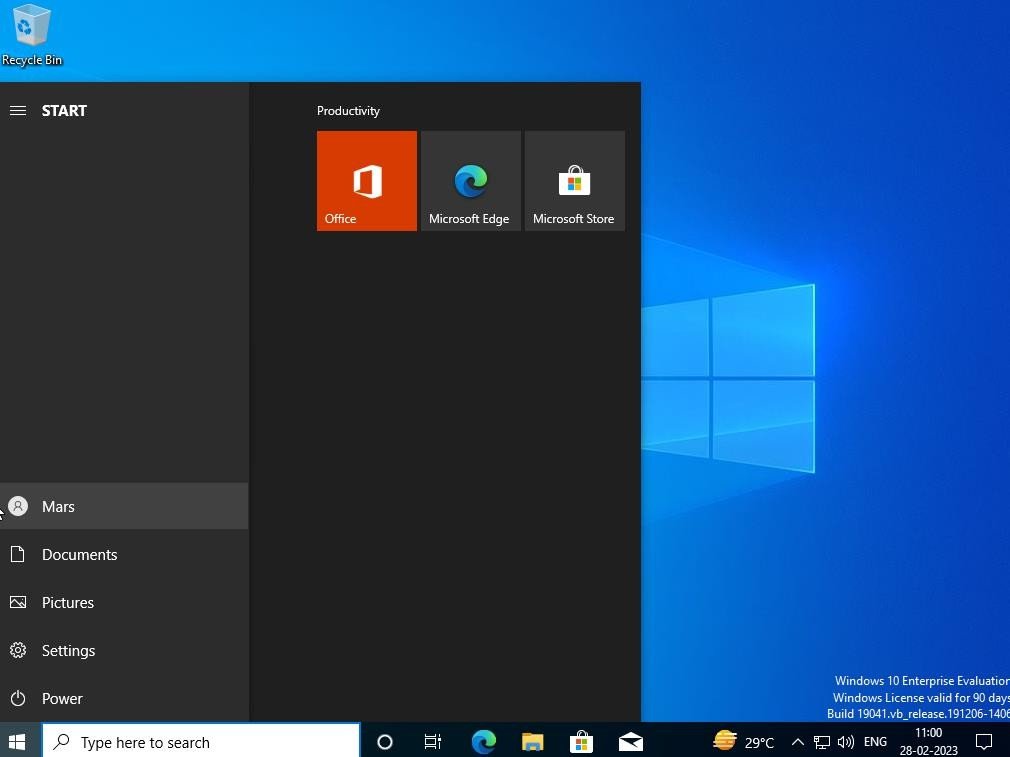
- 1. Press Ctrl + Alt + Del à Click Switch User or Logoff Administrator
- 2. Login as User (Mars) on same compute