Prerequisites
- Before working on this lab, You must have
- A computer running windows server 2022 Domain Controller.
- A Member Server running windows server 2022.
Network Topology
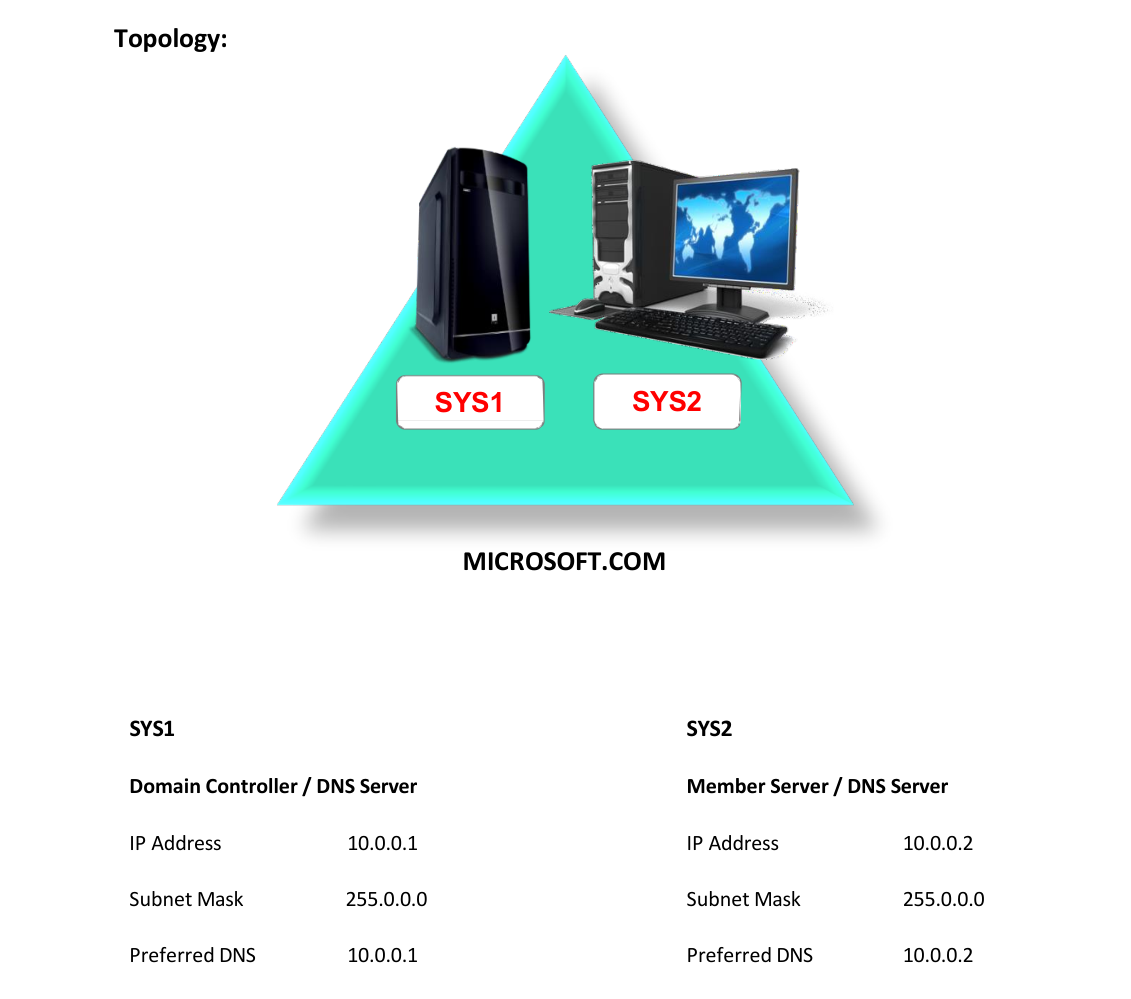
Step-by-Step Instructions
Step 1
In SYS1 create a zone with the domain name Ex: Microsoft.com with host and alias records.
Step 2
In SYS1 open the command prompt and type ping www.Microsoft.com
Step 3
There will be a reply from 10.0.0.1
Step 4
In SYS2 assign the IP Address and Preferred DNS as 10.0.0.2
Step 5
In SYS2 open the command prompt and type ping www.Microsoft.com
Step 6
There will not be any reply because the information is in 10.0.0.1
Step 7
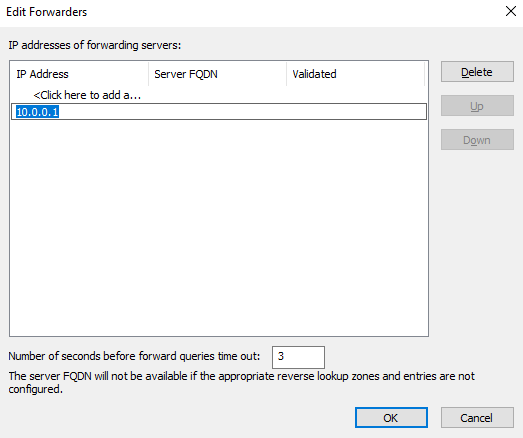
If SYS2 has to resolve the query then configure forwarders in SYS2 properties.
Step 8
Open DNS in SYS2 à Right click SYS2 à select properties à select forwarders à click Edit.
Step 9
Mention the IP address of primary zone à click OK à click OK.
Step 10
In SYS2 open the command prompt and type ping www.Microsoft.com
Step 11
There will be a reply from 10.0.0.1
Verification
Verify that your configuration works as expected. Open tools and check settings matching the parameters.