Prerequisites
- Before working on this lab, You must have
- A computer running windows server 2022 Domain Controller.
- A Member Server running windows server 2022.
Network Topology
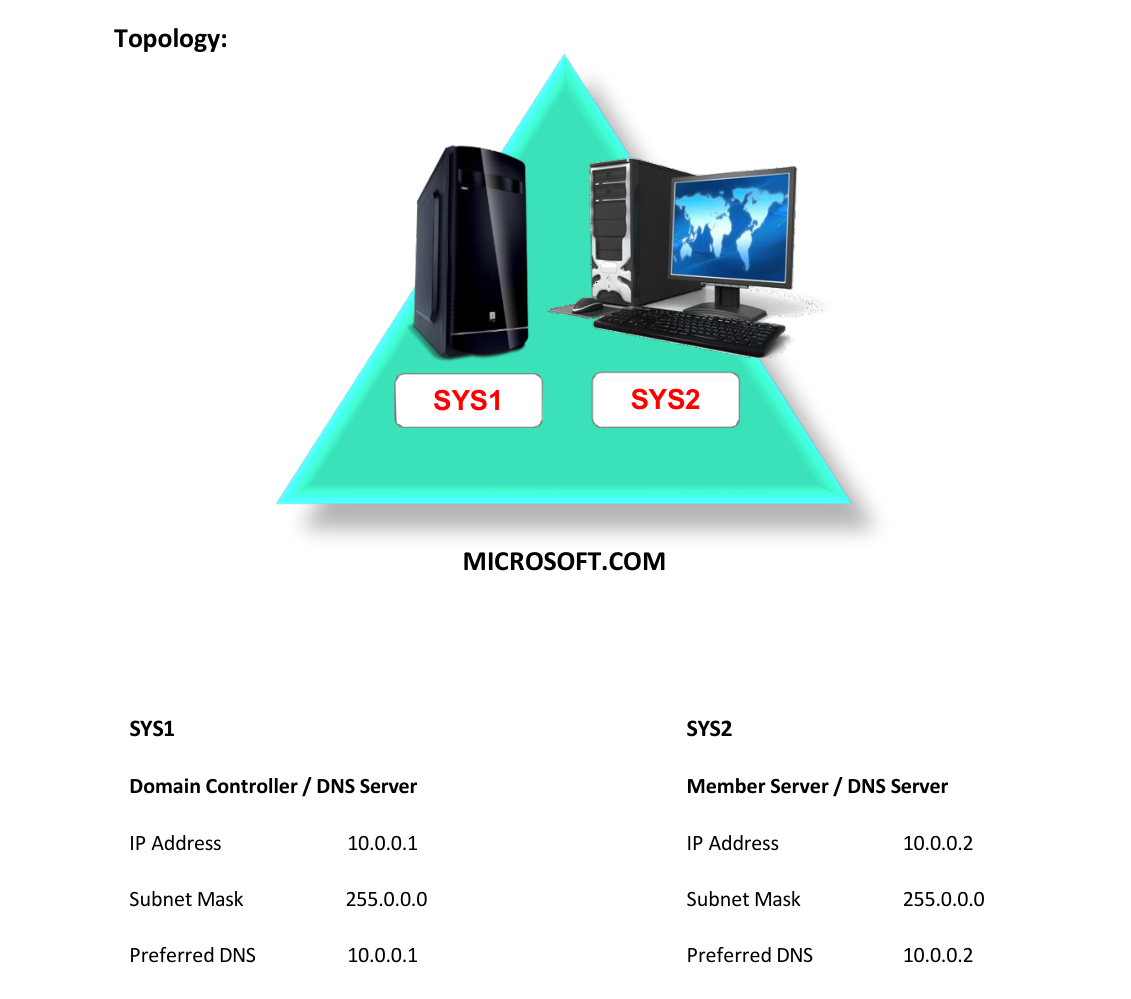
Step-by-Step Instructions
Step 1
In SYS1 create a zone with the name Ex: MCITP.COM with host and alias records.
Step 2
In SYS1 open the command prompt and type ping www.MCITP.COM
Step 3
There will be a reply from 10.0.0.1
Step 4
In SYS2 assign the IP Address and Preferred DNS as 10.0.0.2
Step 5
In SYS2 open the command prompt and type ping www.MCITP.COM
Step 6
There will not be any reply because the information is in 10.0.0.1
Step 7
If SYS2 has to resolve the query then configure forwarders in SYS2 properties.
Step 8
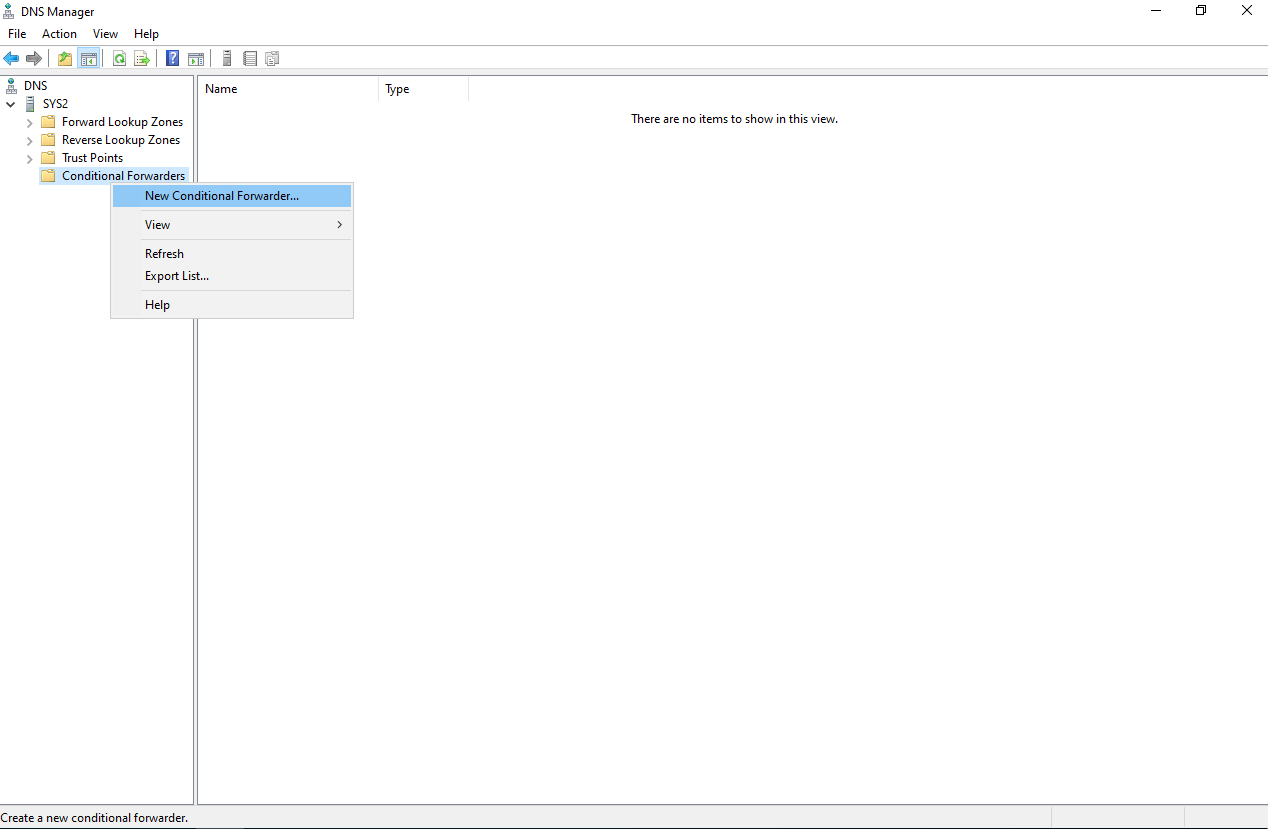
Go to DNS dialog box in SYS2 àRight click conditional forwarders à select New conditional forwarders
Step 9
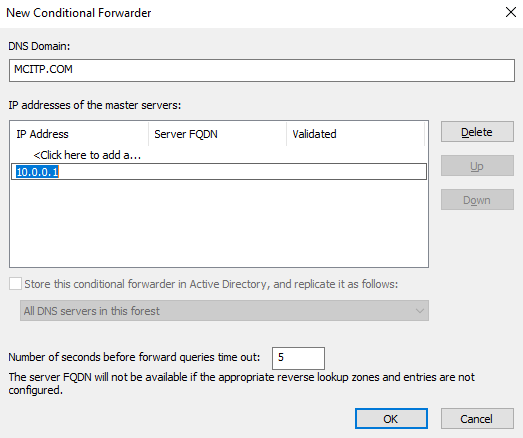
Mention the DNS Domain as MCITP.COM and add the IP address of primary zone.
Step 10
In SYS2 open the command prompt and type ping www.MCITP.COM
Step 11
There will be a reply from 10.0.0.1 Note: Only MCITP.COM names can be resolved with the above process.
Verification
Verify that your configuration works as expected. Open tools and check settings matching the parameters.