Prerequisites
- Before working on this lab, You must have
- A computer running windows 2022 server Domain Controller.
- A Member Server running windows 2022 server or client running windows 10.
Network Topology
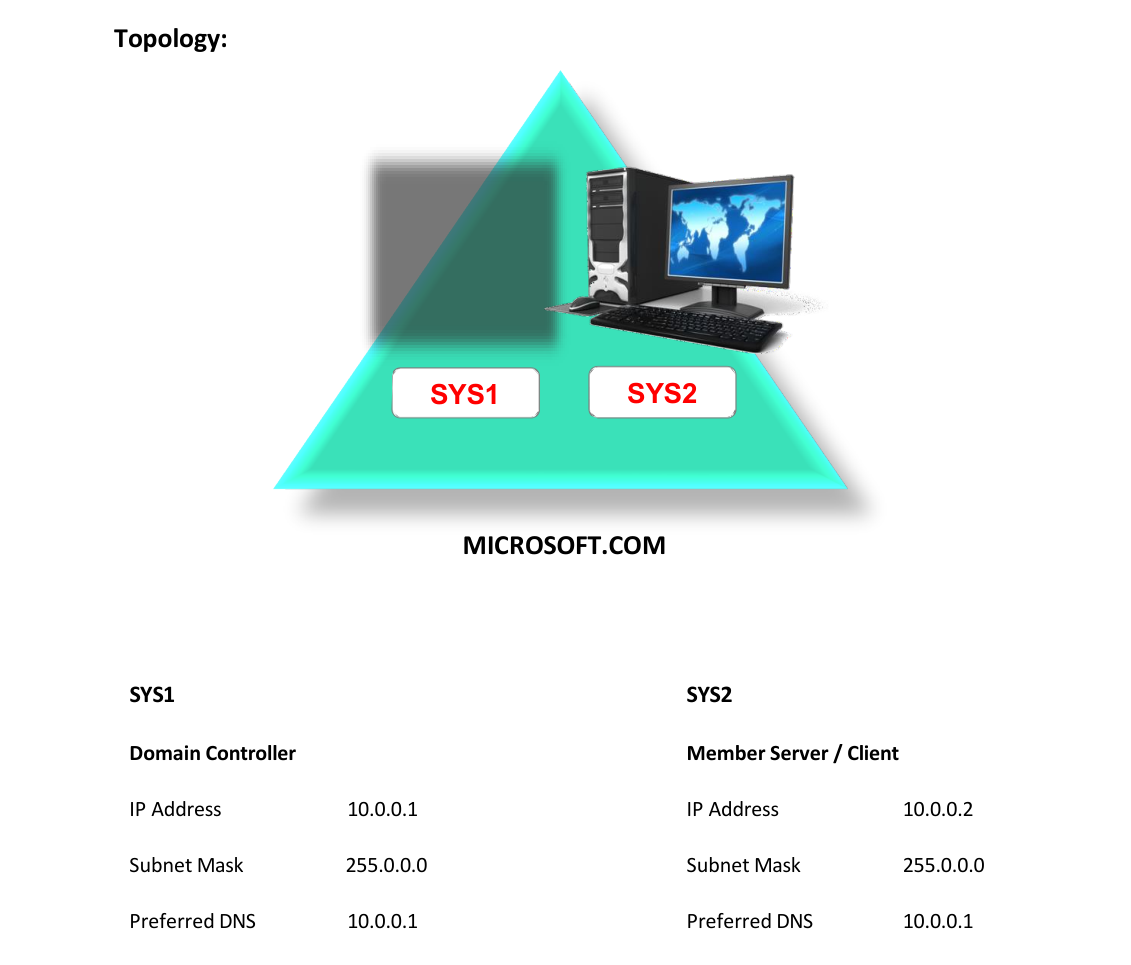
Step-by-Step Instructions
Step 1
Log in as Administrator to Domain Controller.
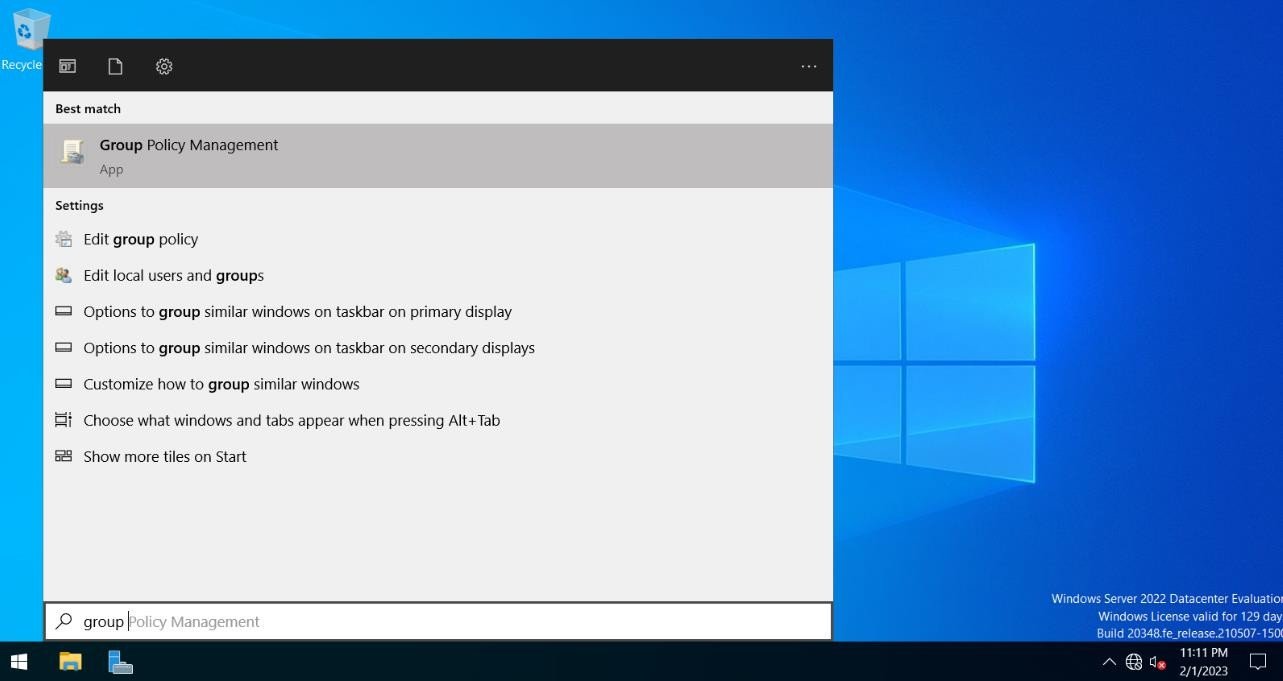
Step 2
Press Windows Key to go to Start, select Group Policy Management.
Step 3
Expand Forest àExpand Domains à Expand Microsoft.com à right click Default Domain policy and select Edit.
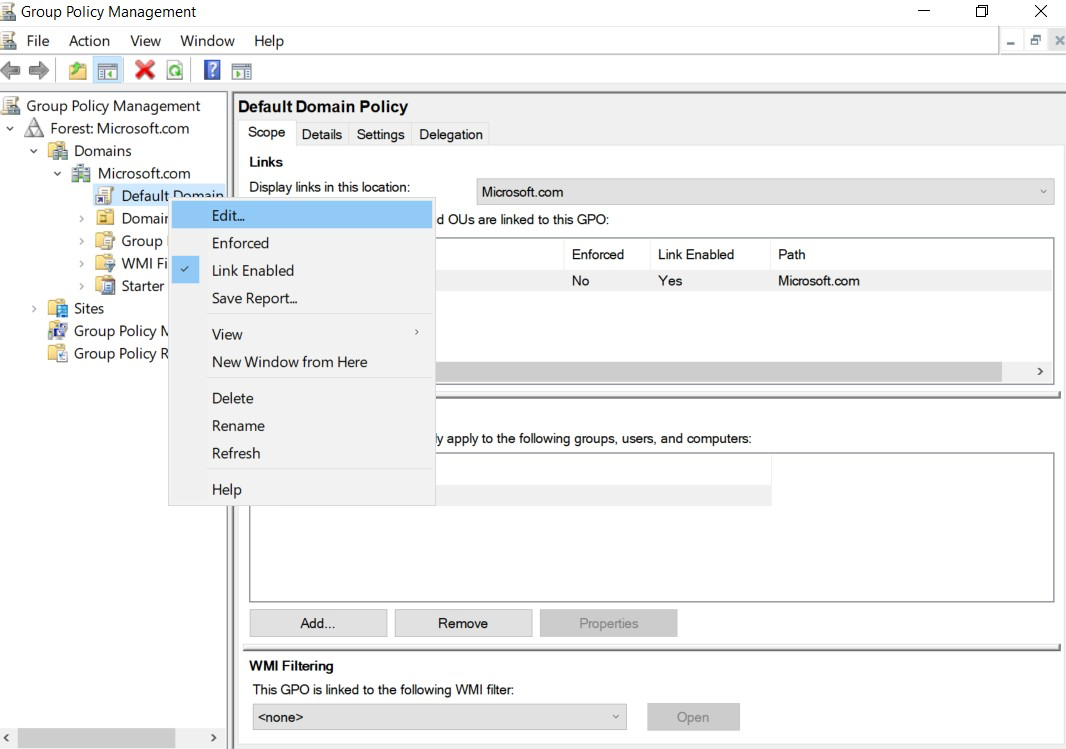
Step 4
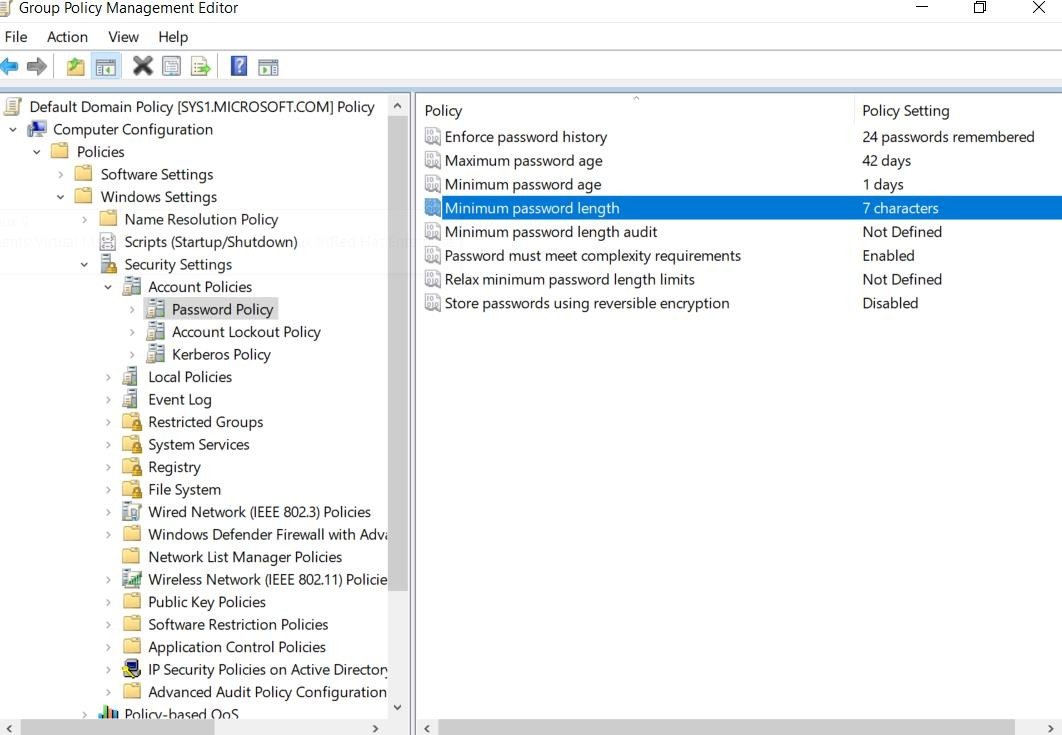
Expand Computer Configuration à Expand Policies à Expand Windows Settings àExpand Security Settings à Expand Account Policies à Open Password Policy.
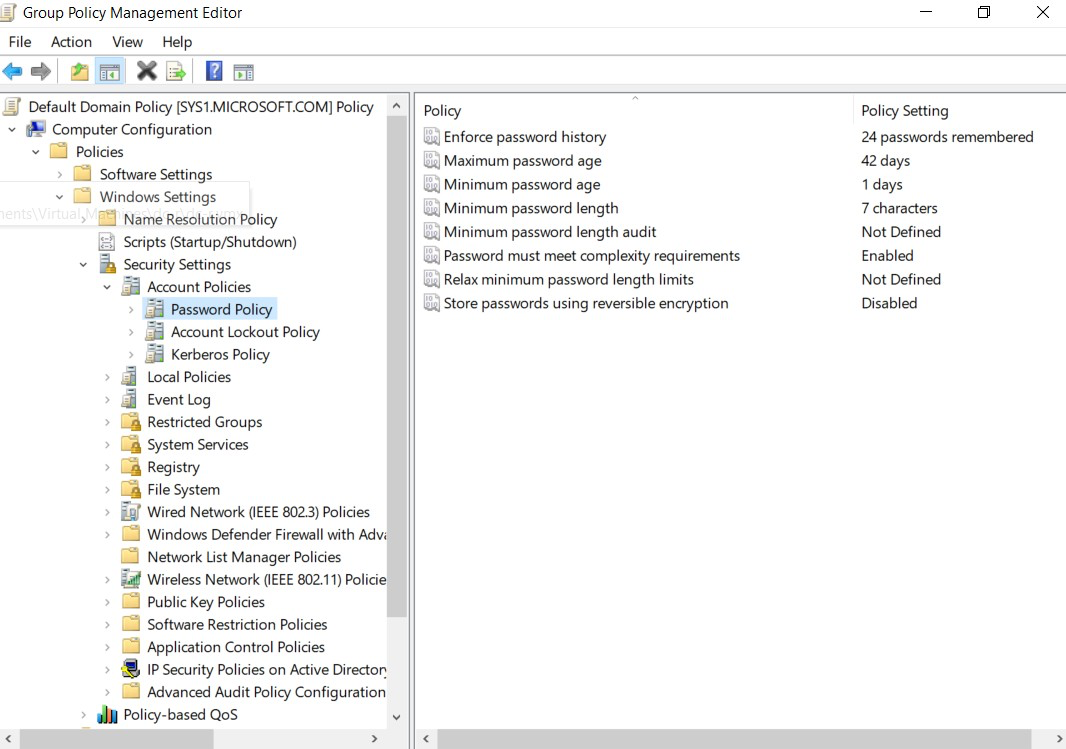
Step 5
Double click Minimum Password Length.
Step 6
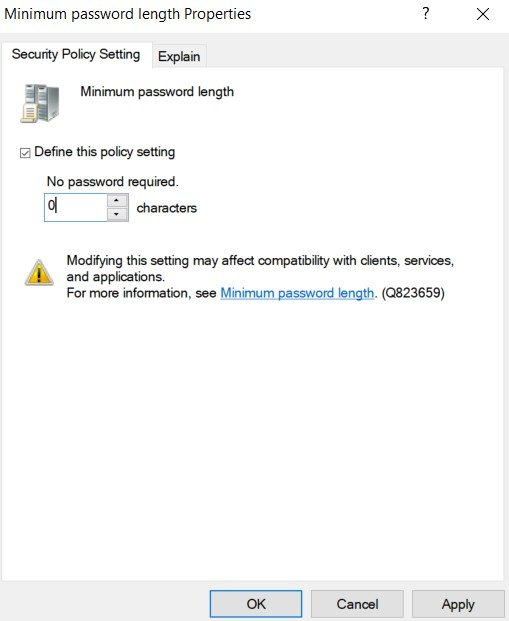
Change the length value from (7 to 0) and click Apply and OK.
Step 7
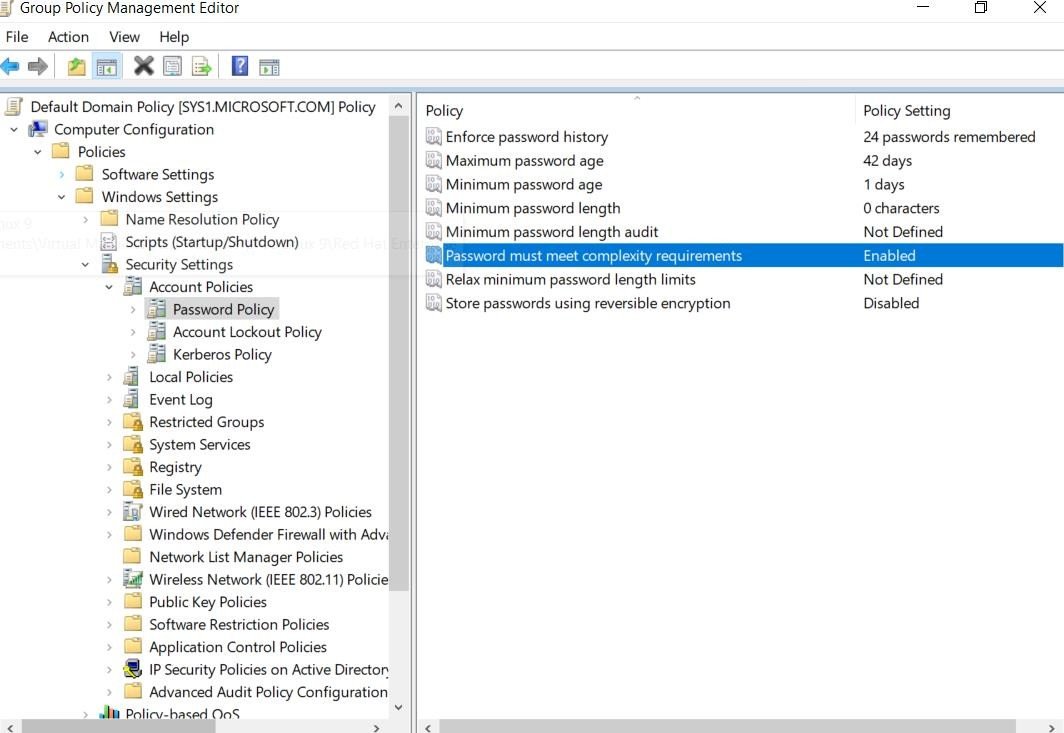
Double click Password must meet complexity Requirements.
Step 8
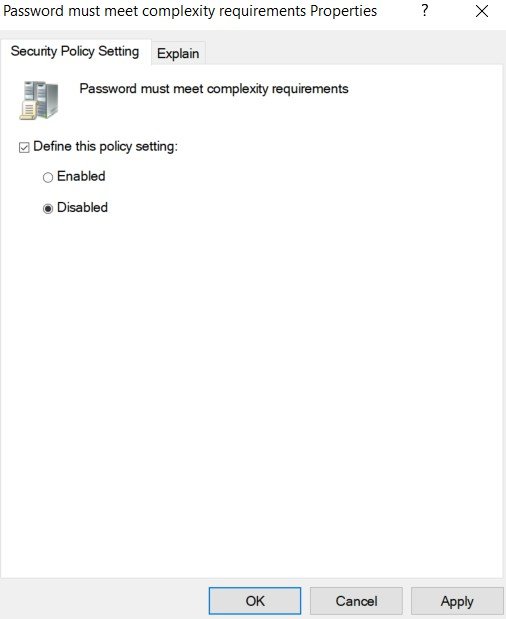
Select Disabled and Apply and OK.
Step 9
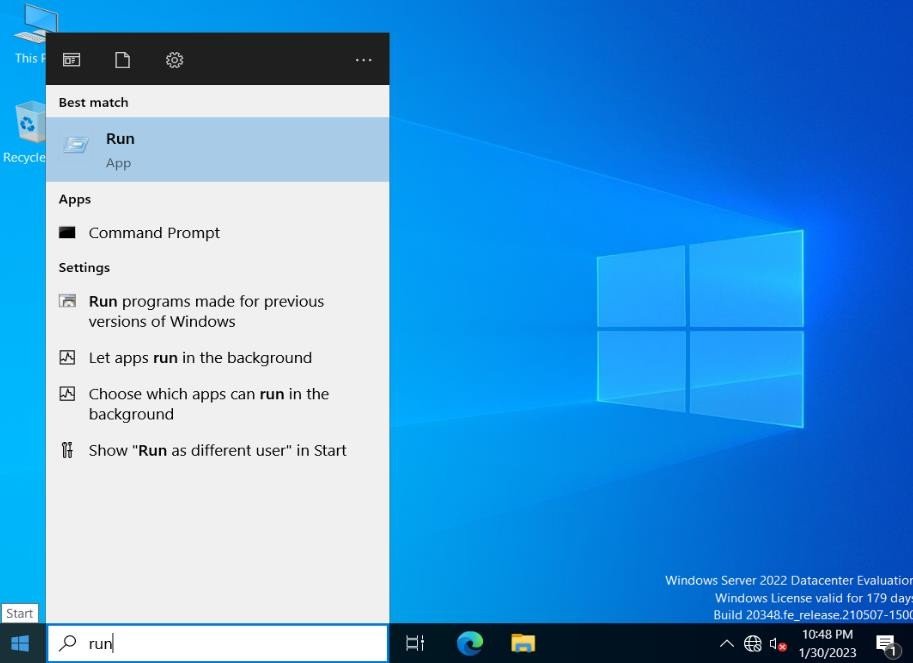
Go to start, type Run in search Apps, and select Run.
Step 10
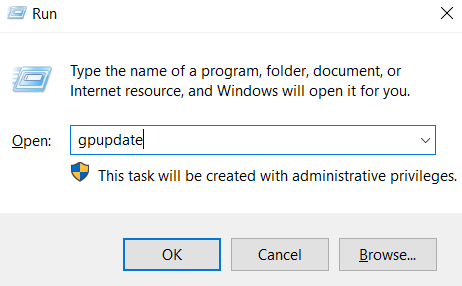
Type GPUPDATE and It refreshes the policy changes.
Verification
Verify that your configuration works as expected. Open tools and check settings matching the parameters.