Prerequisites
- Before working on this lab, You must have
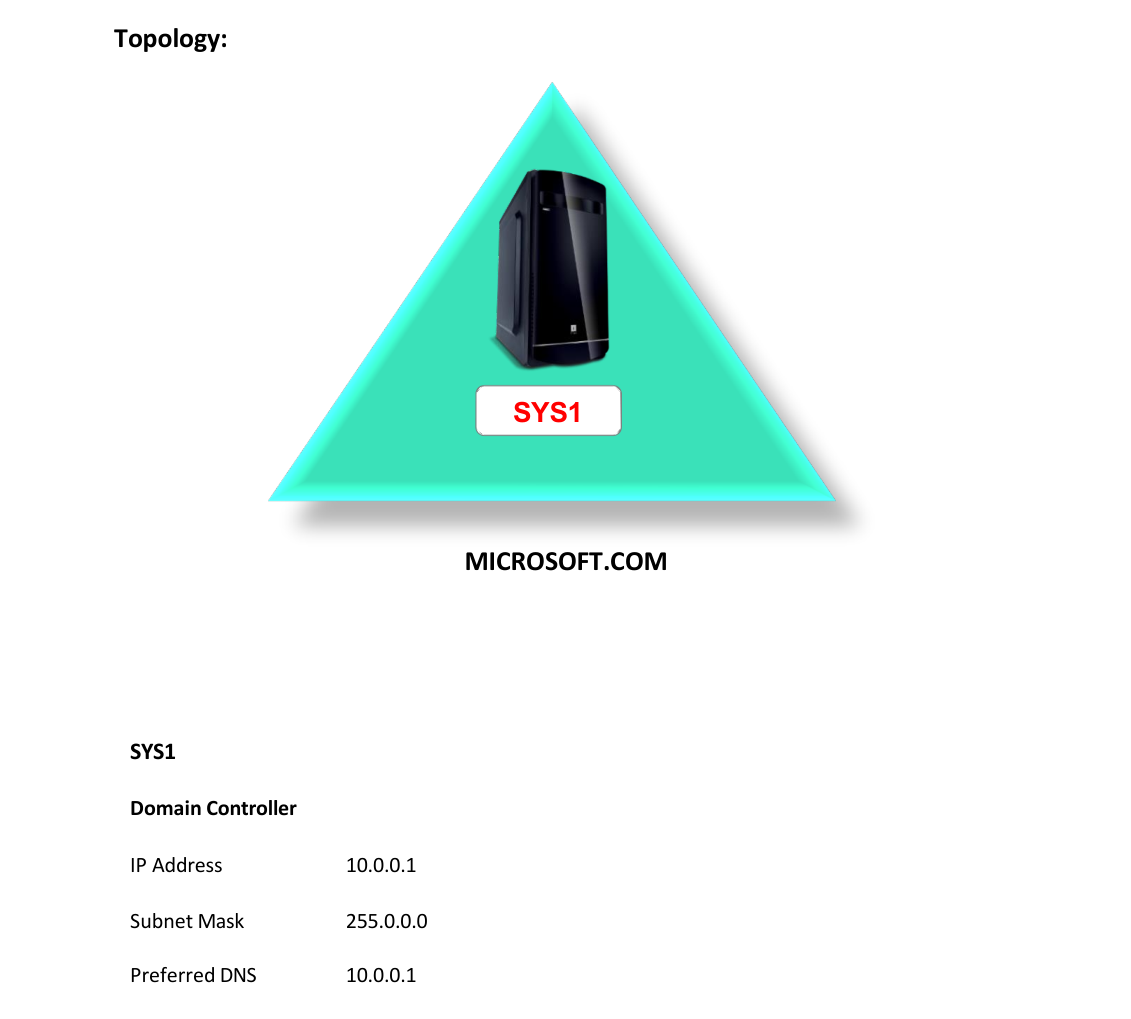
- A computer running windows 2022 server Domain Controller.
Network Topology
Step-by-Step Instructions
Step 1
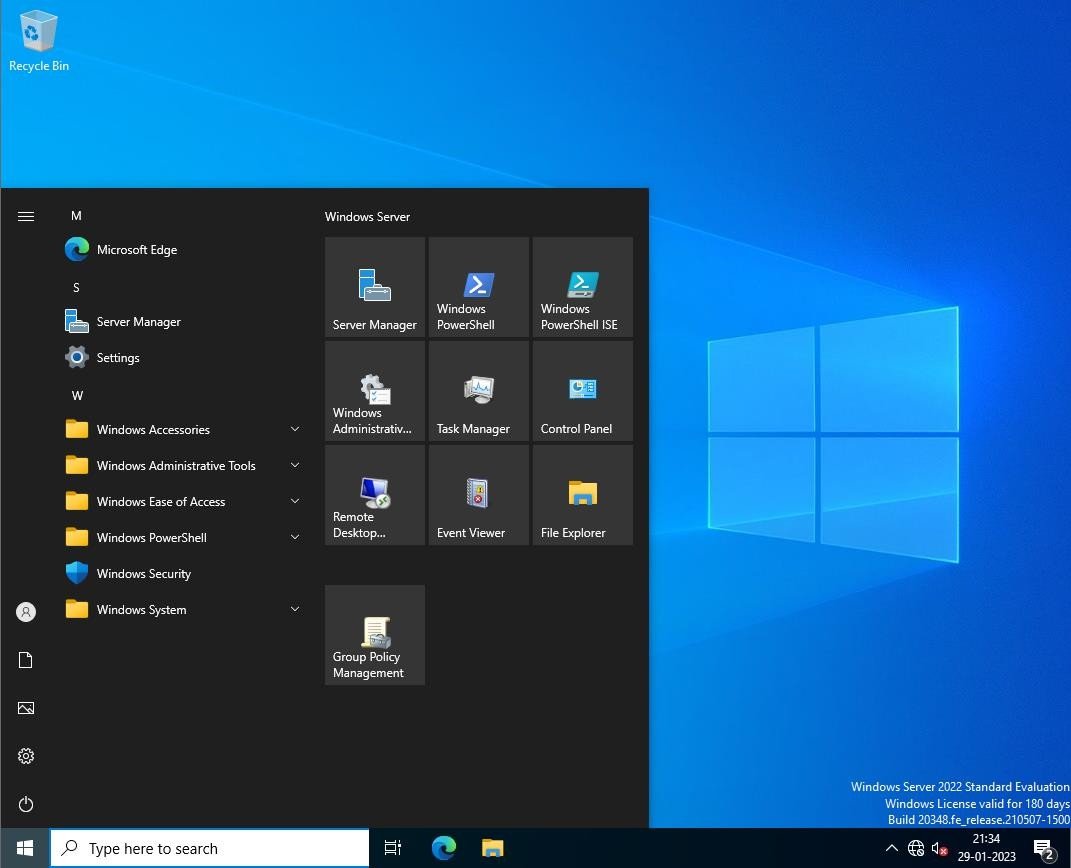
Log in as Administrator to the Domain Controller, click Press Windows Key to go to Start, select Group Policy Management.
Step 2
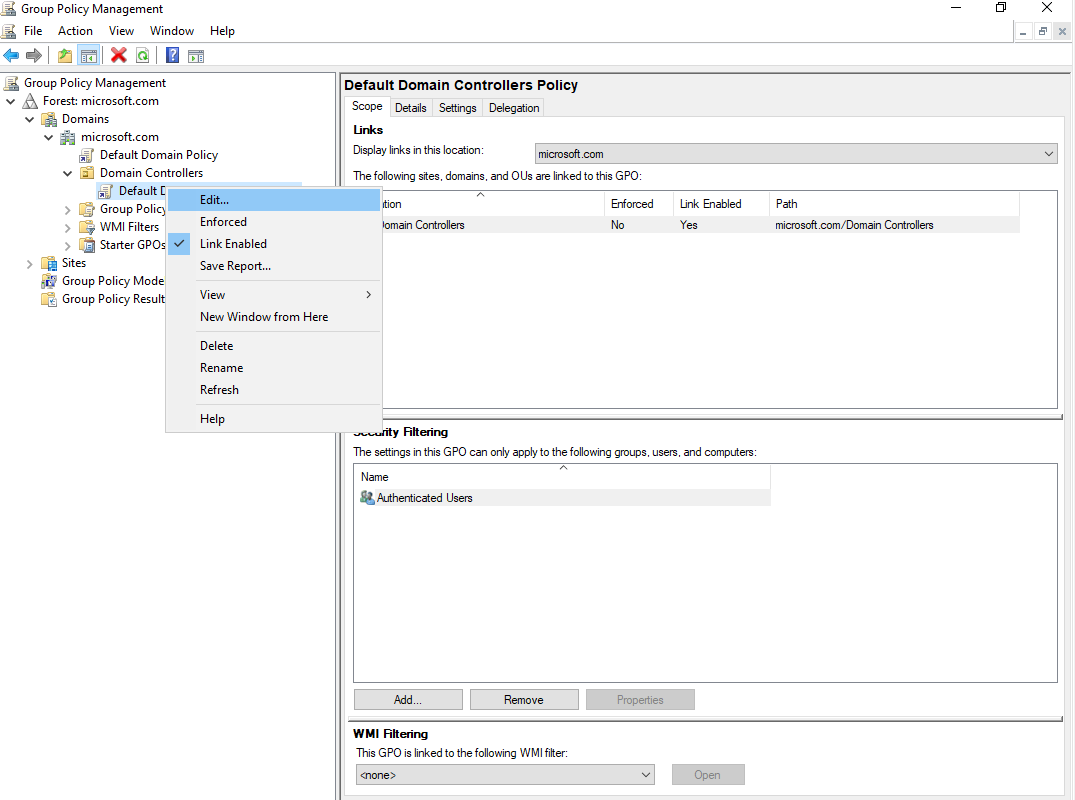
Expand Forest à Expand Domainsà Expand Microsoft.com à Expand Domain Controllers à Right click Default Domain Controller Policy and select Edit.
Step 3
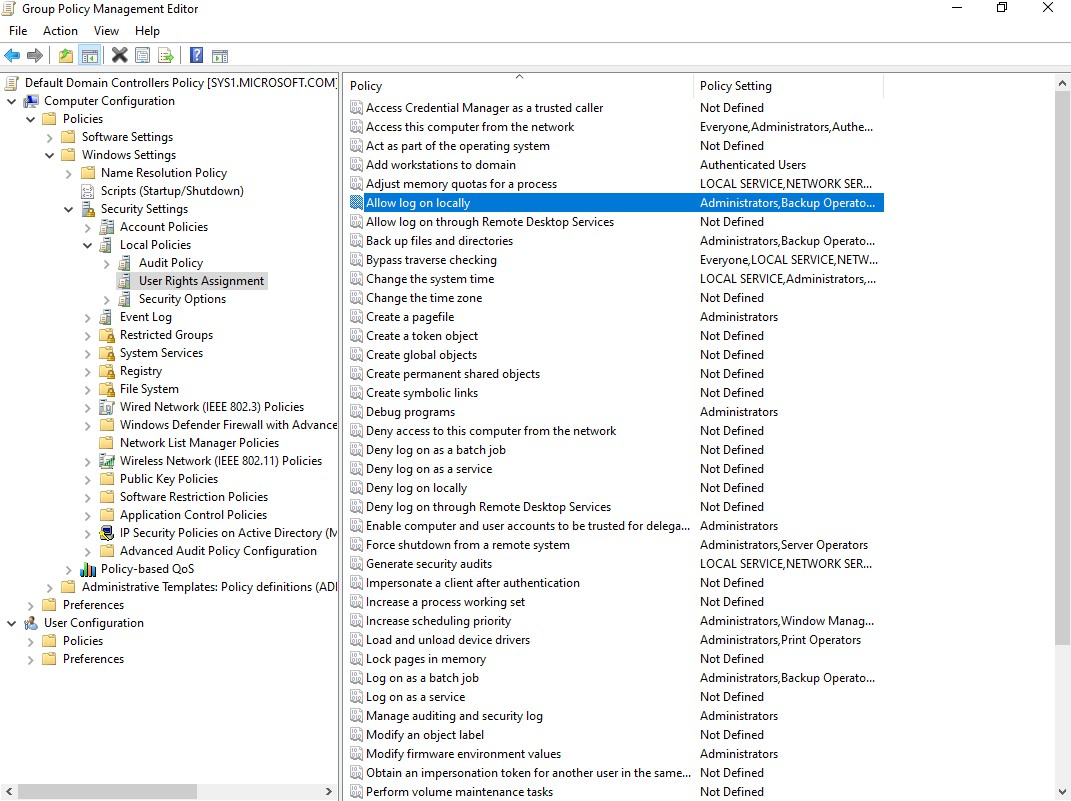
Expand Computer Configuration à Expand Policies à Expand Windows Settings à Expand Security Settings à Expand Local policies à Select User Rights Assignment à Double click Allow logon locally.
Step 4
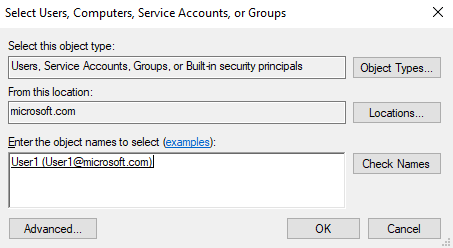
Click Add User or Group à Click Browse à Enter the username à Click ok.
Step 5
Click OK à OK à Apply and OK.
Step 6
Go to Start, type Run Type Control Panel in Search Apps, and select Run, type GPUPDATE and it refreshes the policy changes.
Verification
- 1. Log on to Domain Controller as Domain User (User1).