Prerequisites
- Before working on this lab, You must have
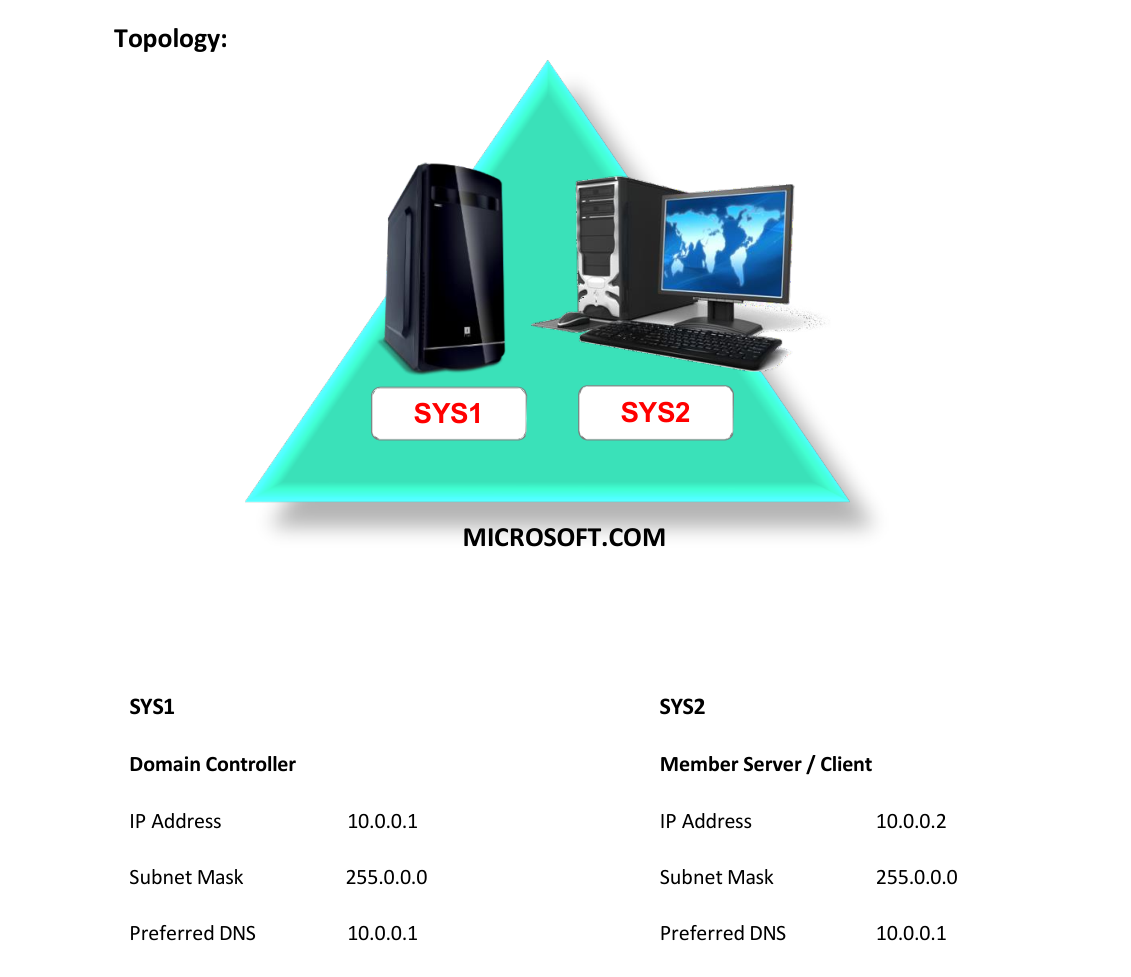
- A computer running windows 2022 server Domain Controller.
- A computer running running windows 2022 or windows 10
Network Topology
Step-by-Step Instructions
Step 1
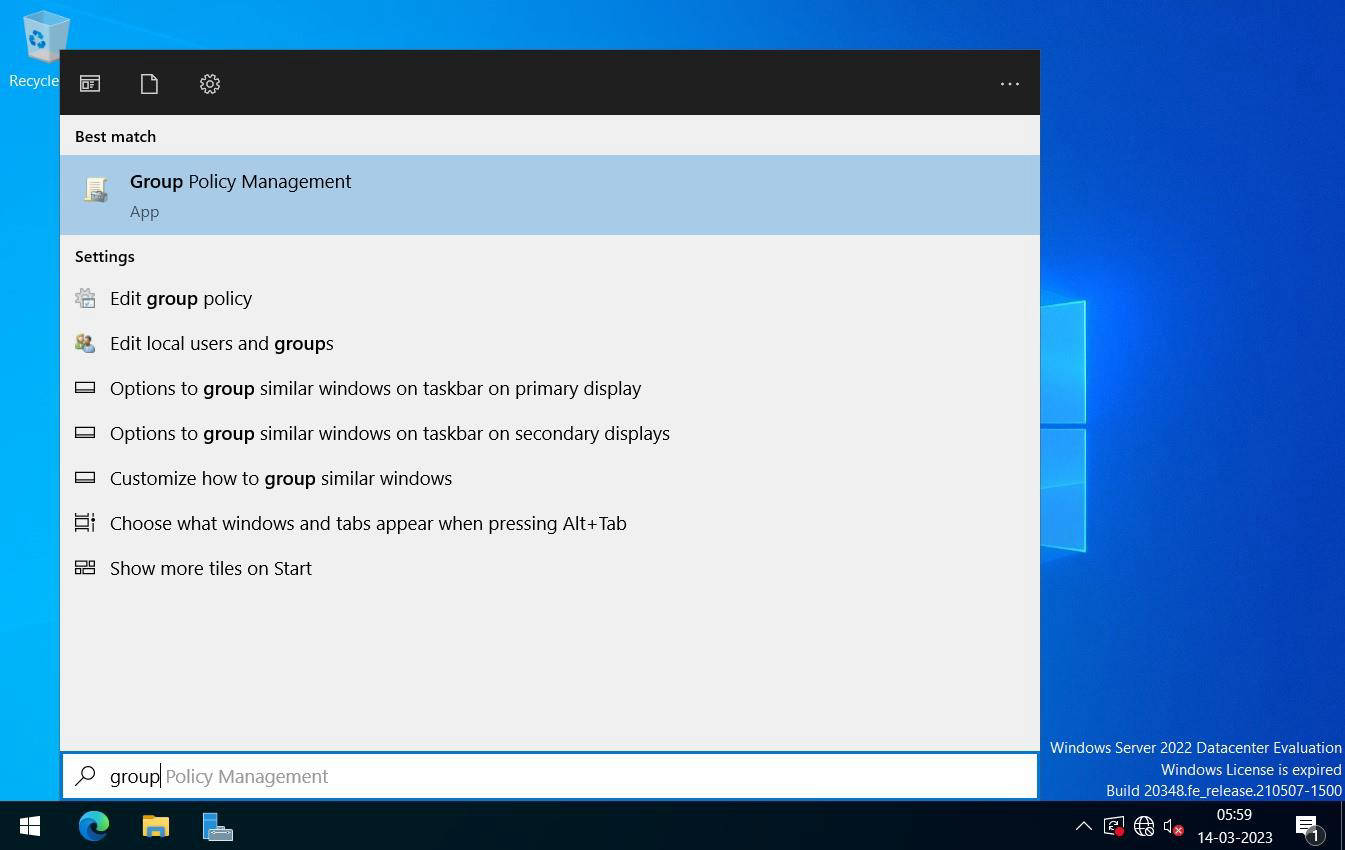
Press Windows Key to go to Start, select Group Policy Management.
Step 2
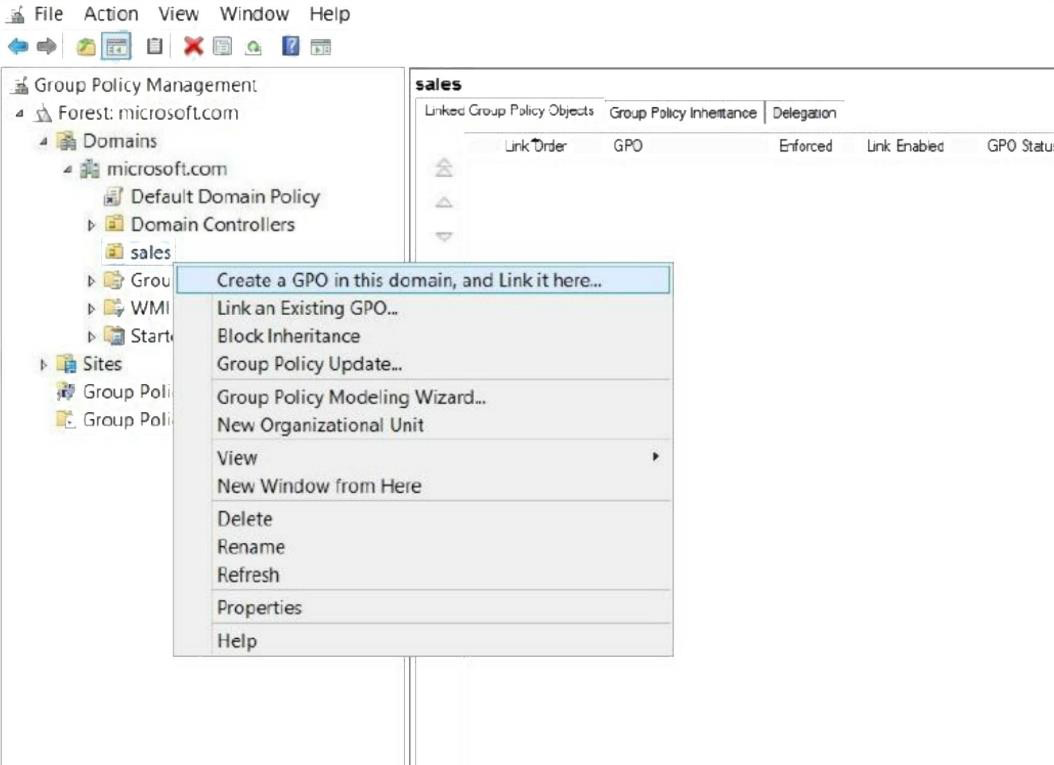
Right click OU (Sales) à Create a GPO in this domain and Link it here.
Step 3
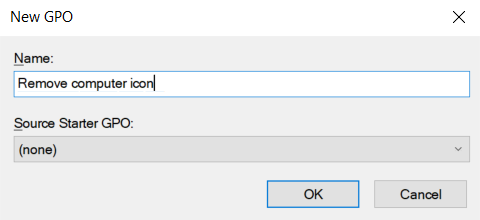
Enter any name to GPO Link (Ex: Remove Computer Icon) and click OK.
Step 4
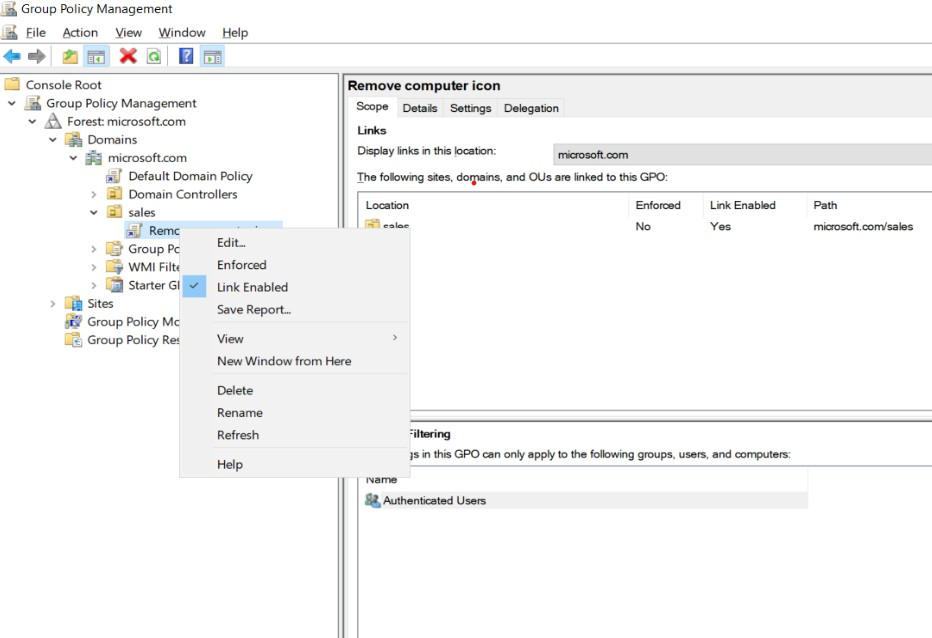
Right Click created GPO Link à Edit
Step 5
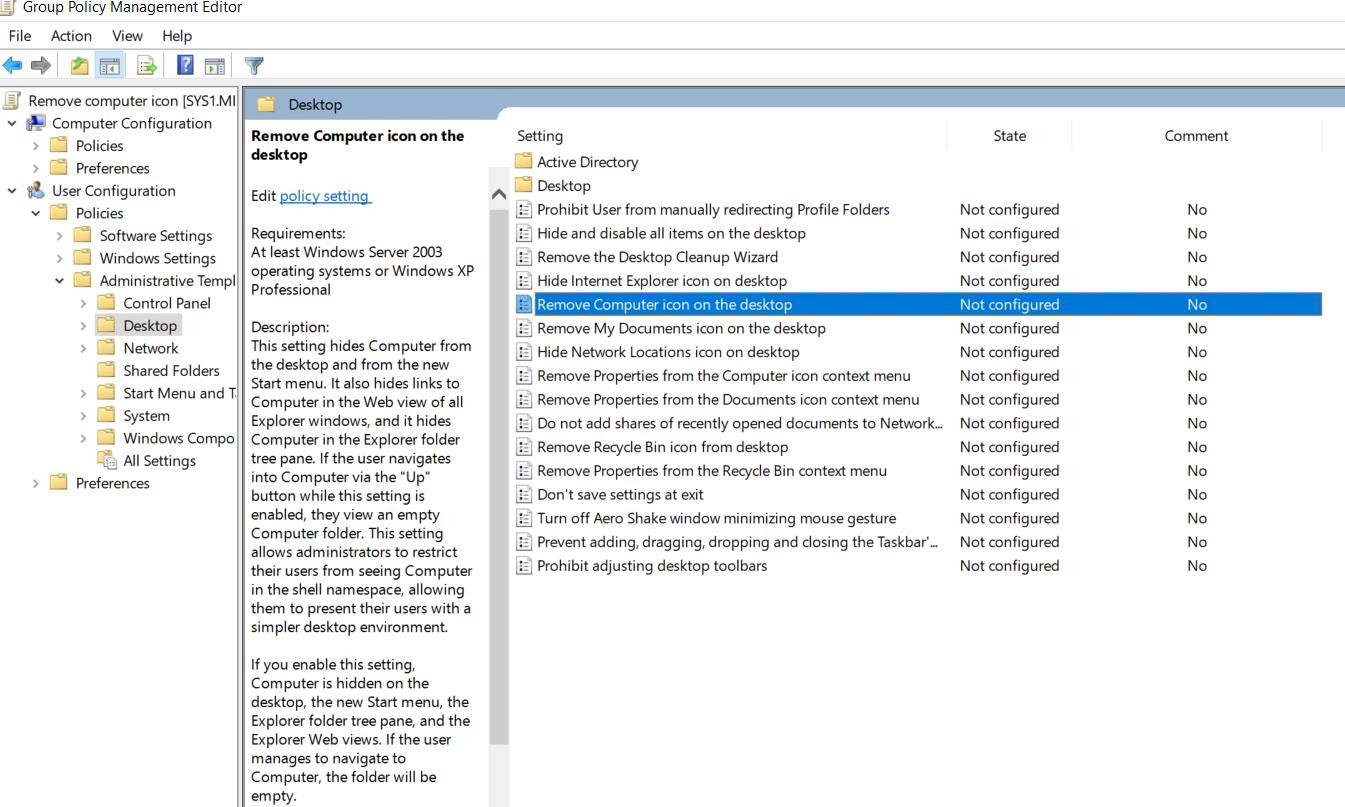
In Group Policy Management Editor Window, Go to User Configuration à Policies à Administrative Templates à Desktop.
Step 6
Select a policy (Remove Computer icon on the Desktop) on right side of the screen, Right Click and select Properties.
Step 7
Select Enabled option and click Apply and OK.
Verification
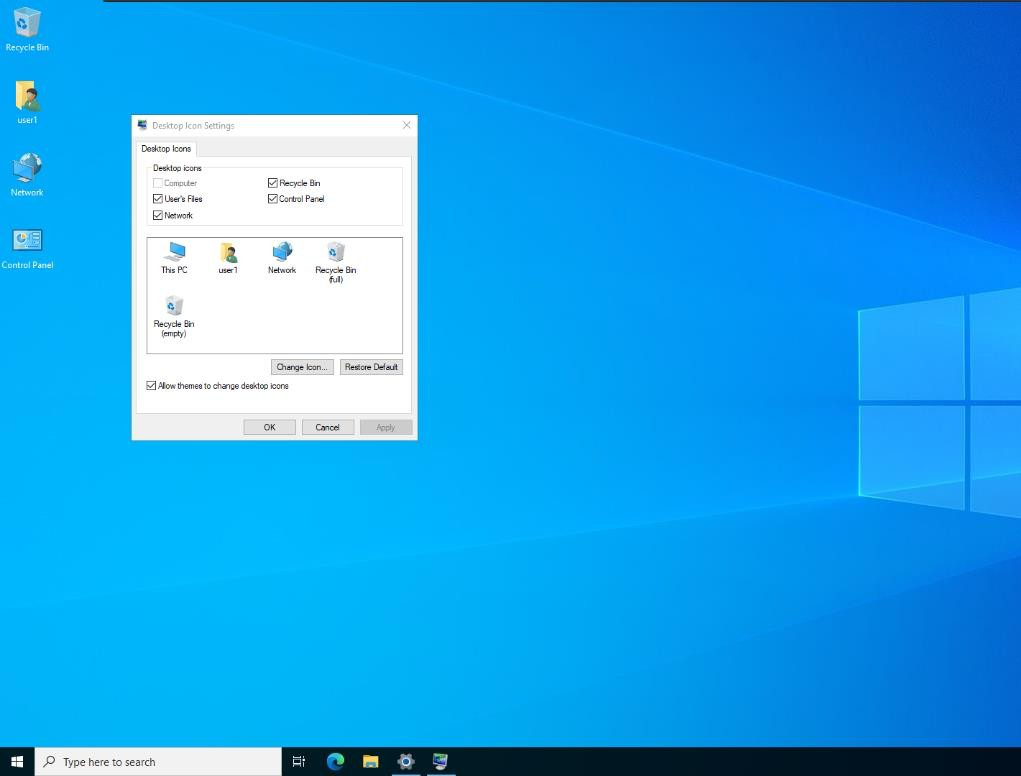
- 1. Logon to client system as sales OU user (s1) and verify the changes because of the
- policy.