Prerequisites
- Before working on this lab, You must have
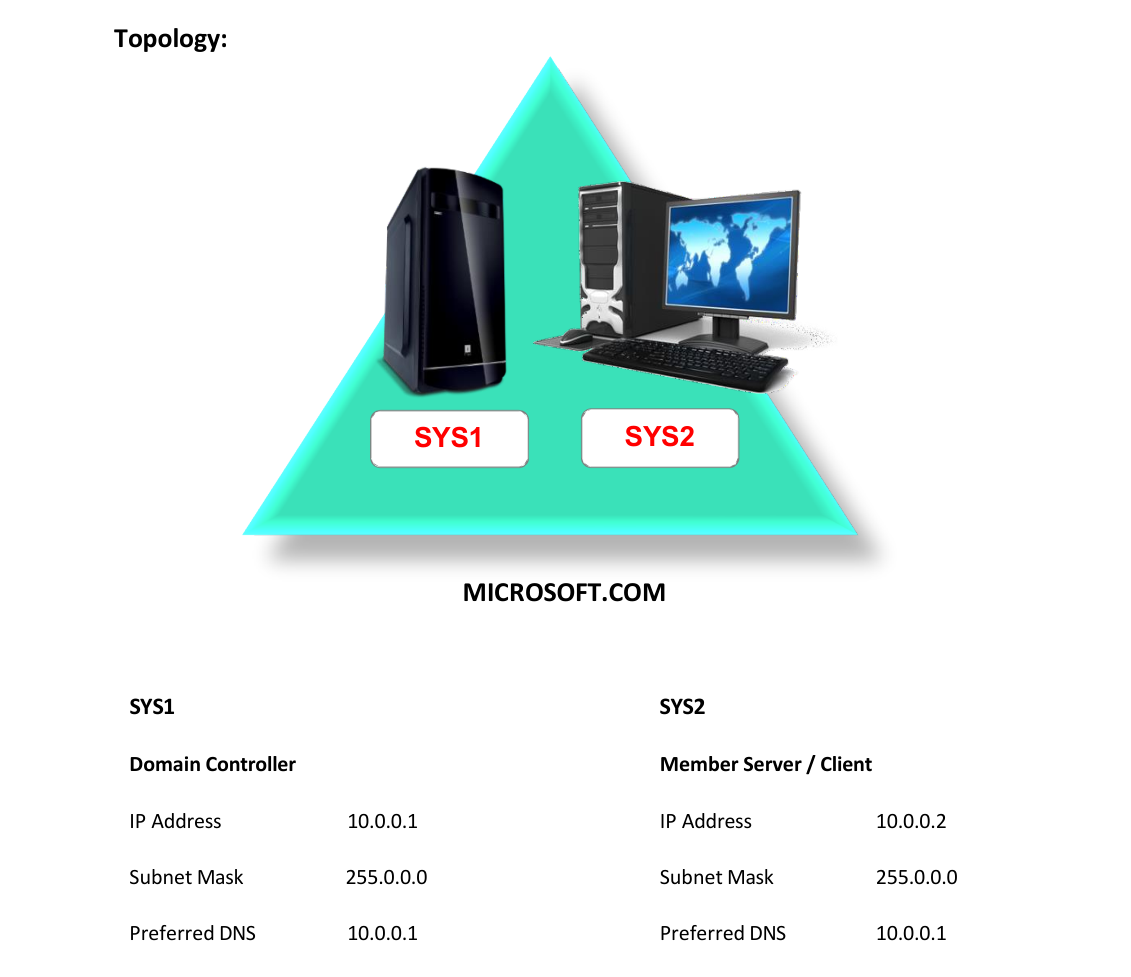
- A computer running windows 2022 server Domain Controller.
- A computer running running windows 2022 or windows 10
Network Topology
Step-by-Step Instructions
Step 1
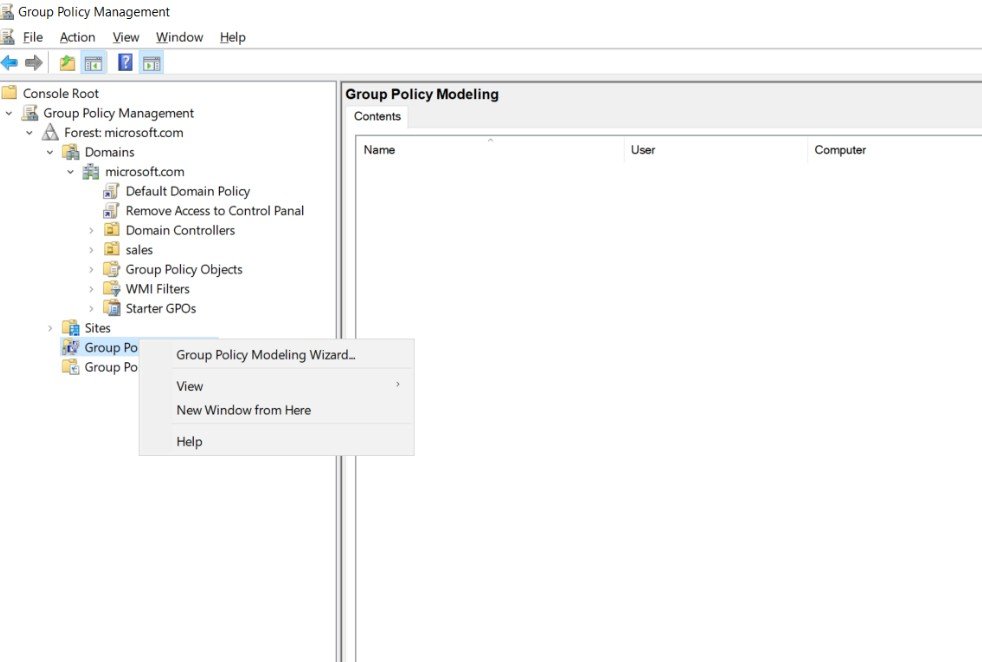
Go to Group Policy Management à Right Click Group Policy Modeling and Select Group Policy Modeling Wizard.
Step 2
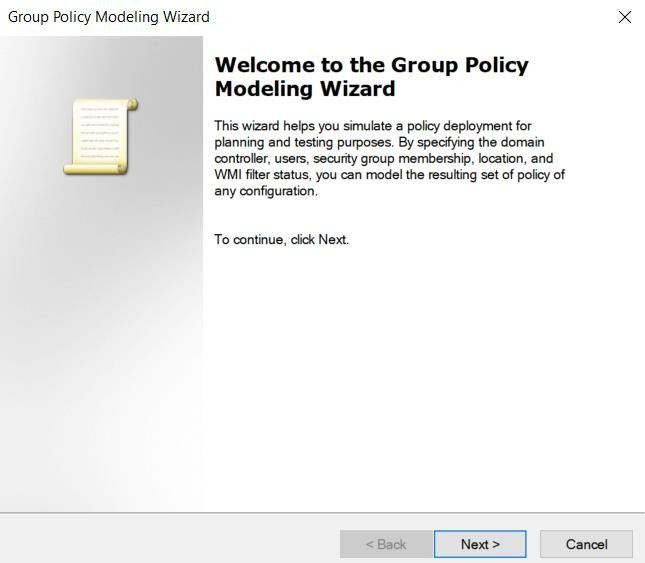
Click Next.
Step 3
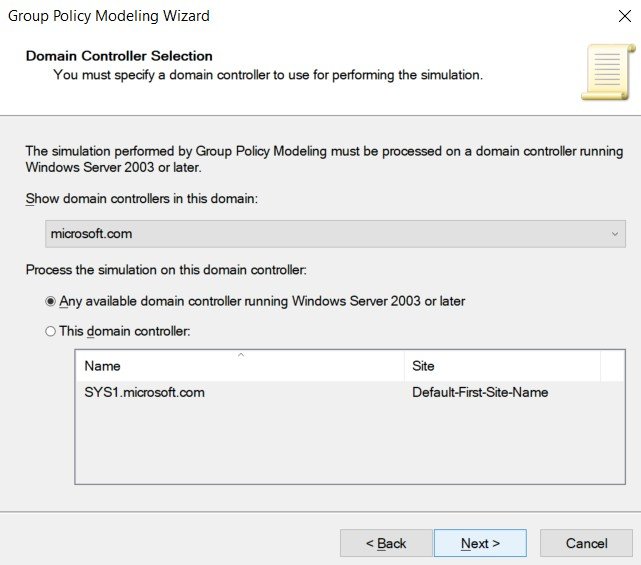
Select the domain name and click Next.
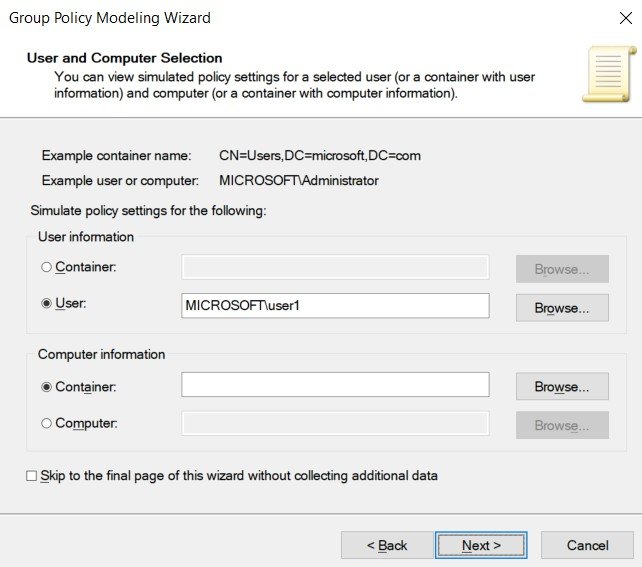
Step 4
Select User and click Browse à enter the Username (S1) à click OK and Next.
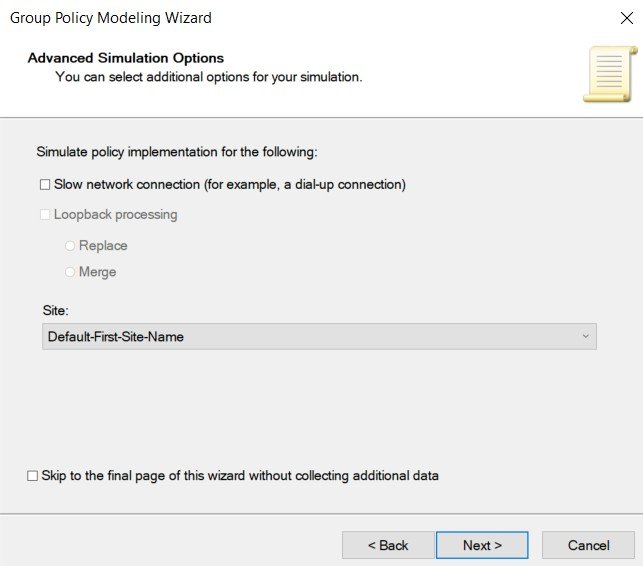
Step 5
Select the site (Default-First-site-Name) and check skip to final page, click Next.
Step 6
Click Next à Finish.
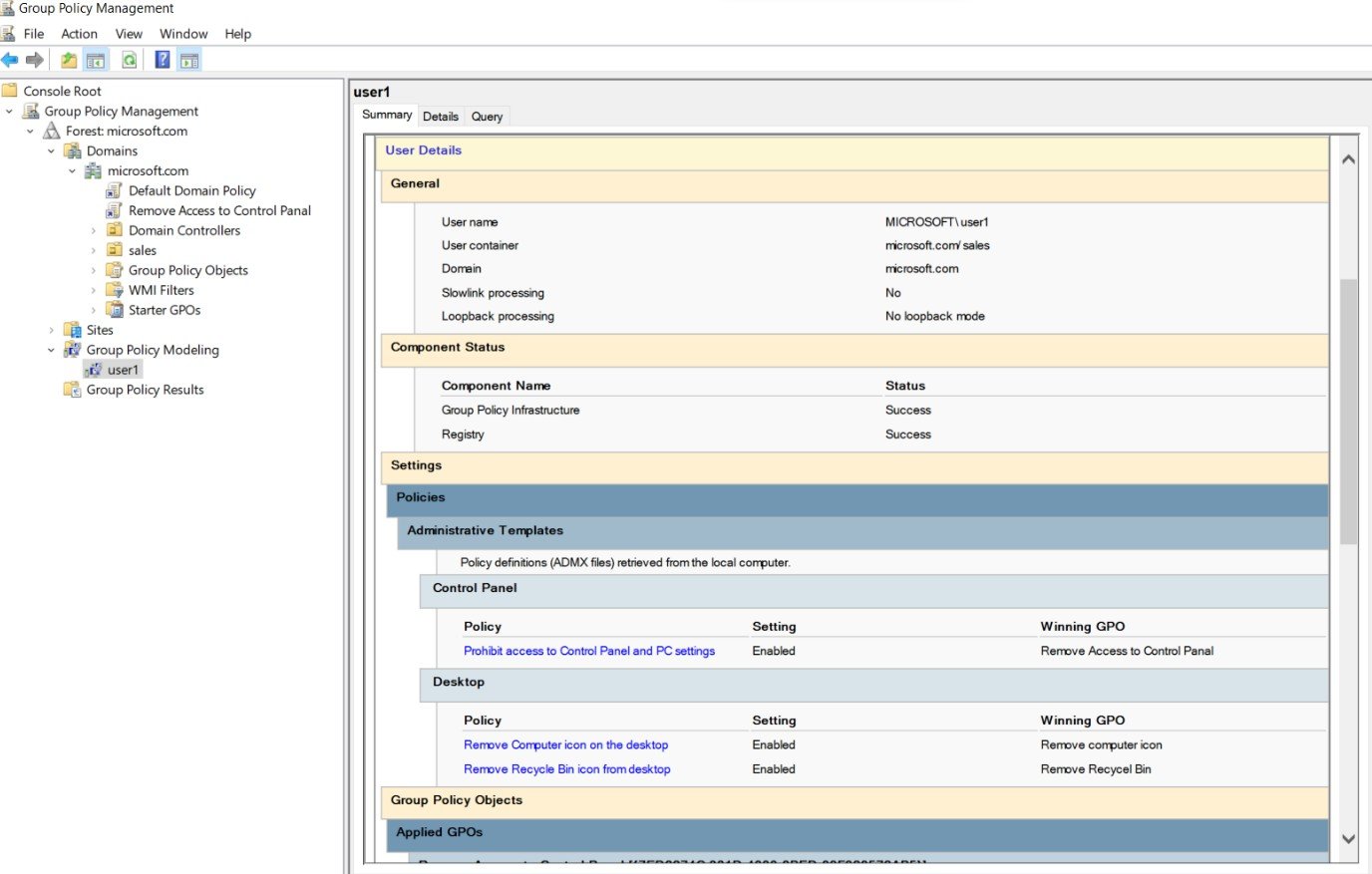
Verification
- • Click Details on the summary page and verify the policies applied on the User.