Prerequisites
- Before working on this lab, You must have
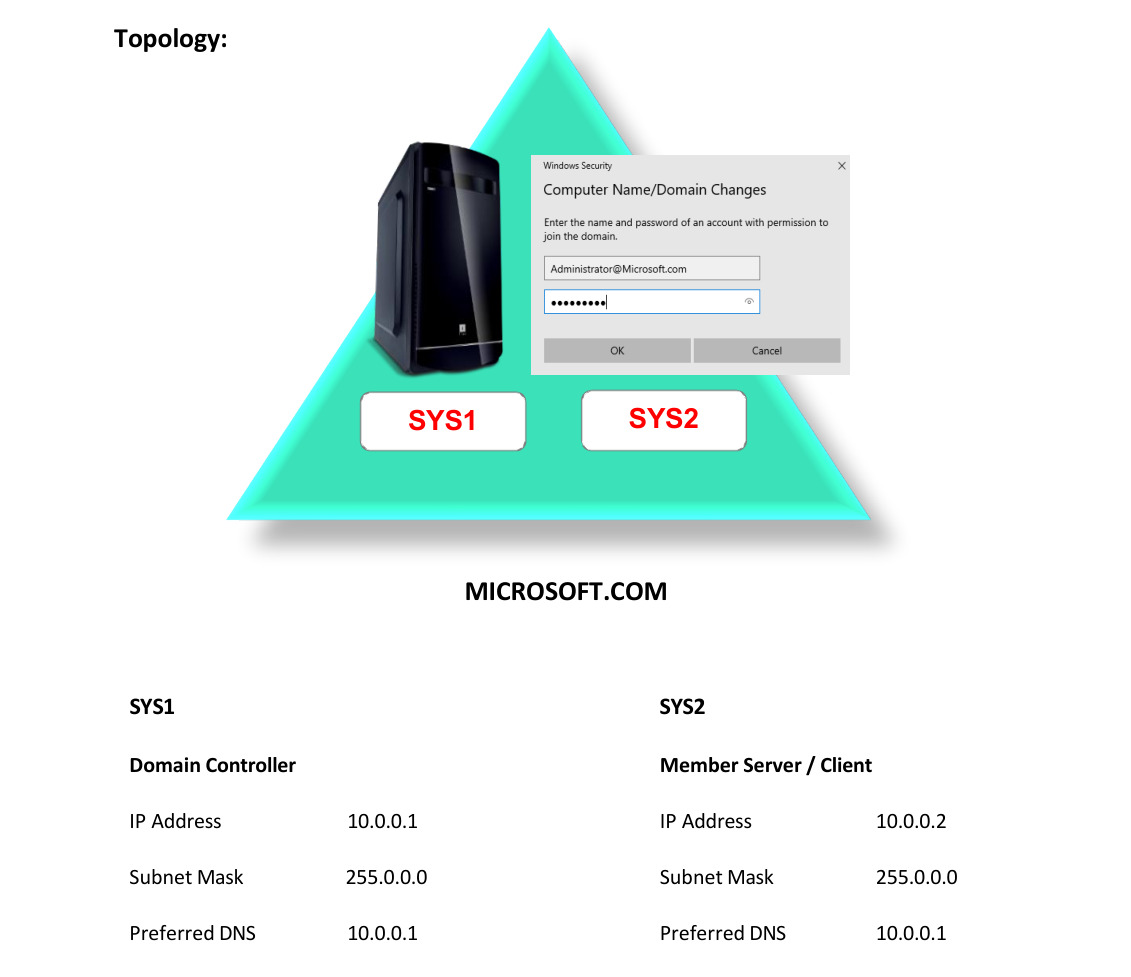
- A computer running windows 2022 server Domain Controller.
- A computer running running windows 2022 or windows 10
Network Topology
Step-by-Step Instructions
Step 1
Logon to D.C, create a Shared Folder User Scripts with Everyone as Read/write.
Step 2
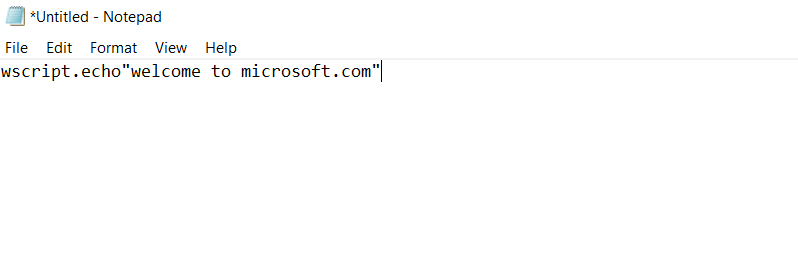
Go to Start, type Notepad in Search Apps, and select Notepad.
Step 3
Enter the text wscript.echo “Welcome to Microsoft”
Step 4
Save the file in the Shared folder User Scripts as Logon.vbe
Step 5
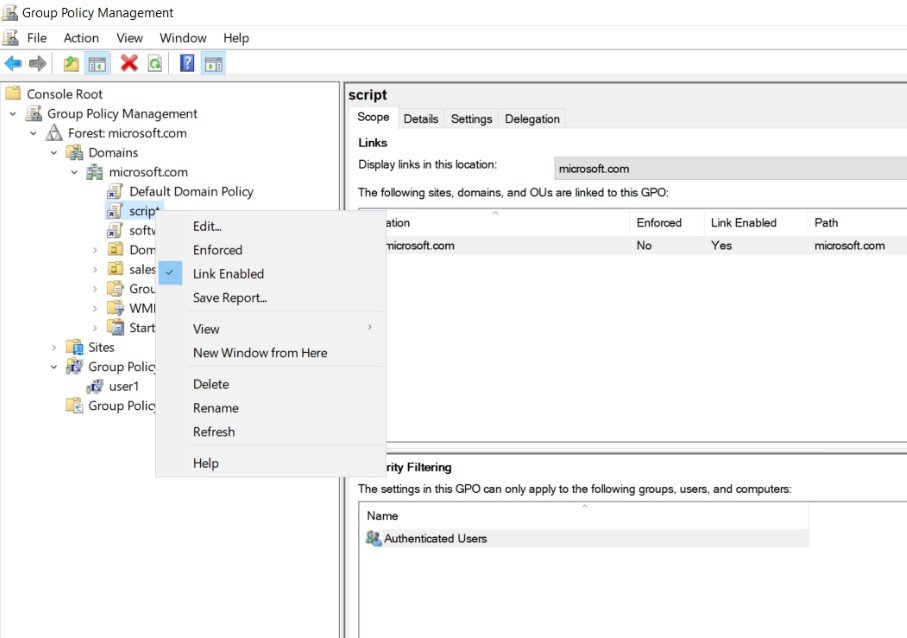
Go to Group Policy Management à Right click OU (Sales1) à Create a GPO in this domain and Link it here and enter the name Script, click OK, Select the GPO Right Click and select Edit.
Step 6
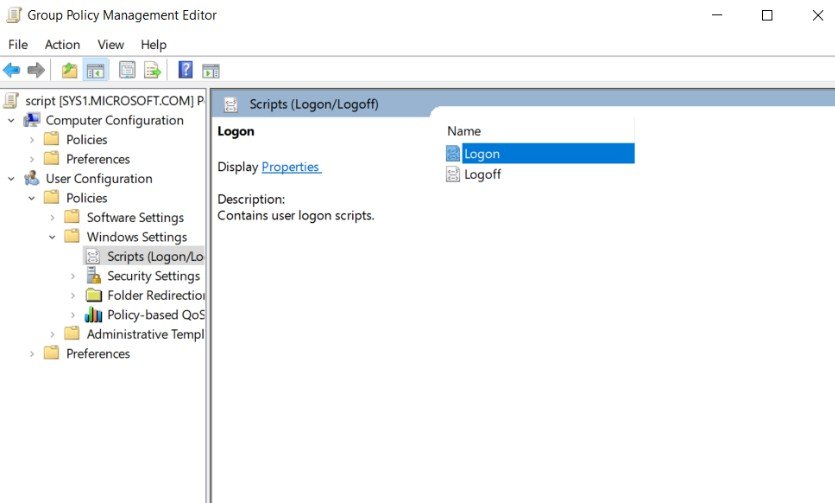
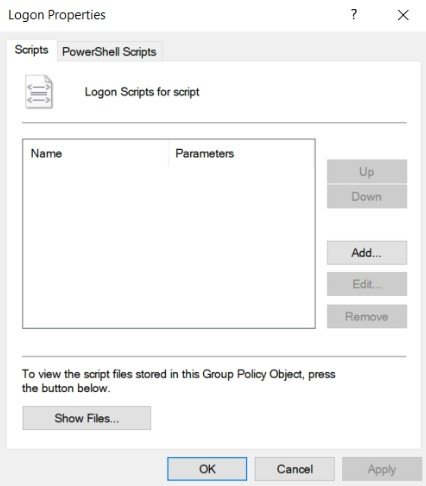
Expand User Configuration à Expand Policies à Windows Settings à Scripts à Logon à Properties.
Step 7
Click Add.
Step 8
Enter the UNC path for the Script in the shared folder \\SYS1\Userscripts\logon.vbe and click ok àApply and OK.
Verification
- • Go to Member Server and login as USER1 and verify for the Message.