Prerequisites
- Before working on this lab, You must have
- A computer running windows 2022 server Domain Controller.
- A computer running running windows 2022 or windows 10
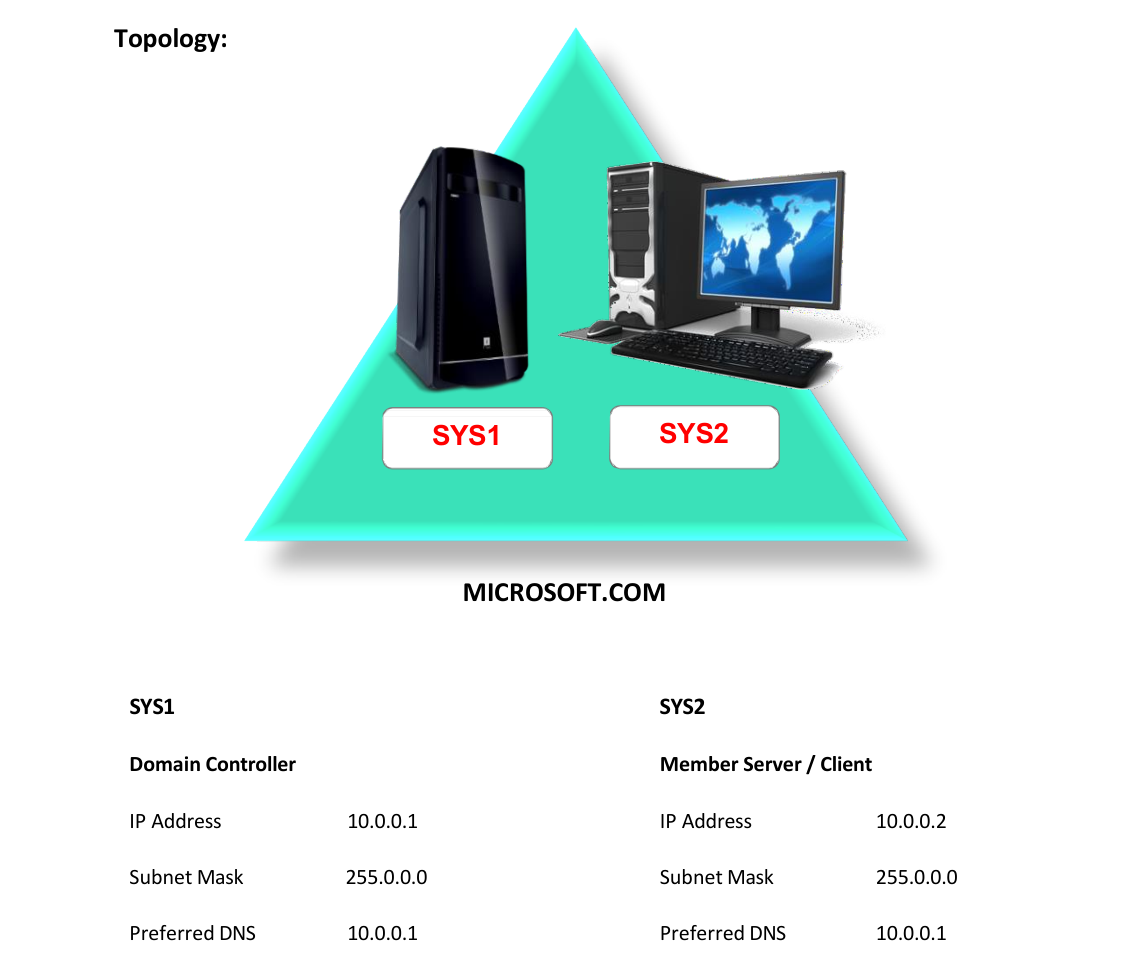
Network Topology
Step-by-Step Instructions
Step 1
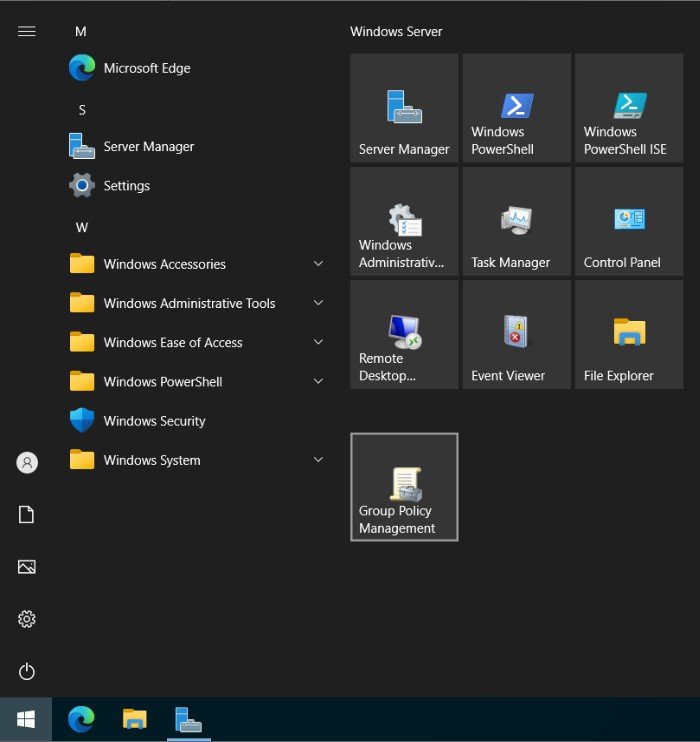
Press Windows Key to go to Start, select Group Policy Management.
Step 2
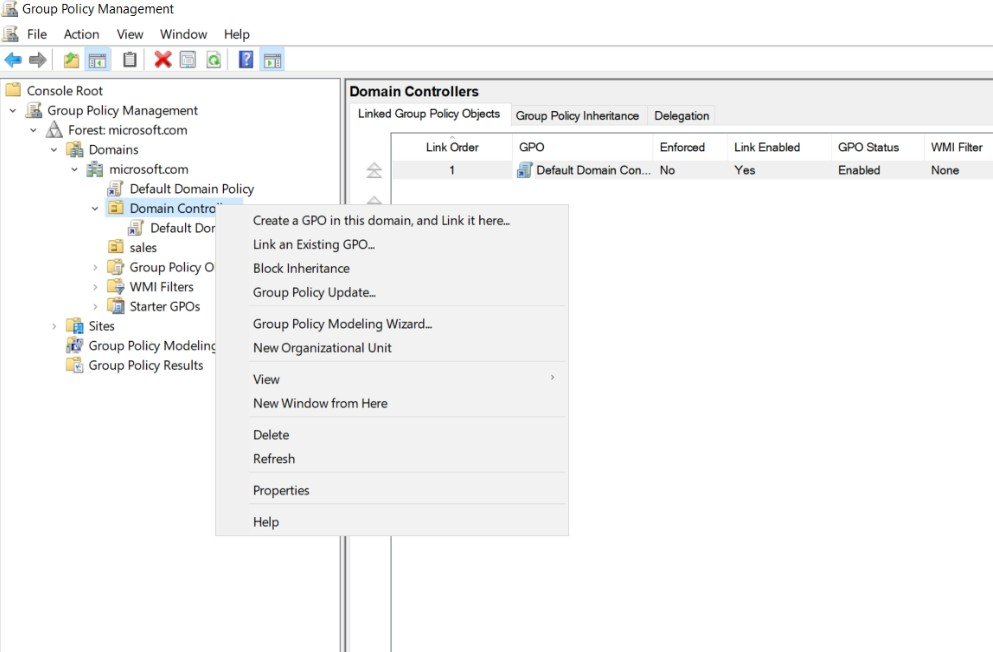
Right click Domain Controllers à Select Create a GPO...
Step 3
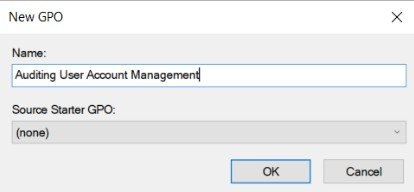
Enter name (Ex: Auditing User Account Management) and click OK.
Step 4
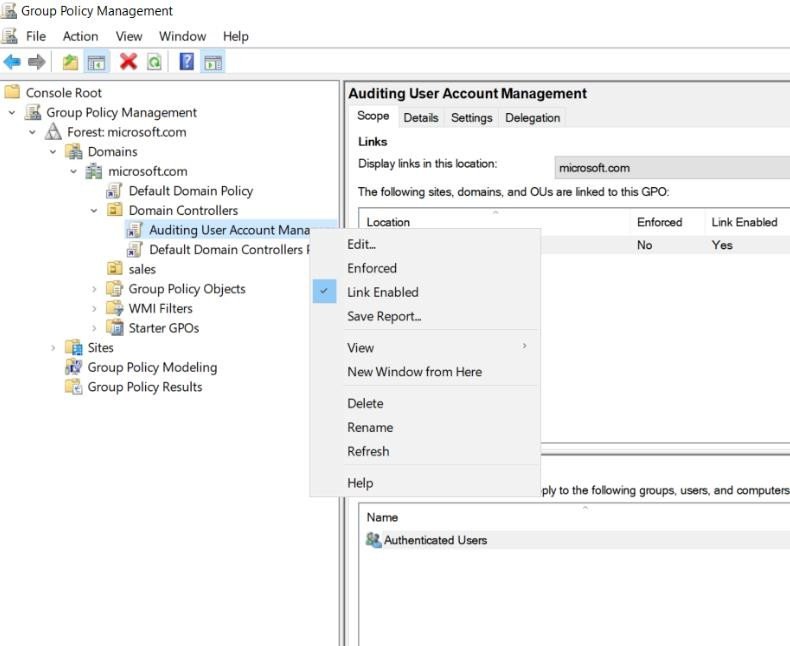
Right Click created GPO, select Edit.
Step 5
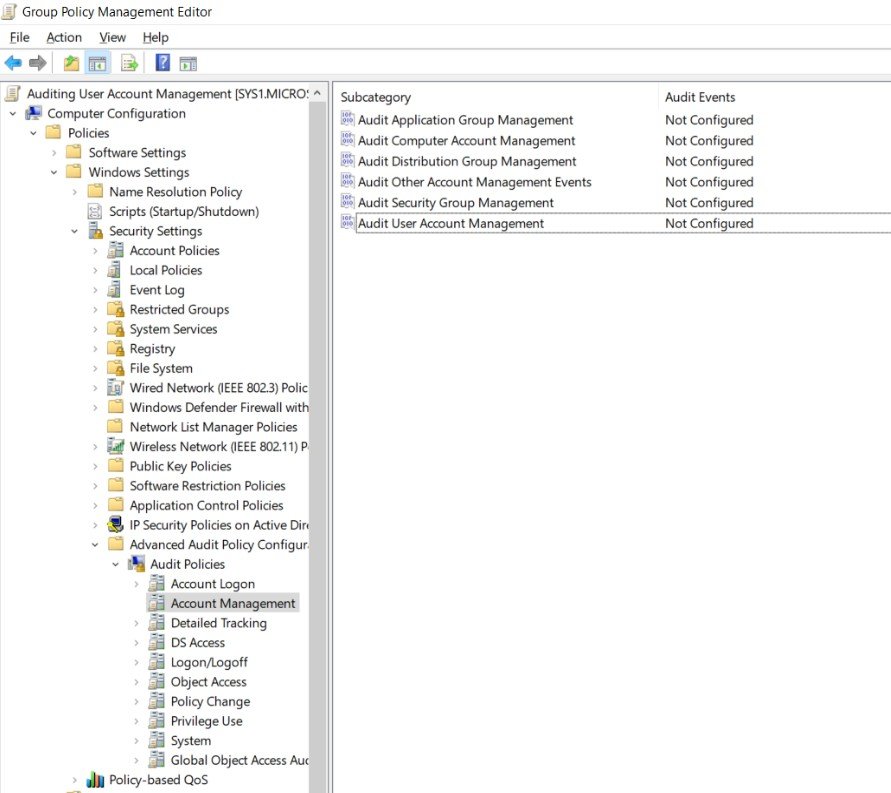
Expand Computer configuration à Policies à Windows Settings à Security Settings à Advanced Audit Policy Configuration à Audit Policies à Account Management à Right click Audit User Account Management à Select Properties
Step 6
Check the box, Configure the following audit events and Select Success and Failure.
Verification
- 1. Login as Administrator on D.C, go to Active Directory Users and Computers and delete
- a user (S1).
- 2. Go to Start, Type Event in Search Apps and select Event Viewer
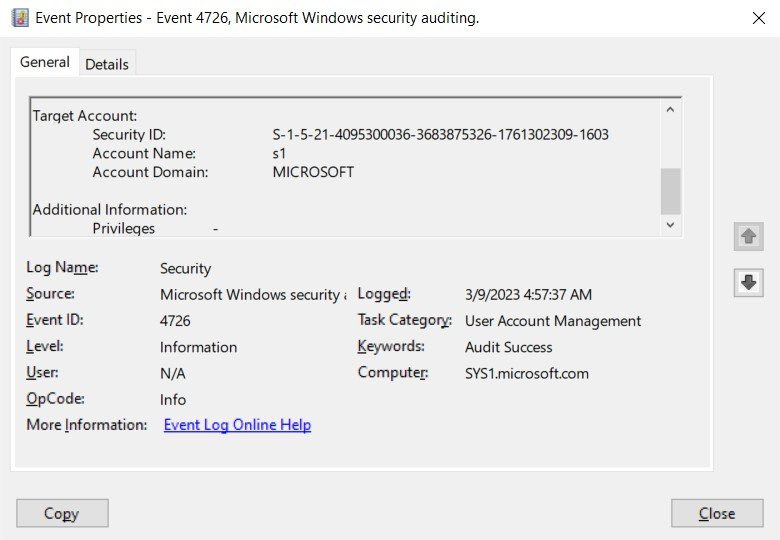
- 3. Expand Windows Logs à Security and select the Event Audit Success Properties.
- 4. Verify the event displaying user s1 deleted by Administrator.