Prerequisites
- Before working on this lab, You must have
- A computer running windows server 2022 Domain Controller.
- A Member Server running windows server 2022.
Network Topology
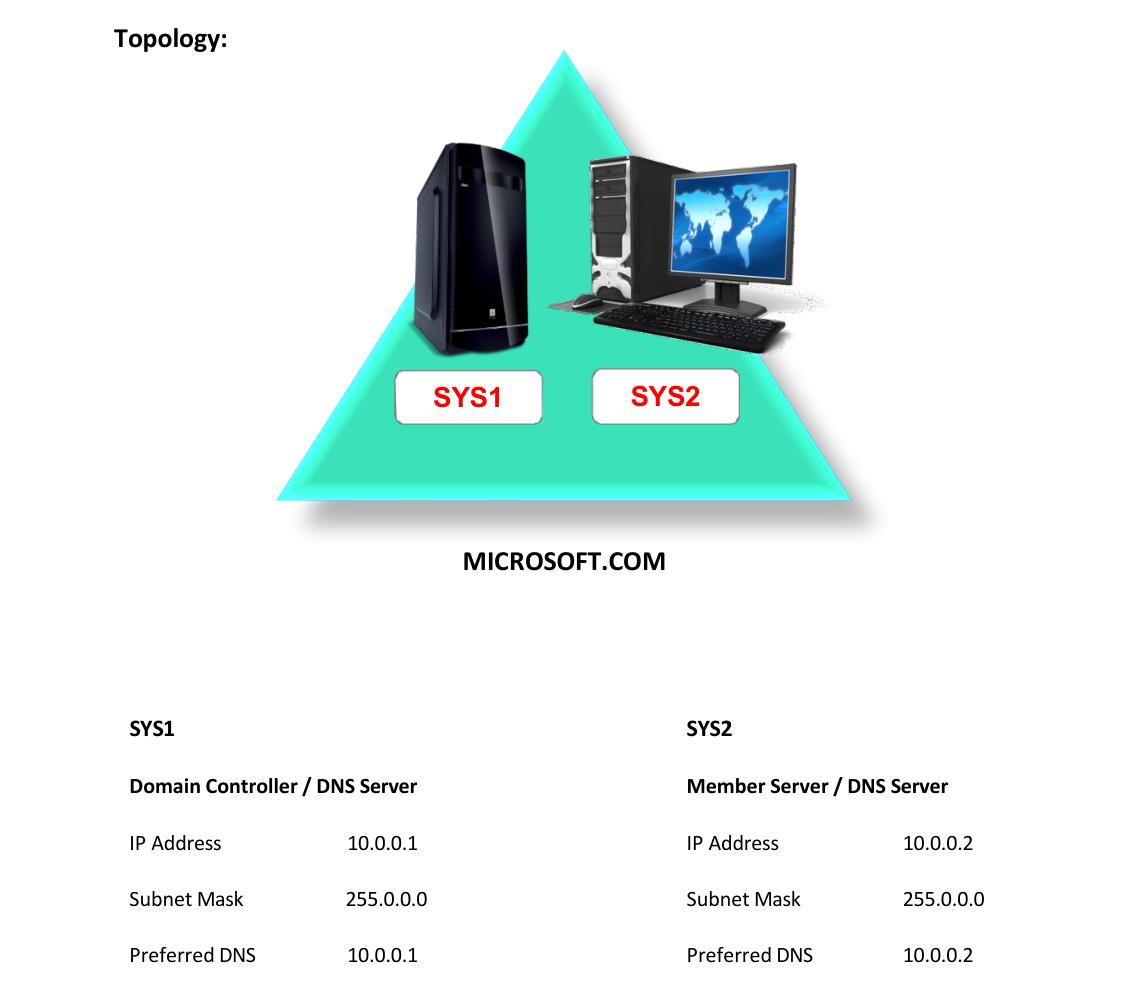
Step-by-Step Instructions
Step 1
In SYS1 one primary zone should be present. E.g.: Yahoo.com
Step 1
Go to Start, select DNS.
Step 2
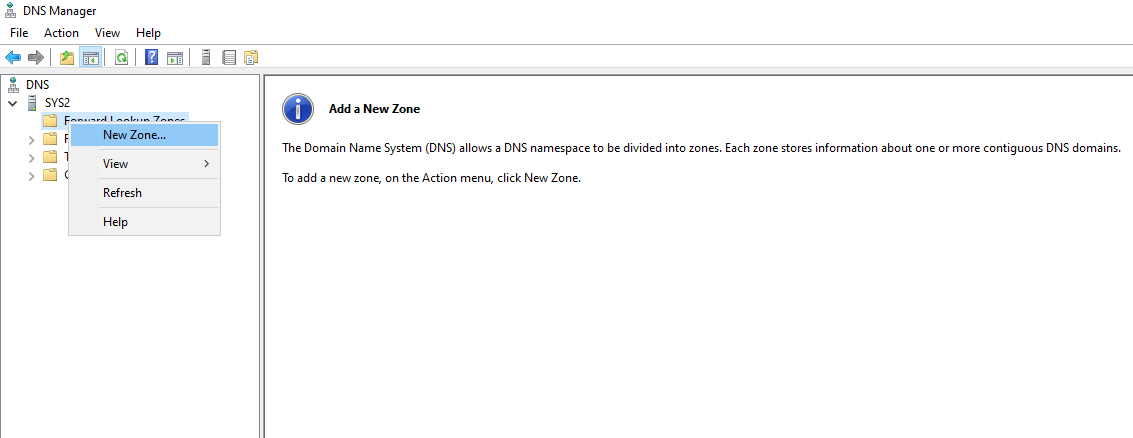
In the DNS dialog box, expand the DNS server's name in the left pane. Right click Forward Lookup Zones à select New Zone à Next
Step 3
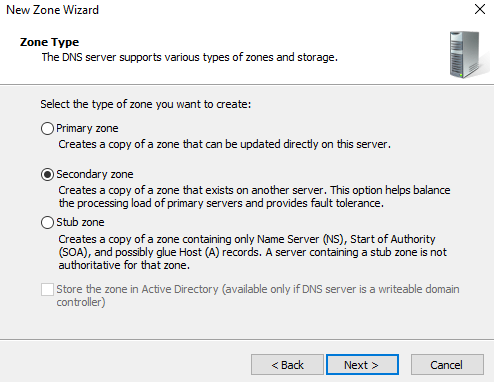
Select Secondary zone à Next.
Step 4
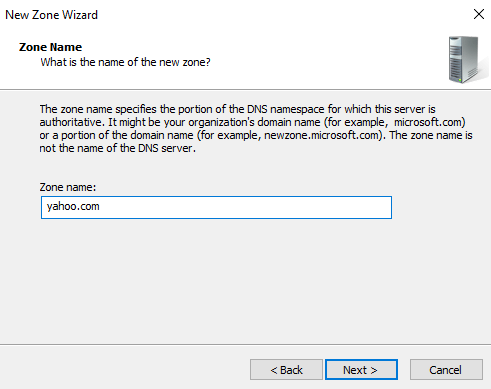
Give the name of primary zone à click Next.
Step 5
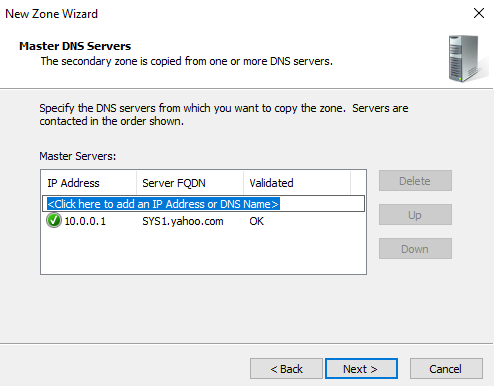
Give the IP address of primary zone Ex: 10.0.0.1 à click Next.
Step 6
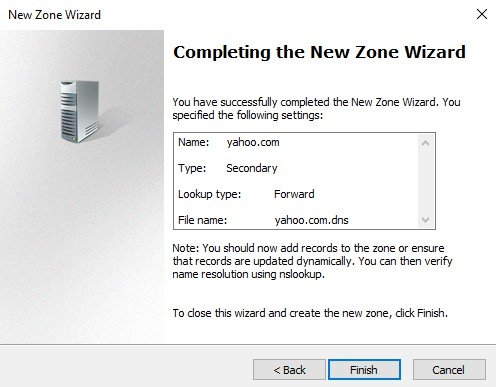
Click Next à Finish. Allow zone transfers to secondary zone
Step 1
Go to Start, select DNS.
Step 2
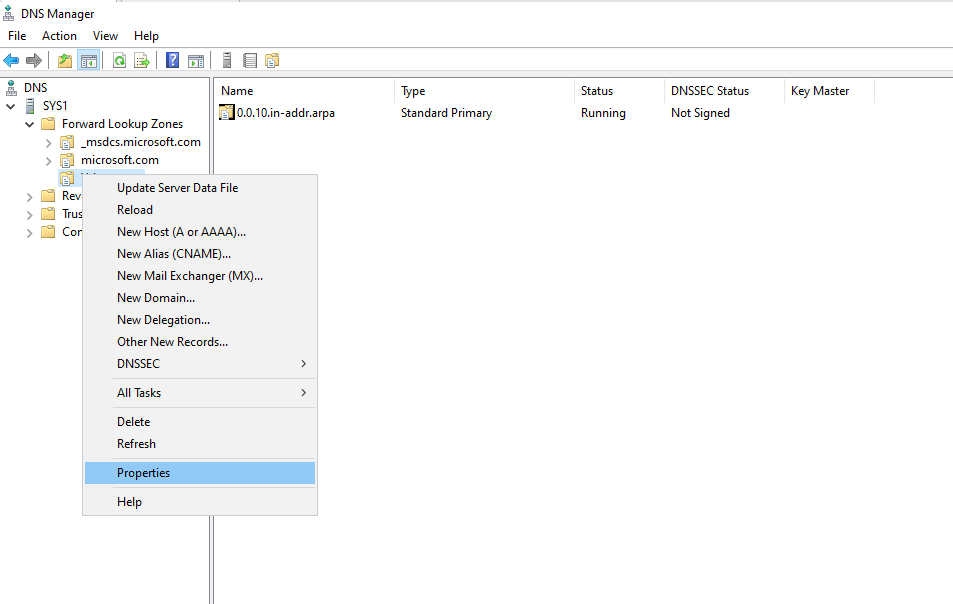
In the DNS dialog box, expand the DNS server's name in the left pane à Expand Forward Lookup Zone à right click primary zone à select Properties.
Step 3
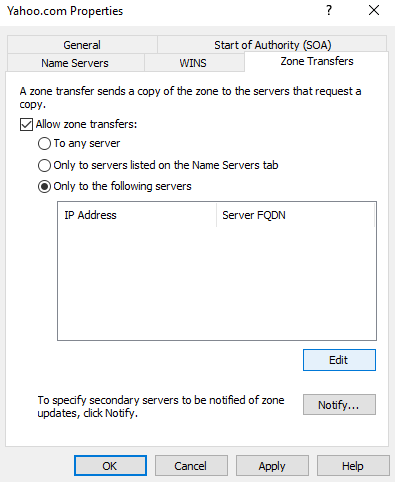
Select Zone Transfers Tab à check the box for Allow zone transfers à select Only to the following servers
Step 4
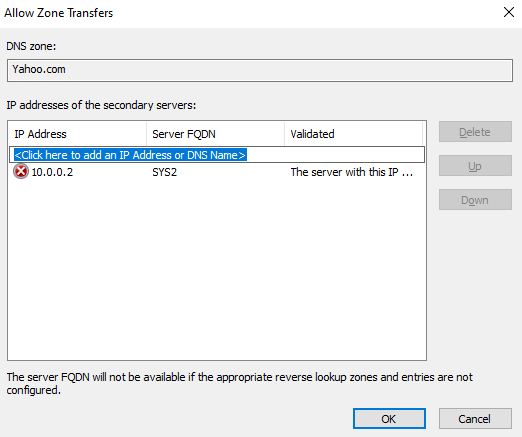
Click Edit and mention the Computer IP Address of secondary zone. Click Notify à Select to the following servers à and mention the Computer IP Address of secondary zone.
Step 5
Click Apply à OK à Again Click Apply à OK.
Verification
Verify that your configuration works as expected. Open tools and check settings matching the parameters.