Prerequisites
- Before working on this lab, You must have
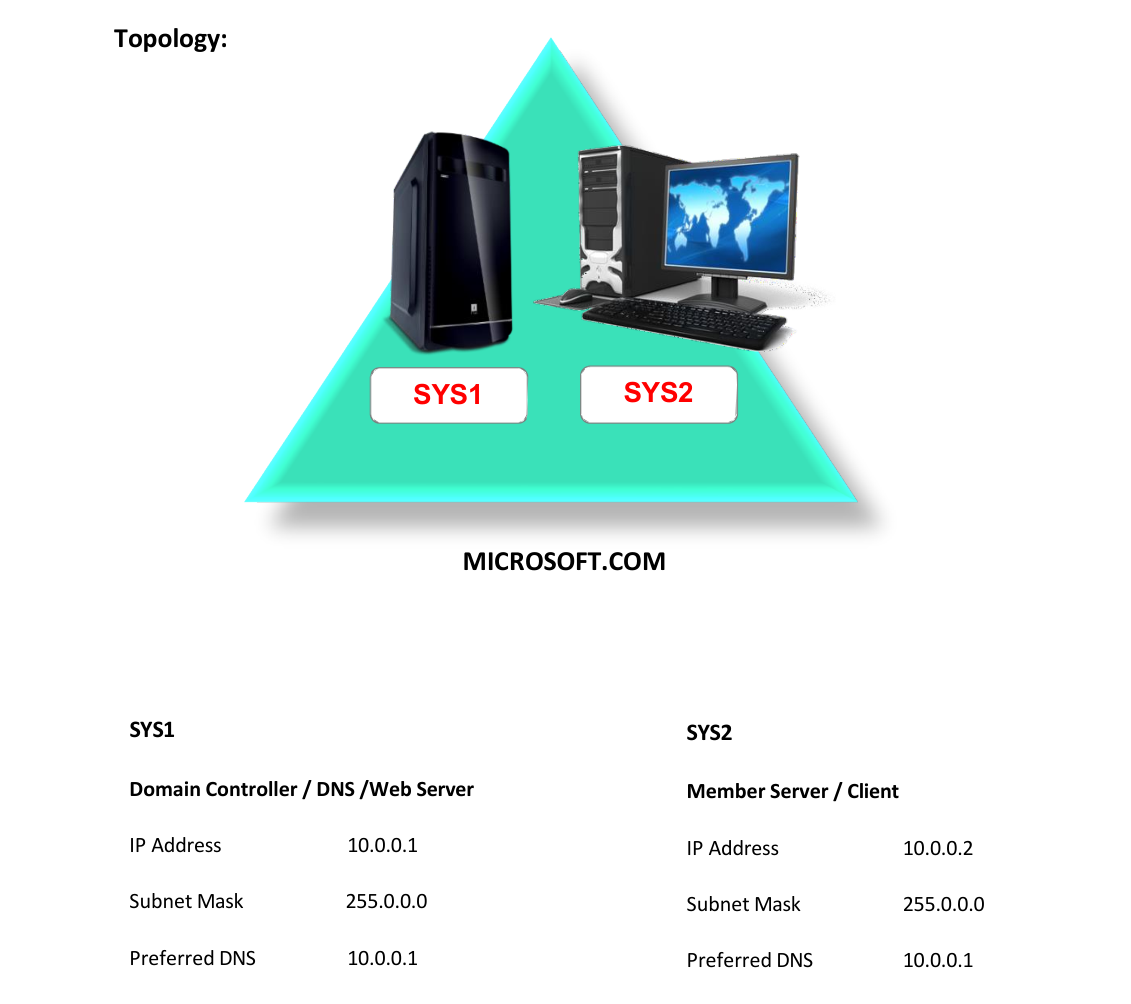
- A computer running windows server 2022 Domain Controller.
- A Member Server running windows server 2022 or Client Running Windows 10.
Network Topology
Step-by-Step Instructions
Step 1
Go to Start select Internet Information Services Manager
Step 2
Create two websites, Ex: AMAZON.COM and ALIBABA.COM
Step 3
If AMAZON has to be redirected to ALIBABA then Select AMAZON.COM à Open HTTP Redirect feature
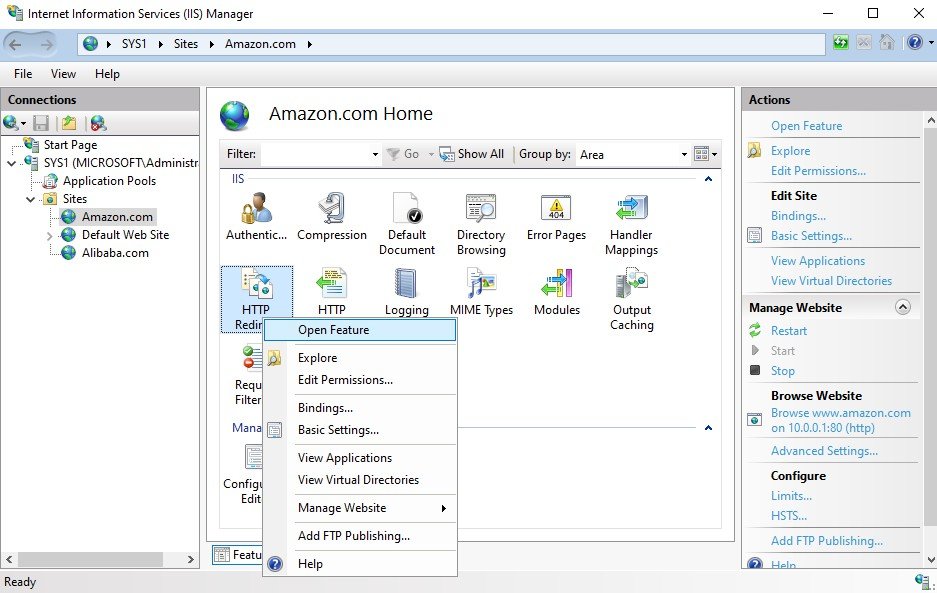
Step 4
Select the check box Redirect requests to this destination give the destination as
http://www.alibaba.com and click Apply in the actions Pane.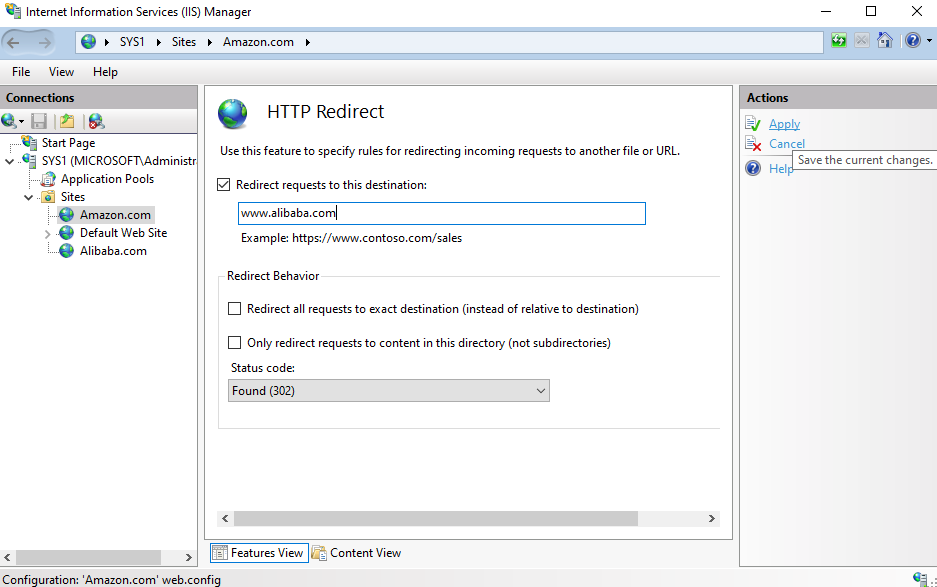
Step 5
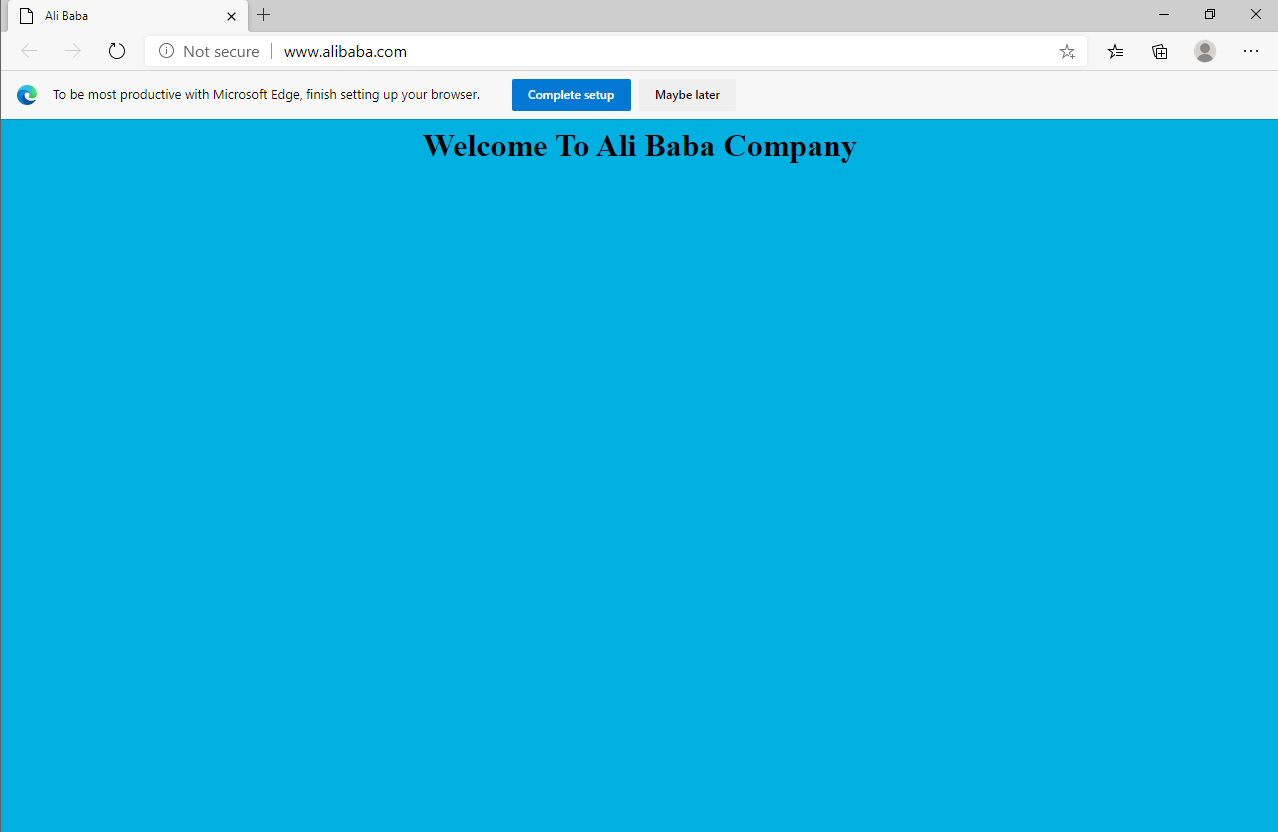
Open Internet Explorer or any browser and access Amazon (www.Amazon.com) and it will be automatically redirected to ALIBABA (www.alibaba.com).
Verification
Verify that your configuration works as expected. Open tools and check settings matching the parameters.