Prerequisites
- Before working on this lab, You must have
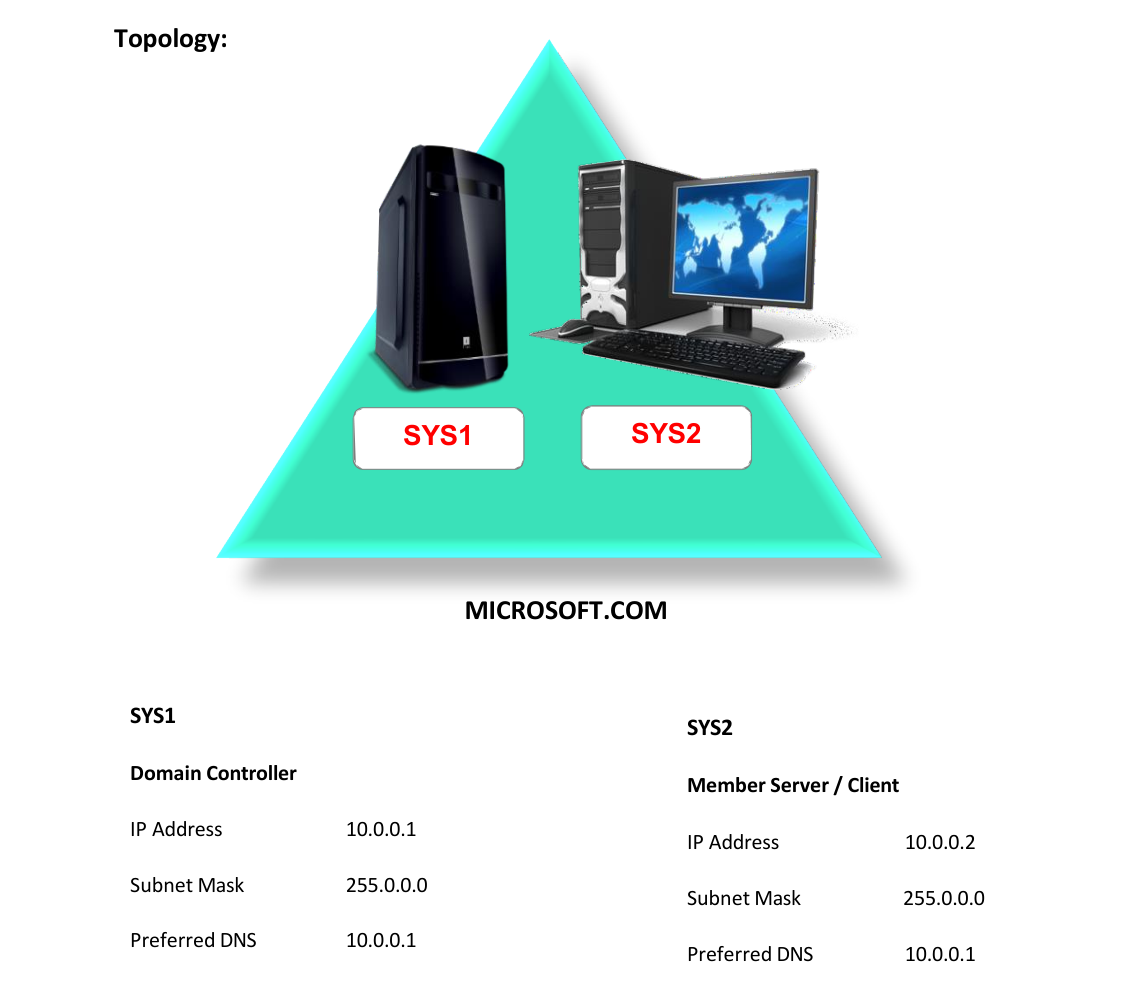
- A computer running windows server 2022 Domain Controller.
- A Member Server running windows server 2022 or Client Running Windows 10.
Network Topology
Step-by-Step Instructions
Step 1
Create multiple iSCSI Virtual Disk (Ex: Vdisk7, Vdisk8, Vdisk9...)
Step 1
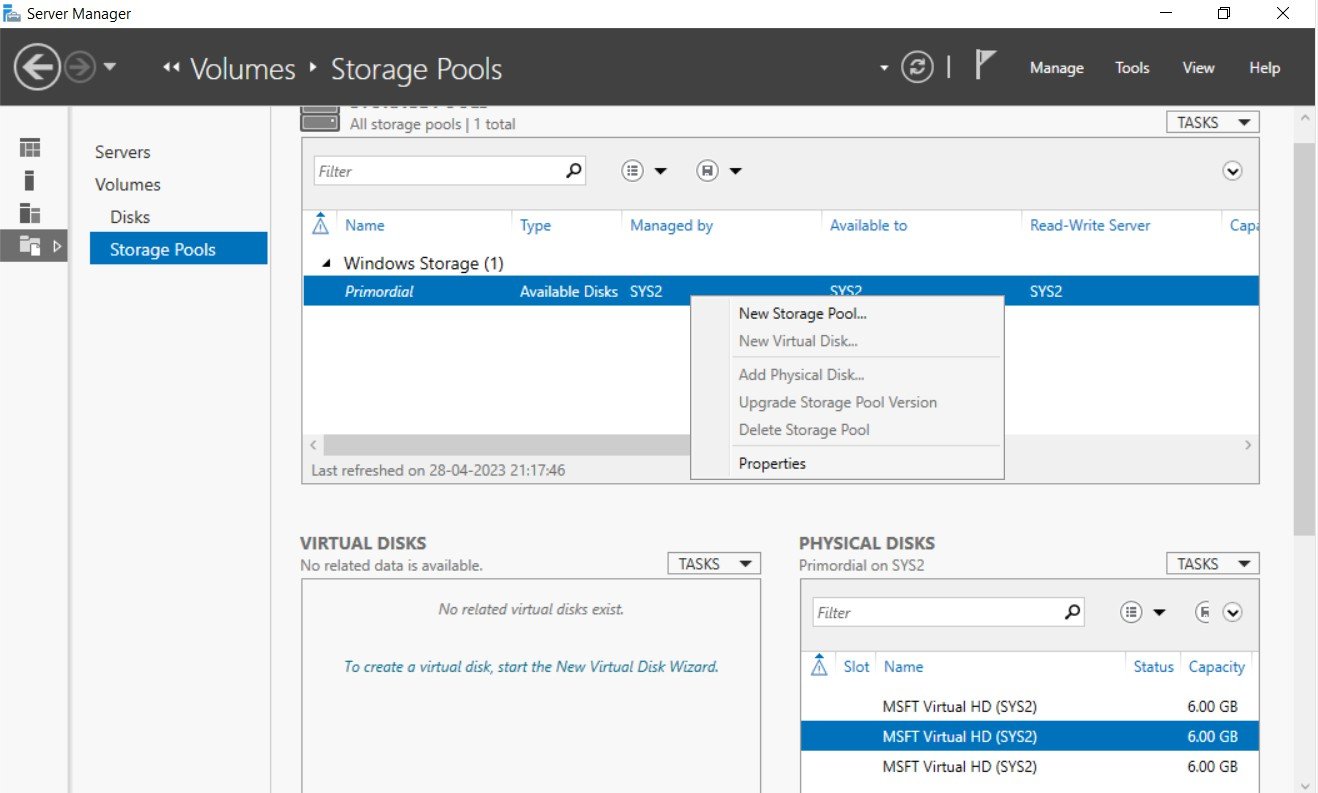
Go to Server Manager à File and Storage Services à Storage Pools à right click Primordial storage pool à select NewStoragePool.
Step 2
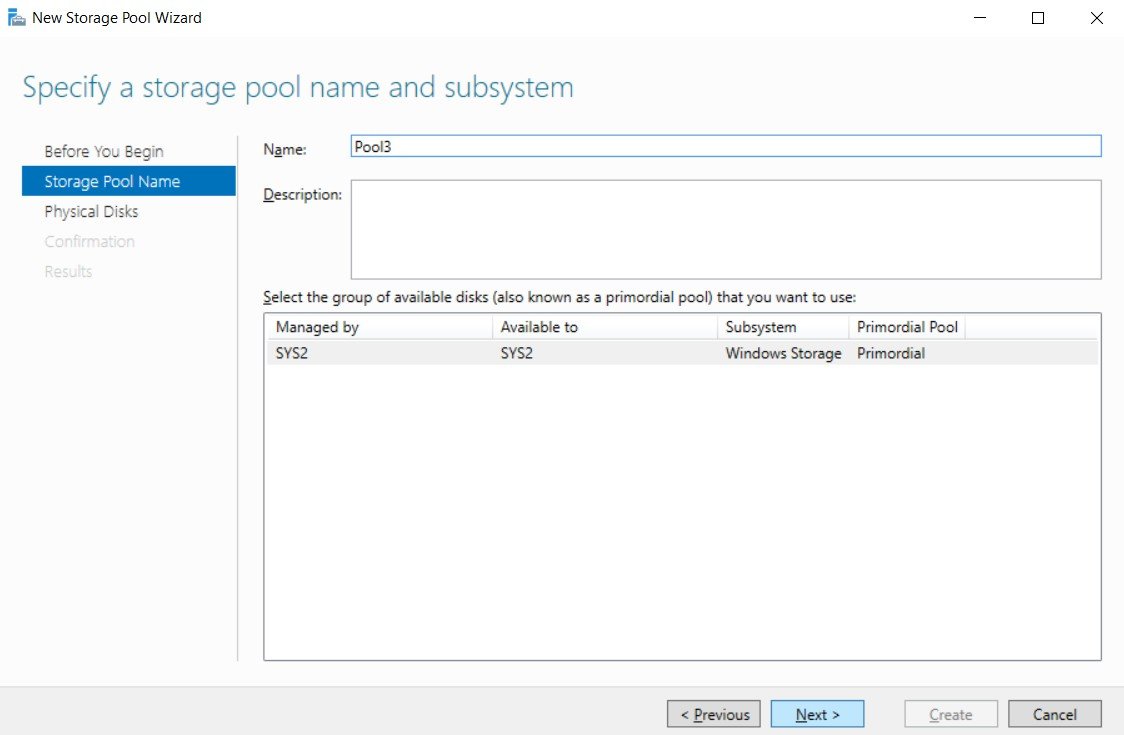
Enter Name (Ex: Pool3), click Next.
Step 3
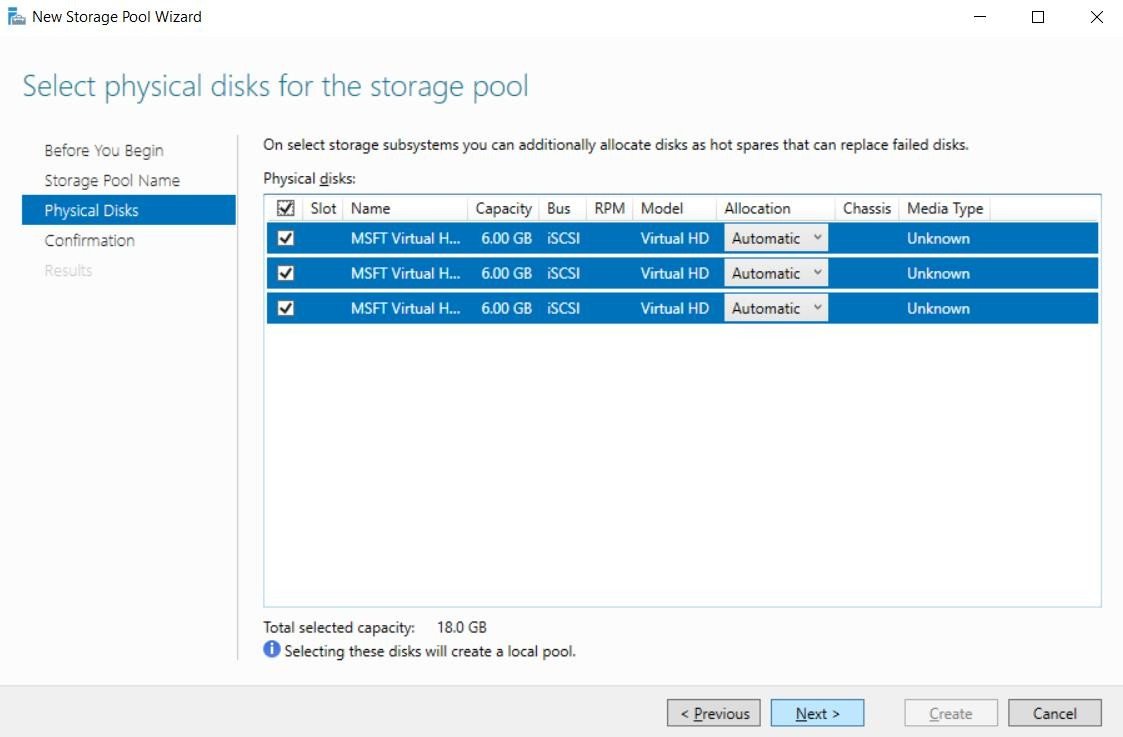
Check the boxes and select the physical disks for the Storage pool, click Next.
Step 4
Click Create.
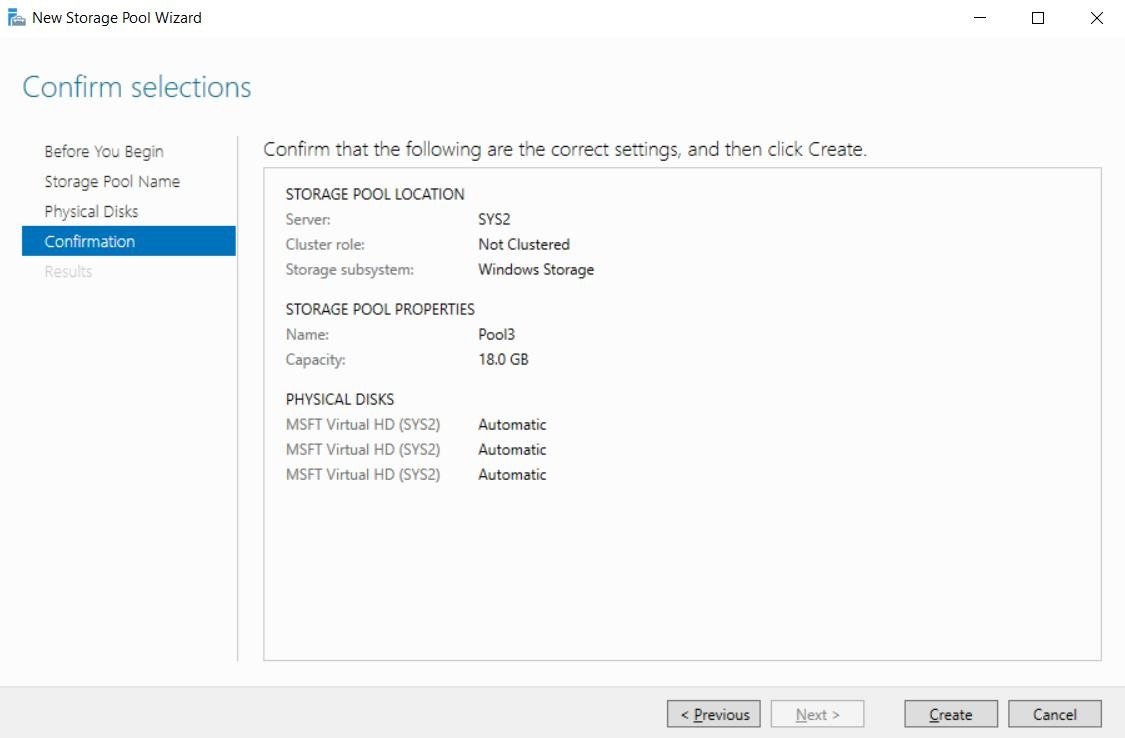
Step 5
Click Close.
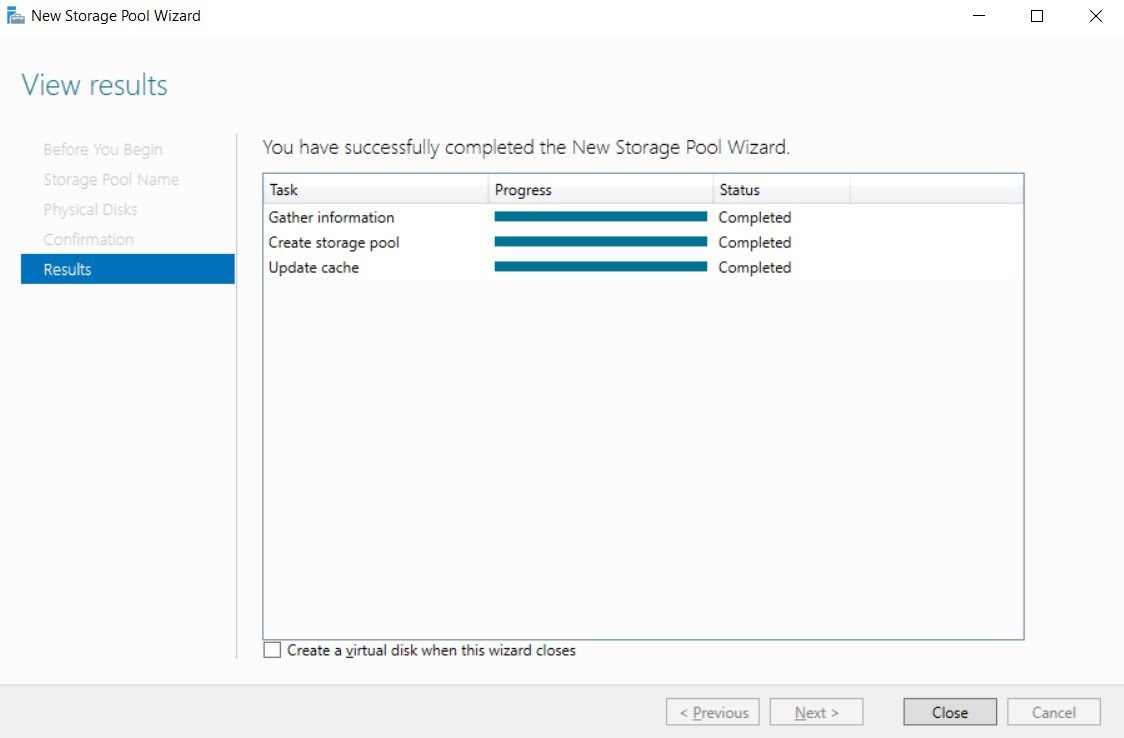
Step 6
In Server Manager, Storage Pools, select Pool3, and click To create a virtual disk, start the New Virtual Disk Wizard.
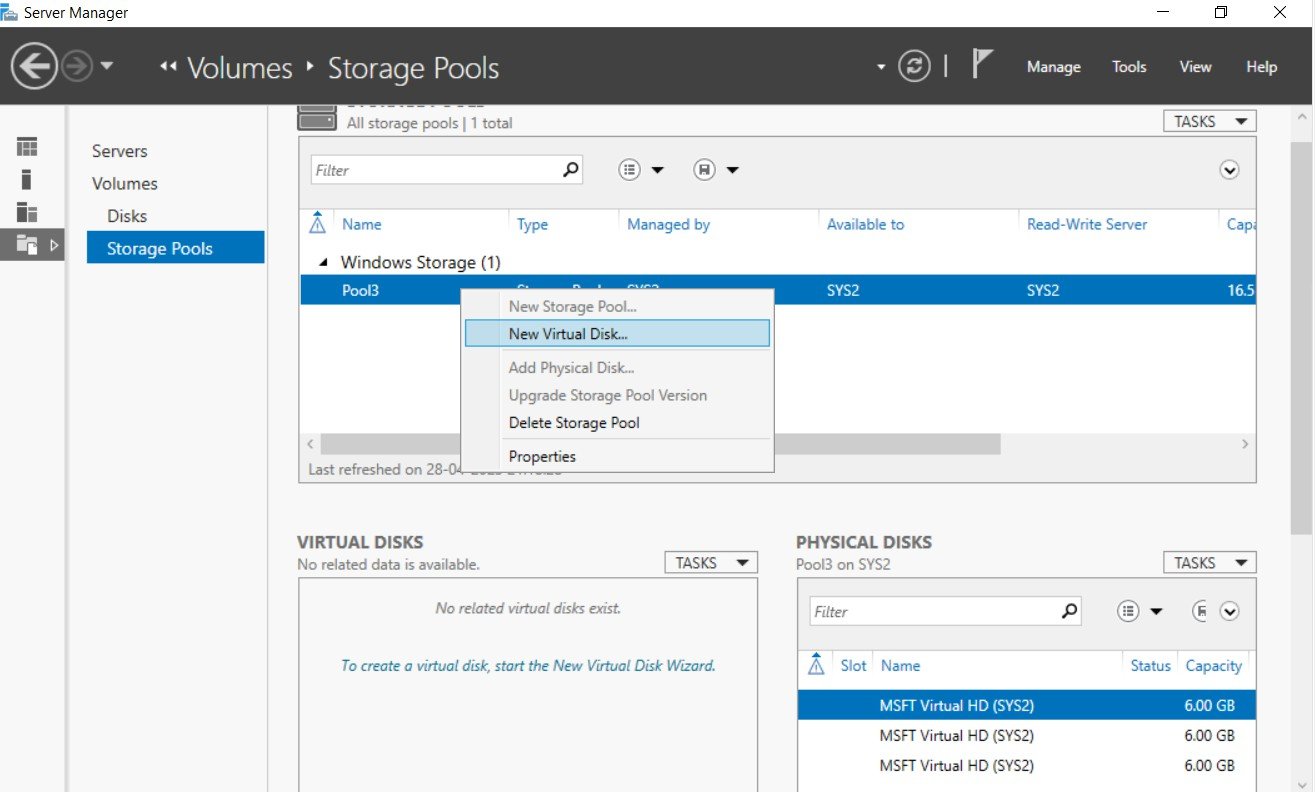
Step 7
Select the storage pool (Ex:Pool3), click Next.
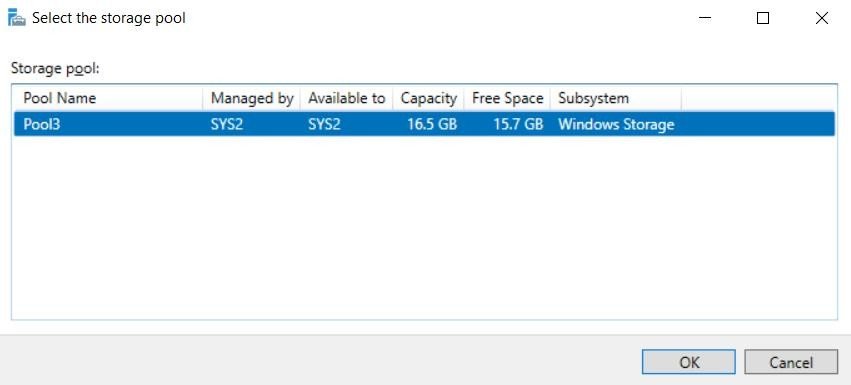
Step 8
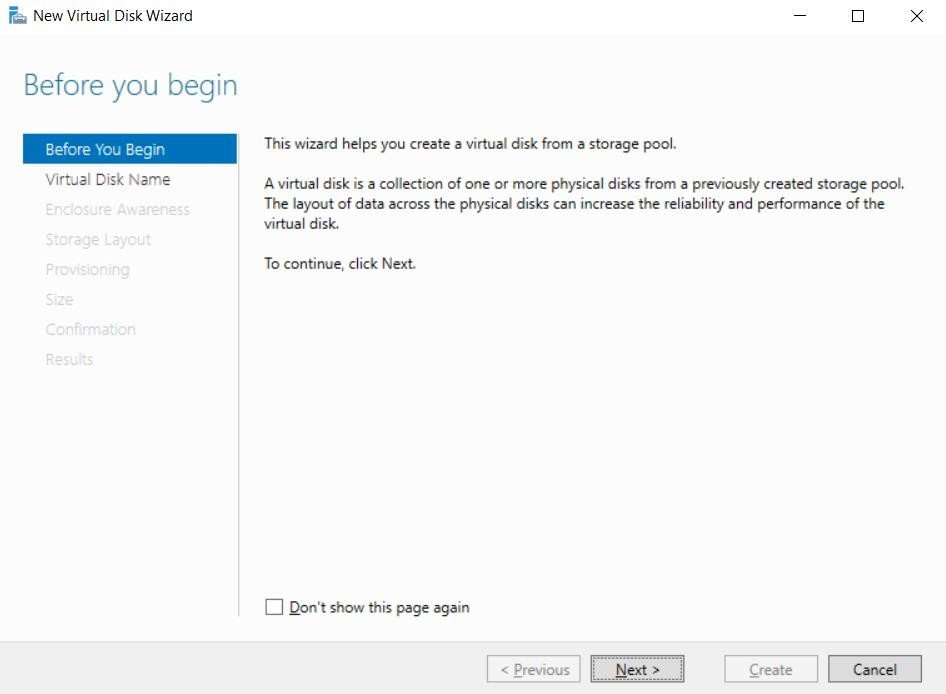
In Before you begin page, click Next.
Step 9
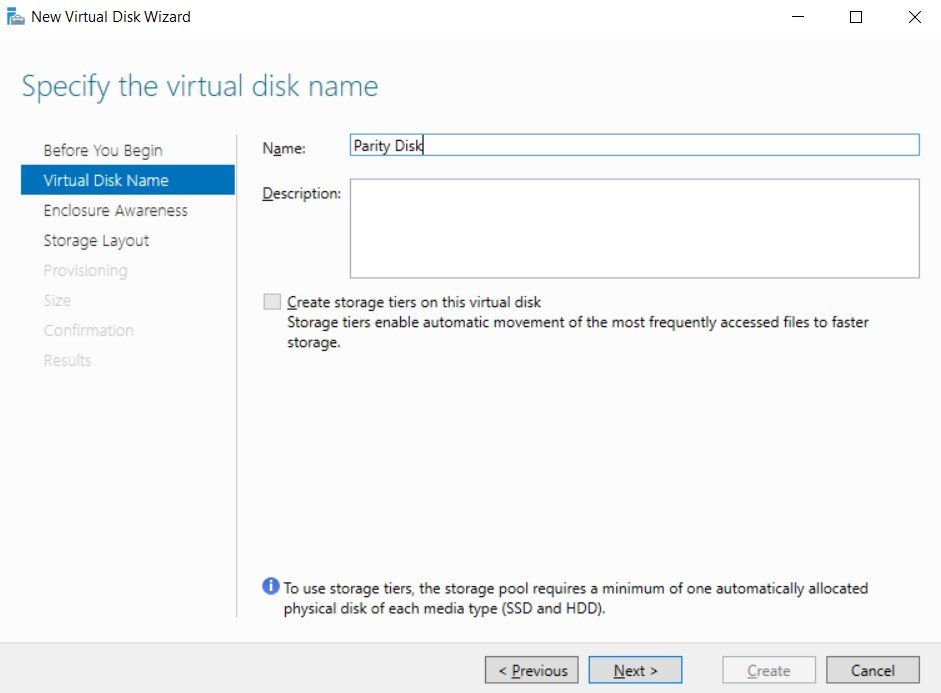
Enter Name (Ex: Parity Disk), click Next.
Step 10
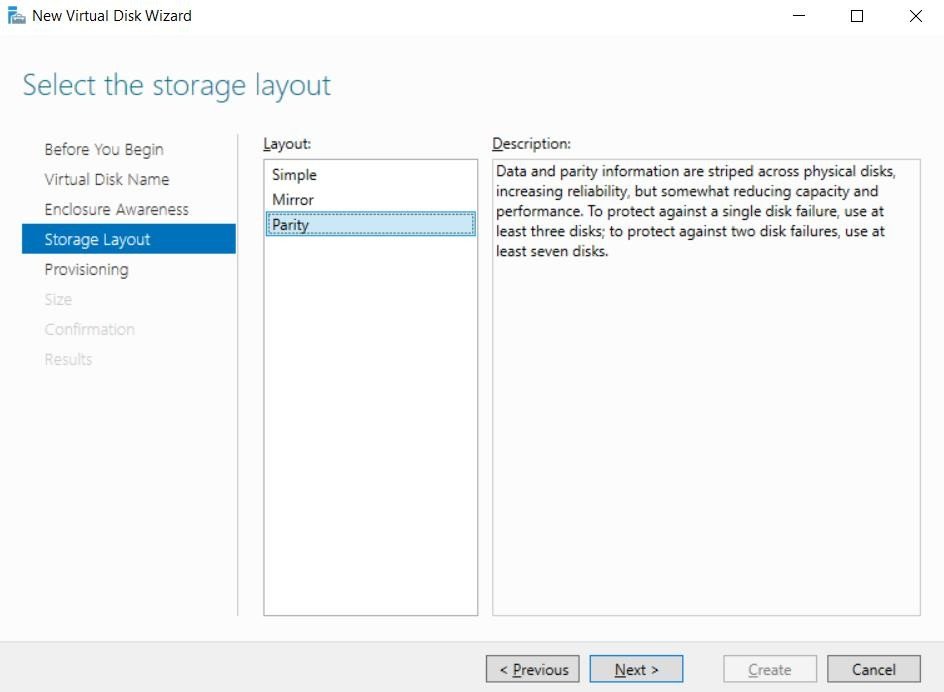
Select Parity, Click Next.
Step 11
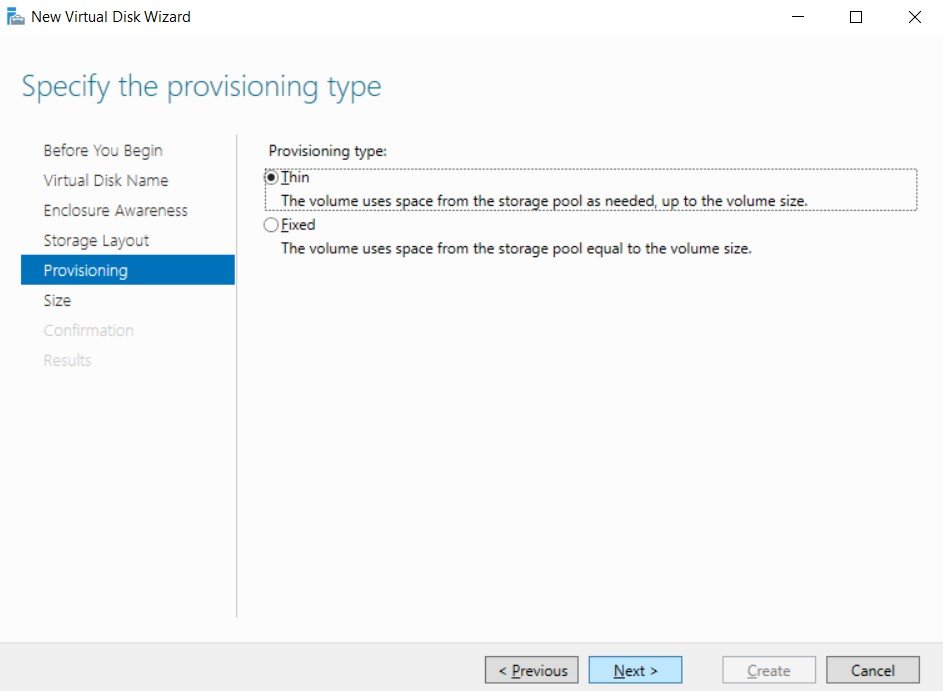
Select Thin or Fixed, Click Next.
Step 12
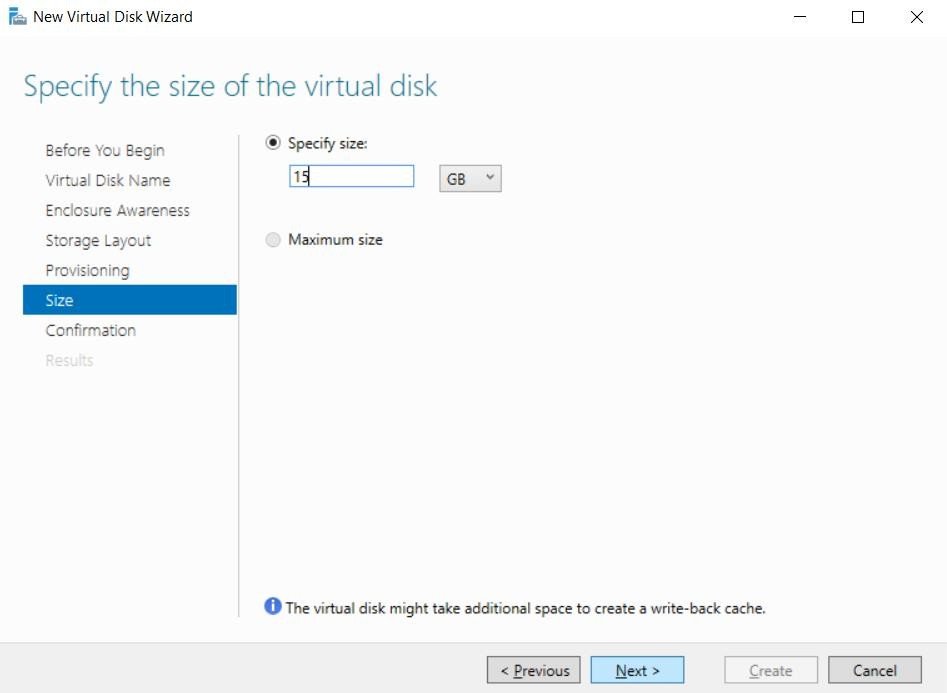
Enter the size of the virtual disk, click Next.
Step 13
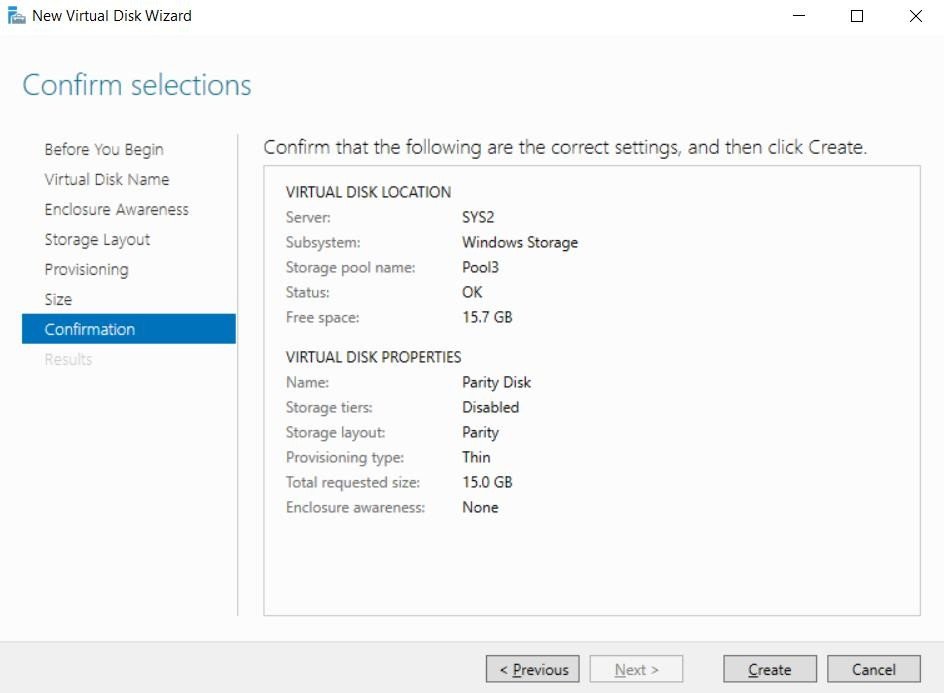
Click Create.
Step 14
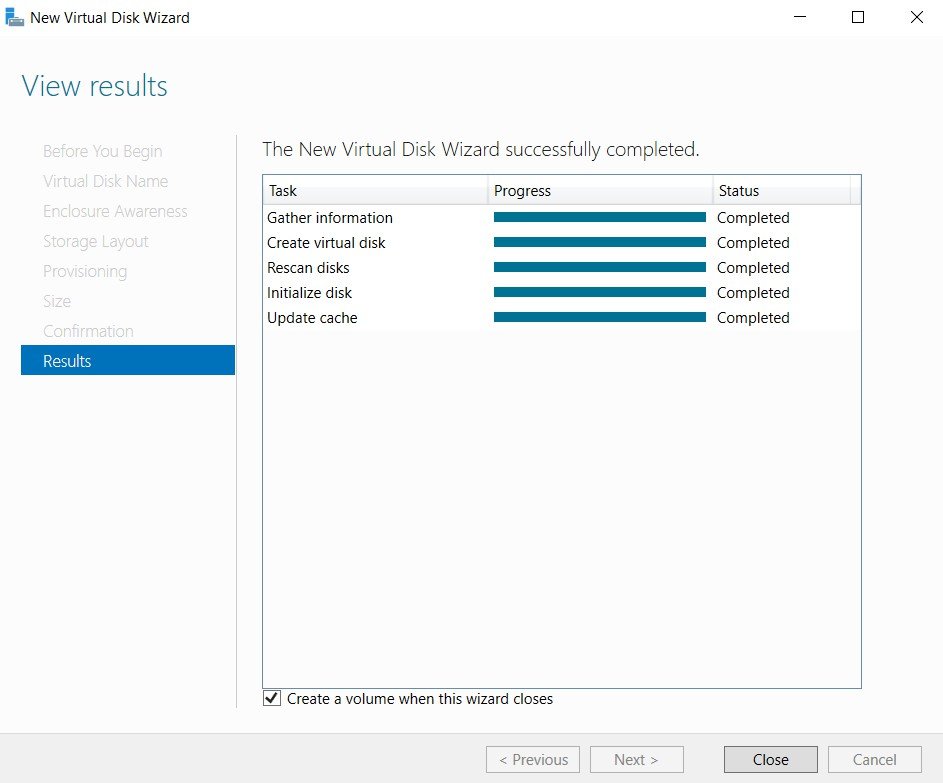
Click Close, verify the check box Create a volume when wizard closes.
Step 15
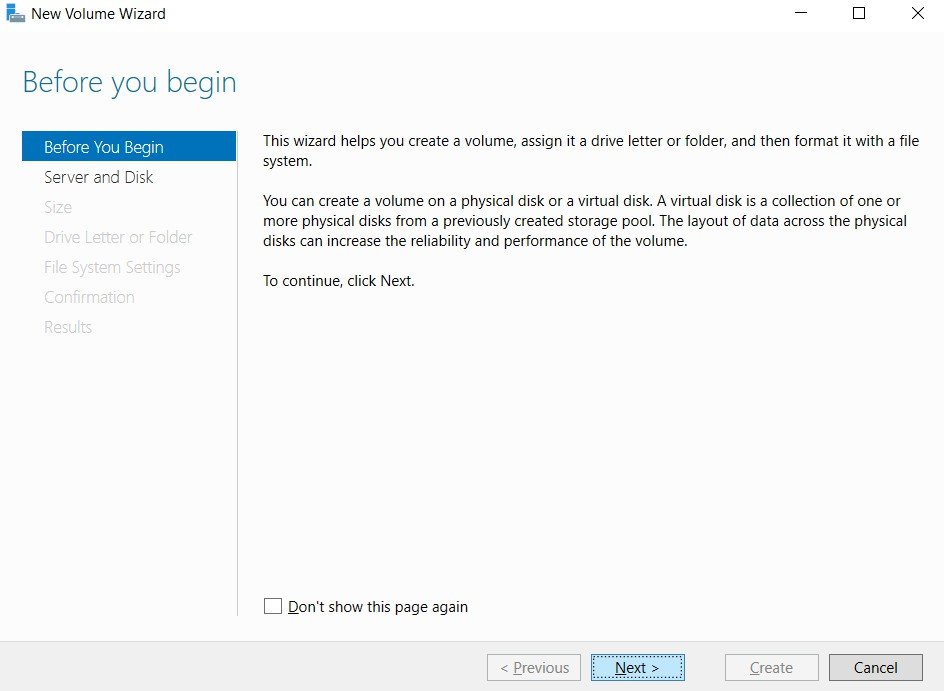
In Before you begin page, click Next.
Step 16
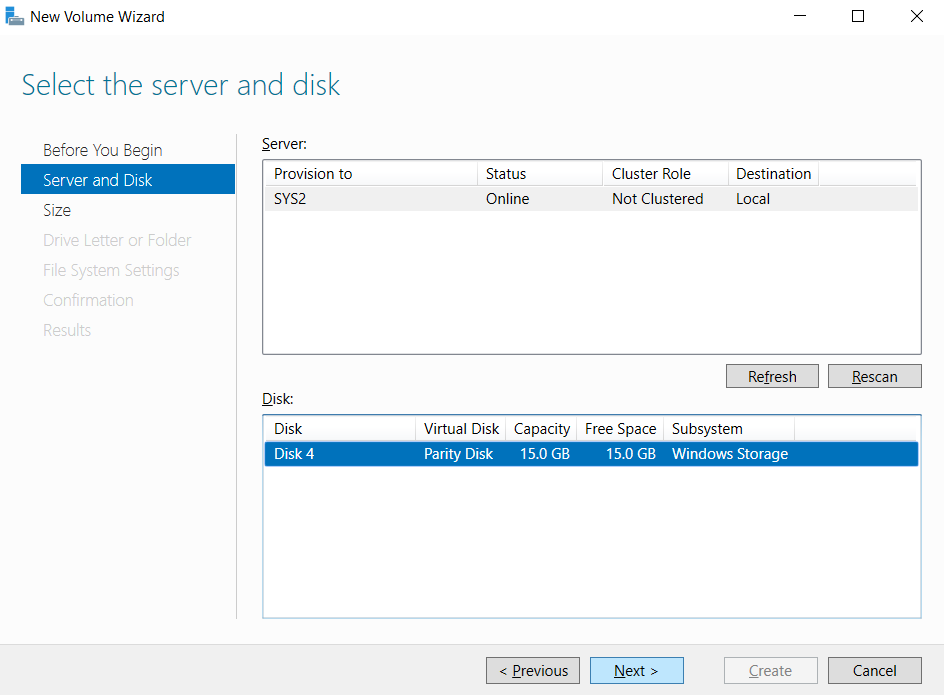
Select the Server and disk, Click next.
Step 17
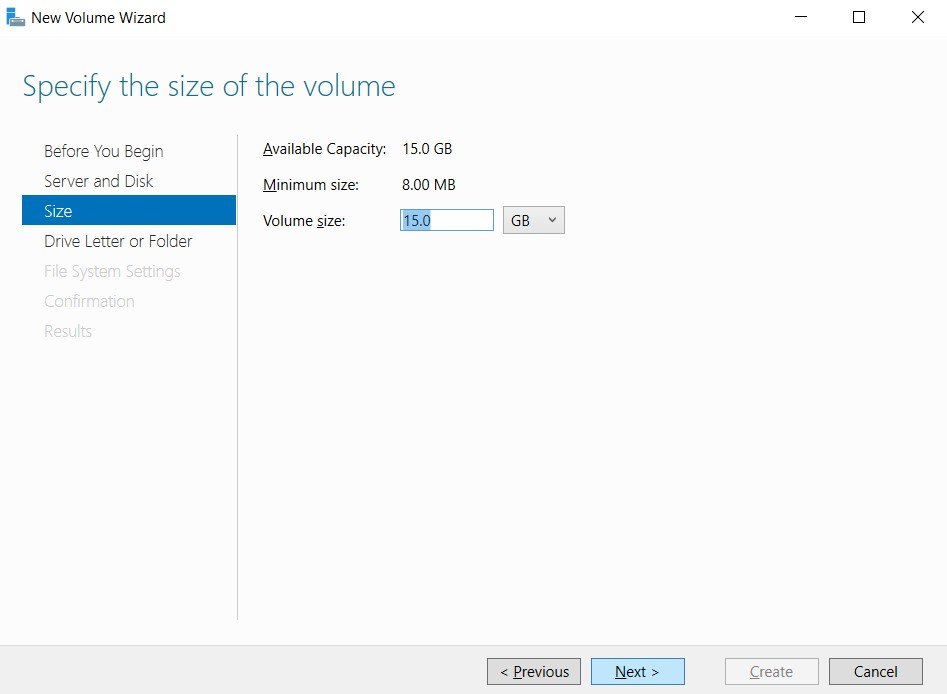
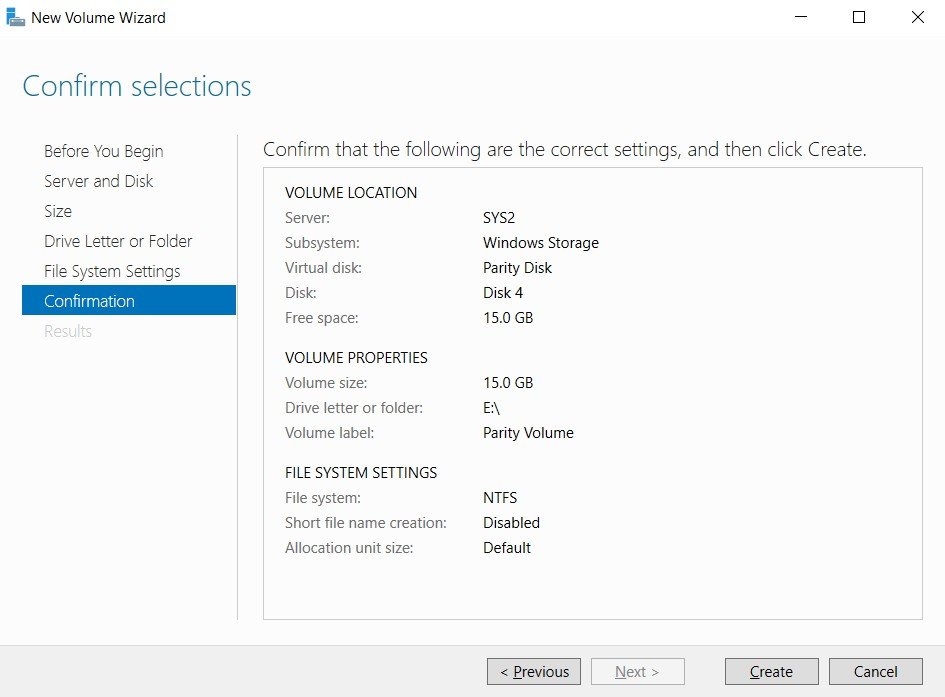
Enter the size of the volume, click Next.
Step 18
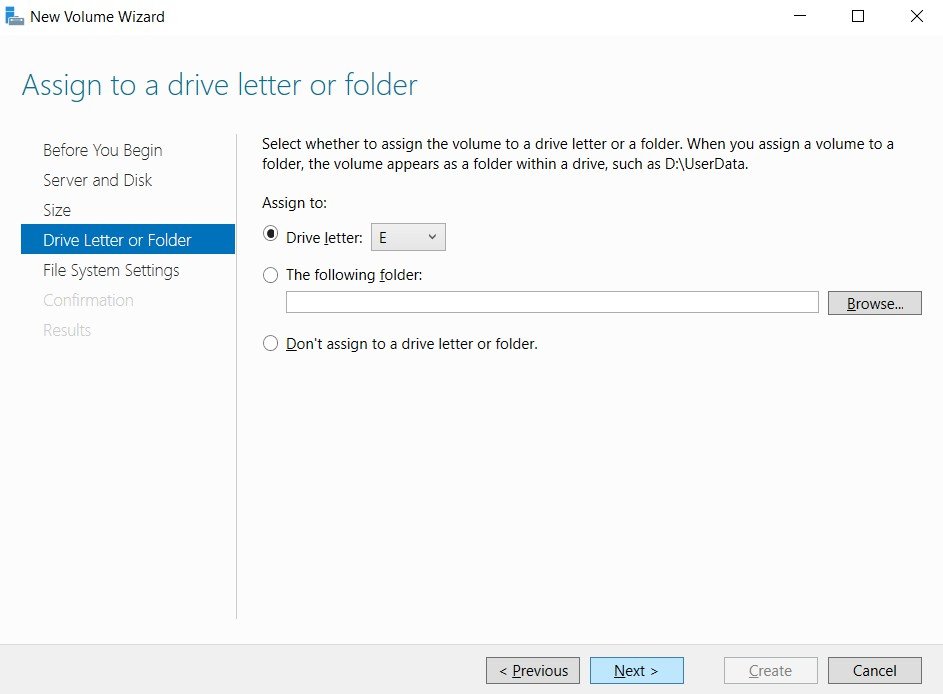
Select the Drive letter, click Next.
Step 19
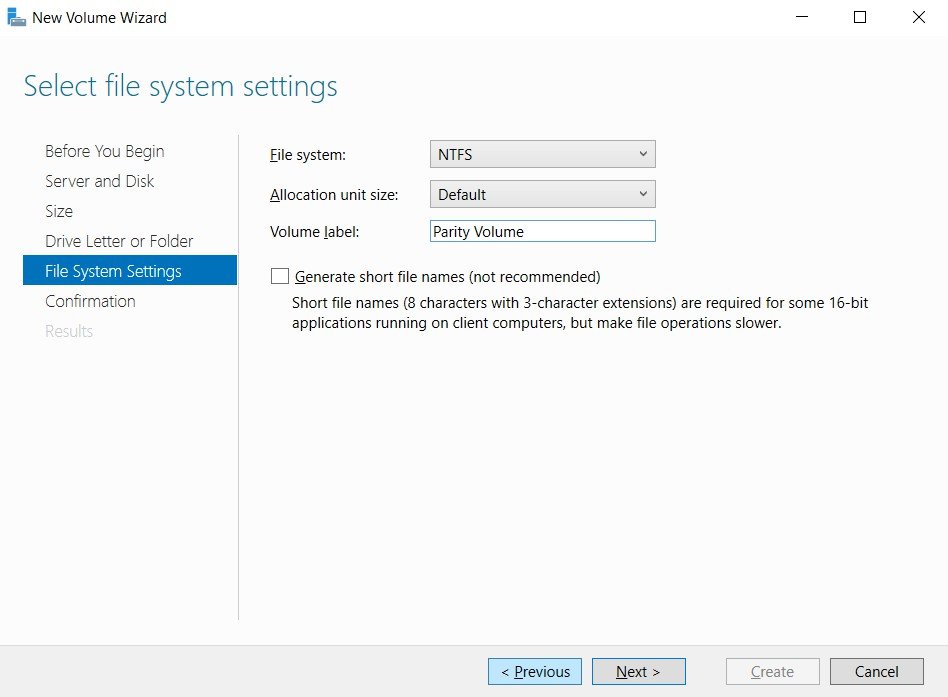
Select the File system, Volume Label , click Next.
Step 20
Click Create.
Step 21
Click Close.
Verification
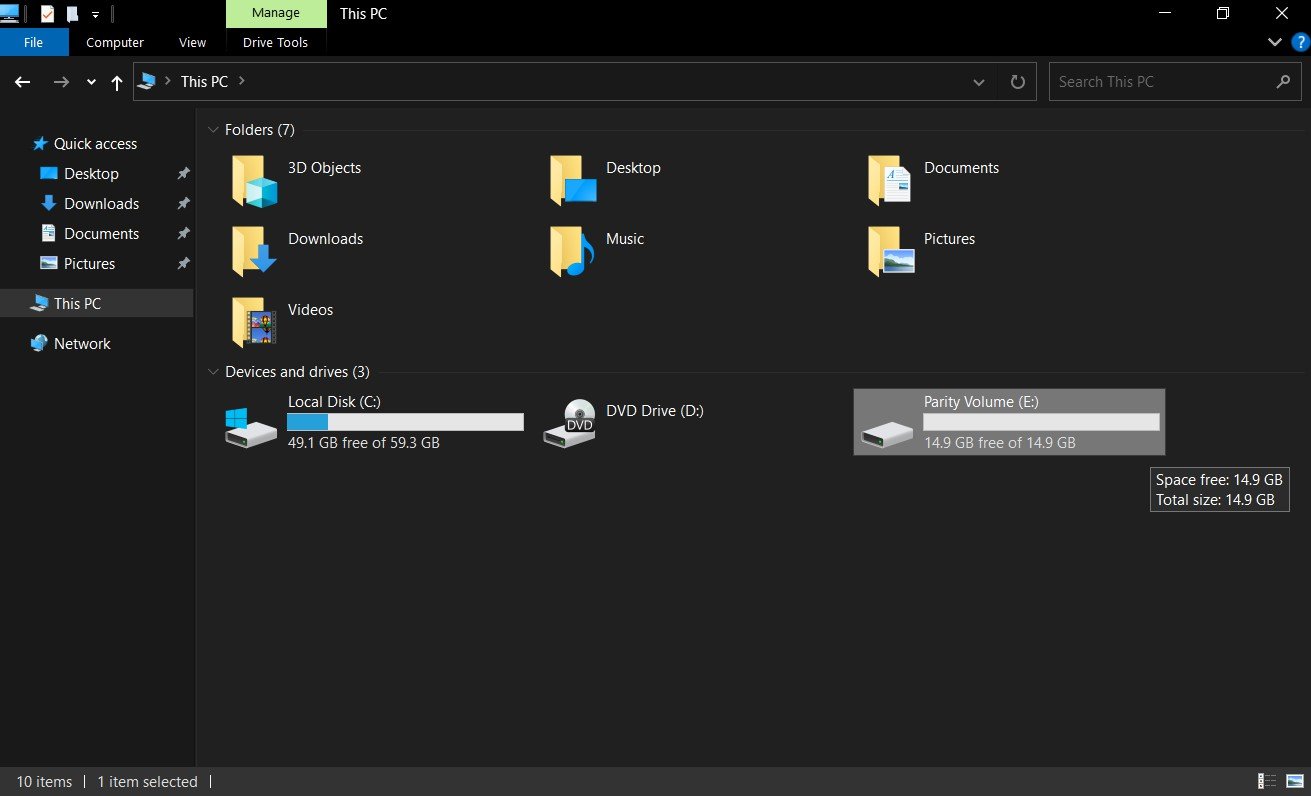
- 22. Go to Start, select Computer Icon and verify for the Parity volume.