Prerequisites
- Before working on this lab, You must have
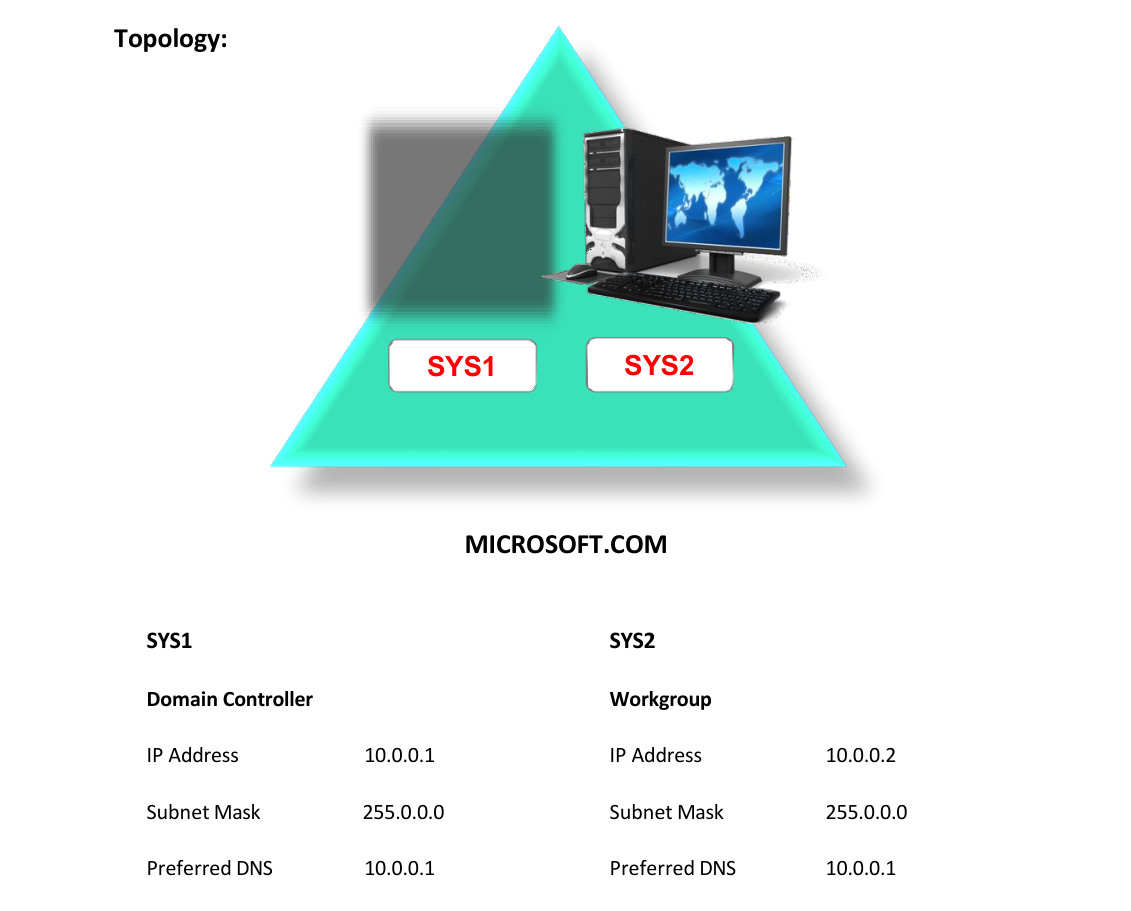
- A computer running windows 2022 server Domain Controller.
- A computer running windows 2022 server (WORKGROUP).
Network Topology
Step-by-Step Instructions
Step 1
Log in as Administrator to Workgroup Computer.
Step 2
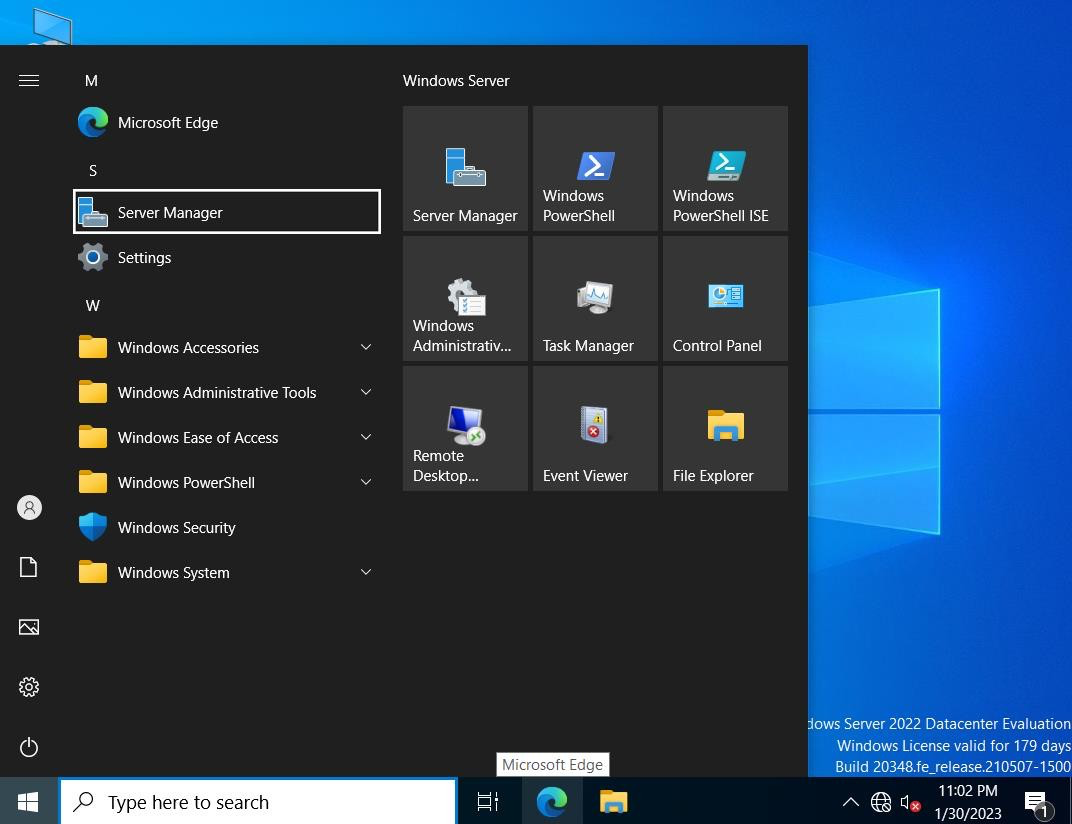
Click Server Manager.
Step 3
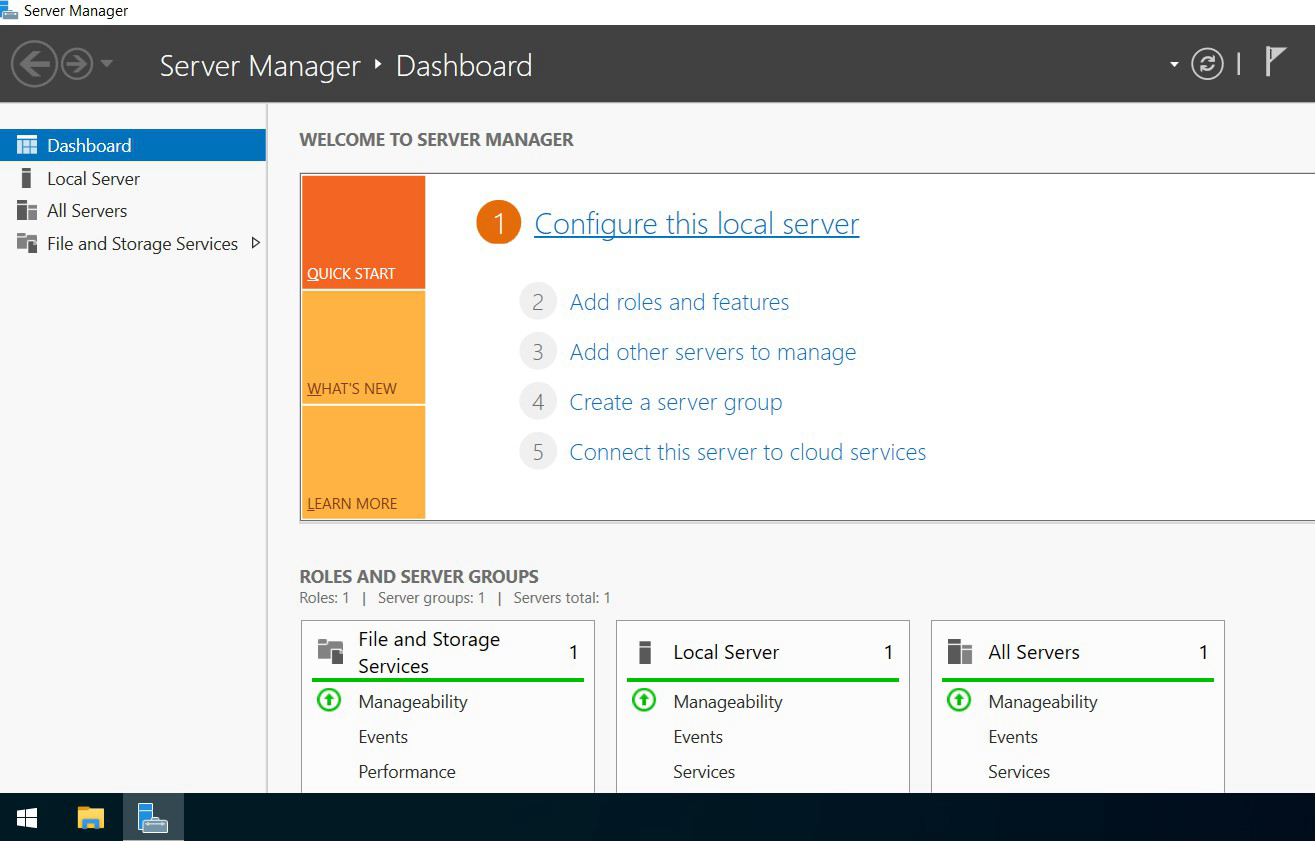
In Server Manager Dashboard, Click Configure this local server.
Step 4
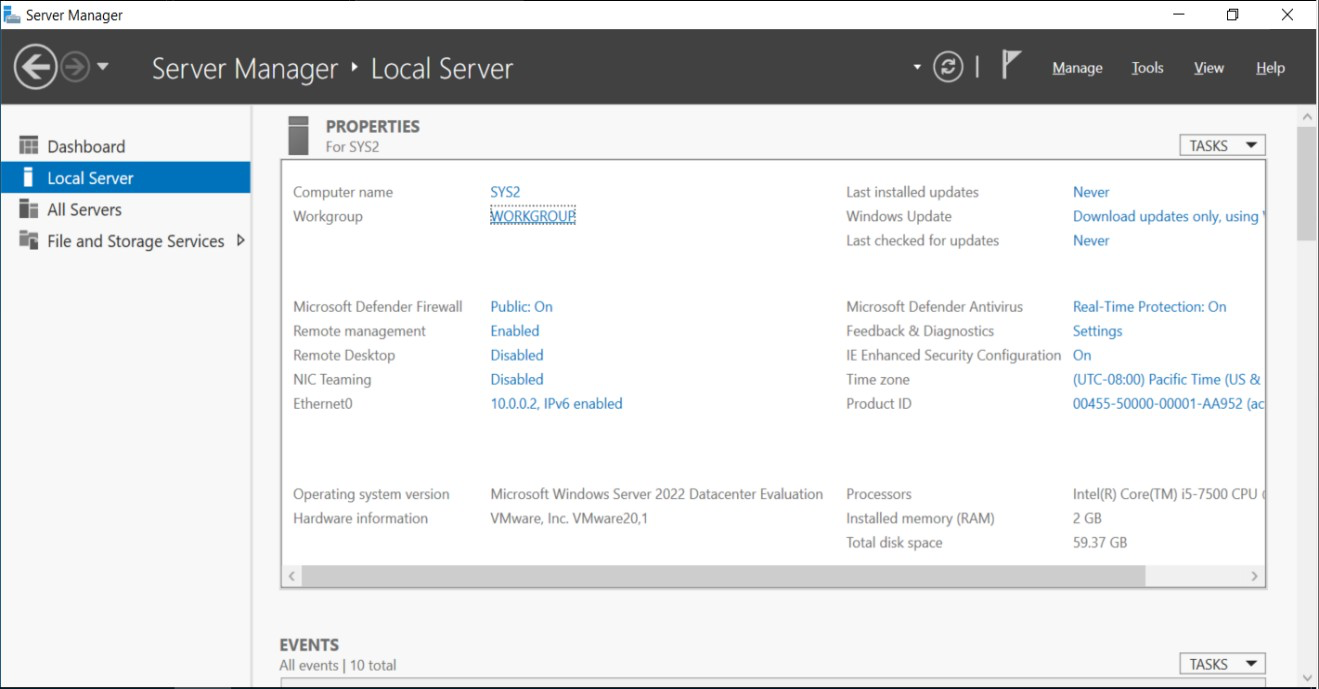
In Local Server, select WORKGROUP.
Step 5
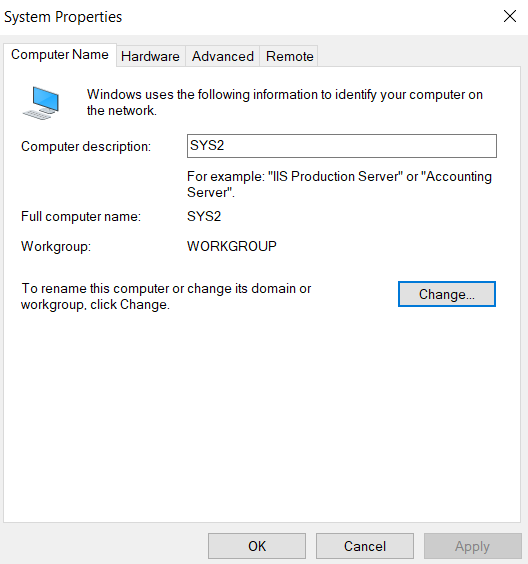
In the System properties dialog box click Change.
Step 6
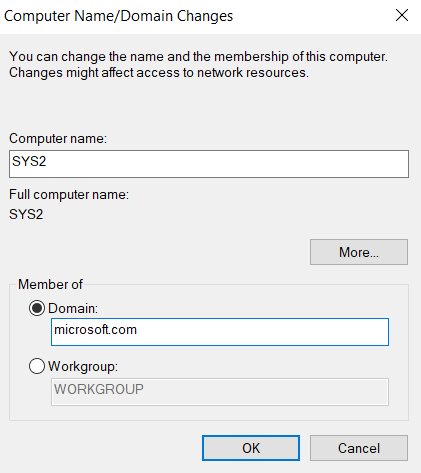
Select Member of DOMAIN and enter the Domain Name.(Ex:Microsoft.com)
Step 7
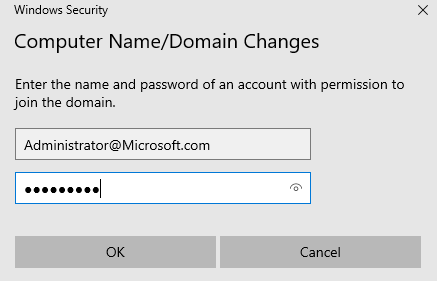
Enter the user name Administrator and Password. Click OK.
Step 8
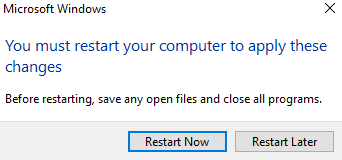
Welcome Message appears indicating that the computer was successful in joining the Domain, click OK and OK, It will ask for restart, click Restart Now.
Step 9
After restarting the computer, it will become Member Server.
Verification
- 1. Go to Server Manager, select Local Server.
- 2. Verify for the Domain MICROSOFT.COM.